 NoiseBee


Gobocaster
Overview
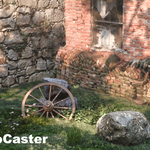
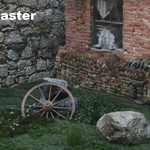
Gobocaster transforms any Blender light into a professional gobo projector. It includes over 120 HD textures across 14 categories and an advanced animation engine. Perfect for archviz, VFX, and cinematic lighting workflows.
Key Features
- 120+ gobo textures
- Advanced Animator with physics controls
- Orbit FX integration for dynamic camera movements
- Auto-detect pattern recognition
- Video texture support
- Intuitive UI with quick pie menu (V key)
- Dual distribution (Legacy + Extension versions)
Installation
Legacy (Blender 4.5+): Preferences > Add-ons > Install ZIP
Extension (Blender 4.2+): Preferences > Extensions > Install ZIP
Quick Start
- Select a light
- Open sidebar (N key) > Gobocaster tab
- Pick a gobo texture
- Adjust scale, rotation, offset
- Enable Auto-Animate
Gobo Animator
Basic: Auto-Animate, Pattern, Speed, Intensity
Advanced: Turbulence, Damping, Frequency, Phase
Tools: Generate Animation / Clear
Orbit FX Integration
Select a light → Press V → Choose Orbit FX → Adjust parameters
Categories (examples)
- Leaf (20) – Natural shadows
- Window (23) – Frame patterns
- Cloud (11) – Atmospheric effects
- Caustic (6 + 1 video) – Water reflections
- …10+ more
Video Textures
- Load a video as gobo
- Enable Cyclic + Auto Refresh in video node
- Use Orbit FX for dynamic playback
Compatibility
- Blender 4.5+ (Legacy)
- Blender 4.2+ (Extension)
- Cycles (Eevee in v2.0)
- Windows, macOS, Linux
Roadmap v2.0
- Procedural texture generation
- Multi-light management
- Eevee support
- Expanded asset library
- One-click volumetric lighting
$12.90
Have questions about this product?
Login to message
| Blender Extension Compatible | Yes |
| Dev Fund Contributor | |
| Published | about 1 year ago |
| Blender Version | 4.2 - 4.5 |
| Extension Type | Add-on |
| Render Engine Used | Cycles |
| License | GPL |