 Dillon Goo


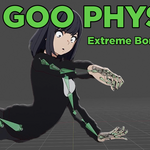
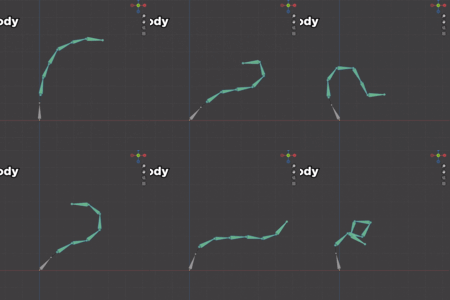
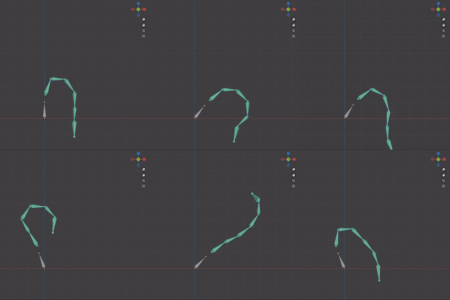
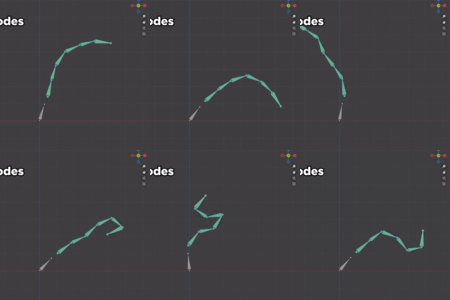
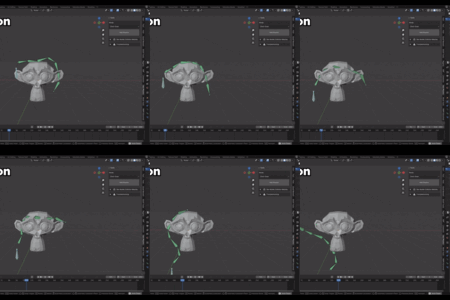
A custom physics solution for stylized simulations. Made by DillonGoo Studios.
This is our in-house tool for simulating hair, cloth, props, soft bodes, and more with a single click! It's been production-tested and pipeline compatible for several years. Ready to insert into any workflow whether you're an independent artist or a large team!
FREE TUTORIAL: https://youtu.be/_c7huWyyvfg
Why we made Goo Physics:
Stylization is always our main goal. But to do that, we need artist control. One of the biggest pain points with realistic simulations like cloth is that it's difficult to tweak afterwards and often feels too realistic for stylized animation.
Goo Physics simulates movement automatically while still allowing artists to tweak the movement afterwards. It also specializes in stylized movement rather than realistic movement, creating much more appealing arcs and shapes.
For example, anime characters have specific hair shapes that need to move but can't change shape too much, or they become unrecognizable. Goo Physics helps preserve the design of your characters while still breathing life into them.
While other bone-based simulation tools do exist, Goo Physics was made with features that we couldn't find elsewhere.
Geo Nodes
Custom geometry nodes setup we made specifically to achieve a more anime movement with maximum flexibility
Includes Collsions
Includes Wind
Cloth
Uses native Blender's Cloth simulation as a basis
Great for long bone chains, such as ponytails, braids, or certain tails
A bit more realistic for things that need to prioritize gravity more
Jiggle Physics
Add jiggle to any bone. Great for breasts and mechanical parts with weighty follow through
Soft Body
Uses native Blender's Soft Body simulation as a basis
Good for basic drag
Fastest method of simulation
Wind
Powerful tool for adding direction noise to your simulations
Really good for suggesting movement during treadmill sequences where the BG is moving through world space, but your character is not
Collision
Can calculate collision based on auto generated simplified meshes of selected objects, optimized for performance
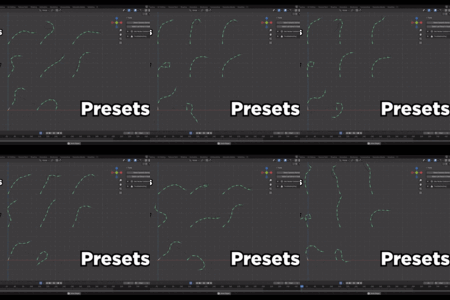
Presets
We also have Presets available to make things as easy to pick up and use as possible!
-
Soft Body
Goo Sim_Chain - Used for most simulations in soft body (stiff roots and floppy end bits)
Goo Stiff - Stiff physics settings (like a tree branch). Used on first bones in chains
Goo Flappy - Default flappy settings for physically light objects with more drag. Think capes, scarves, coats
Slowmo - Used for slowmo hair
Metal/Jewelry - Small-scale physics sims for earrings and other dangling jewelry
-
Geo Nodes
Hair_Fringe - Short bone chains with settings to keep its shape but add subtle movement, like you’d want in bangs
Hair_Side - Medium length bone chains (3-5) that have medium amounts of bend. Think side hair strands or a skirt
Hair_Ponytail - For long bone chains like ponytails, but also useful on long dresses, veils, or tails.
WHAT YOU GET:
The Goo Physics addon installation file, compatible with both Blender and Goo Engine
Local Tutorial File
Tool Support
Access to all future updates and new features
Patch Notes
1.0.6 Updates (August 27, 2026)
-
Bug Fixes:
- Fixed bug related to adding physics to bones that are too small causing glitchy physics sims
- Fixed bug related to chaining unparented bones together creating bad chain
1.0.5 Updates (June 2, 2026)
-
Features Added:
- Tweaked chain algorithm to prioritize creating longer chains instead of splitting at each child junction for sim result
-
Bugs Fixed:
- Fixed bug where Frame Dropping and Sync to Audio baking didn't work in some files
1.0.4 Updates (May 17, 2026)
-
Features Added:
- Physics now bake using scene Playback Sync mode, meaning it will match your viewport result
- NOTE: Make sure to bake before rendering to ensure you get the result you want. This was already the best practice, but just a reminder!
- Added "Bone Map Presets" allowing users to create presets for entire skeletons holding all physics chains and chain settings
- Added Gravity controls for all physics chain types
- Moved to panel named Goo Animation Tools for parity with future addons
- Experimental: Added an automatic collision collider generated from the active rig deform bones
-
Bugs Fixed:
- Fixed bug where geo nodes gravity was not in world space
- Allow gravity to go into the negative direction for Geo Nodes
- Improved the chaining algorithm to prioritize direct parents over indirect constraint parents
- Fix bug when adding chain preset for a single bone chain
- Change Geo Nodes collision behavior to not fail with non manifold geometry
1.0.3 Updates (April 26, 2026)
-
Features Added:
- 5.2 compatibility
- Improved the chain detection to account for indirect parenting through constraints. This allows Goo Physics to work with Rigify super_copy chains
- Add operator to remove Wind Controllers from selected bone chains
- User created presets will now be stored in a separate folder so that they do not get overwritten between updates
-
Bugs Fixed:
- Fix issue where bone properties were getting keyframed during bake
- Fixed a bug where you could not remove physics from some bones
1.0.2 Updates (April 20, 2026)
-
Features Added:
- Operator to toggle on/off Goo Physics temporarily
- Geometry nodes chains are now parented to the armature to allow for object space transforms
- Added a preference to keep any existing settings on the bones instead of loading the active preset
- Added per physics type collider collections. Allows setting different colliders per physics type. Requires manually putting colliders into the typed collections. The feature is off by default
-
Bugs Fixed:
- Fix bug preventing single bone chains from getting physics and other chaining issues
- Removing goo physics from a chain now removes all relevant bone constraints
- Fixed compatibility issue with blender 3.6
- Fixed bug preventing removing physics from Jiggle bones
- Fixed issue where geo nodes colliders parented to an object were not working properly
- Geo Nodes chains now hooked to root so a change in pose no longer causes a snapping motion at the start of a sim
1.0.1 Updates (April 15, 2026)
- Fixed a bug where disconnected bones in a bone chain would prevent further sim bones from being added
System Requirements:
Windows, MacOS, or Linux operating systems
Blender [4.1-5.2] or Goo Engine [4.1-4.4]
Support is offered if you are experiencing technical issues or feel the product has been misrepresented in some way.
Support or refund requests can be made via [email protected]m
