Gp Follow Shapes
 Malisan Luca


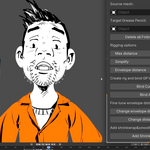
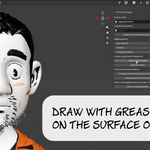
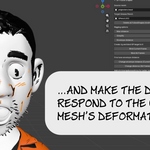
Install
Download the Latest Release as a ZIP file and install it as an usual addon.
For next updates, just install the new version, and it will overwrite the old one.
Usage
You can find the addon panel in the N panel, section "Grease Pencil". If you already have Gp Transfer Weights (thanks!) it's the same section. Select a Source mesh and a Target Grease Pencil object in the two boxes. They are mandatory and make sure they are visibile selectable in the viewport.
In the Rigging Options section you can choose:
Max distance: keep it to 0 to bind all the points of the drawing. If there are strokes far from the mesh that you don't want to rig, put here the maximum distance from the mesh where to look for points.
Simplify: GP Follow Shapes uses an adaptive reduction algorithm to simplify the drawing. Using 0 will rig all the original points of the mesh. Numbers between 3 and 7 should reduce enough, keeping the shape. You can experiment with higher numbers if you have a very detailed drawing.
Envelope distance: How far each bone of the rig will reach to move the drawing points. This number can be changed later, setting a new distance and using the Change Envelope Distance function. If you see that some points of your drawing are stuck and don't move, try to increase this value. If you see that the points does not follow your mesh accurately, try to lower it. The best value is the smallest one that is enogh to move all drawing points.
Then click:
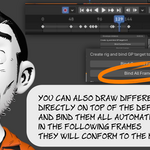
Bind Current Frame: to create the rig and bind only the drawings on the current frame on the timeline.
Bind All Frames: to bind all the keyframes of the drawing. Each one will be evaluated according to the mesh shape in that frame.
After binding you can fine tune the envelope distance. Change the value in the Envelope distance field above and click:
Change envelope distance (Current Frame): to set the new distance only for the drawings in the current frame.
Change distance (All Frames): to set the new distance in all the frames.
After binding and fine tuning, if you want a smoother result you can try with a shrinkwrap modifier with smoothing option. There is a convenient Add Shrinkwrap Modifier that will automate this step for you.
The button Delete all FollowShapes bindings at the top will remove from the scene all the armatures and empties used on the specified Grease Pencil target object.
The process might take time, specially with dense source meshes and Grease Pencil objects with a lot of frames and strokes. If you want to have feedback, open the console before clicking "Bind". In the console you will see progress messages.
Does not work in Blender 4.2 and below.
Discover more products like this
shrinkwrap DataTransfer Grease Pencil 3D data transfer vertex groups grease pencil add-on skinning 3d to greasepencil copy weight