Gp Transfer Weights
 Malisan Luca


Install
Download the Latest Release as a ZIP file and install it as an usual addon.
For next updates, just install the new version, and it will overwrite the old one.
Usage
Video tutorial:
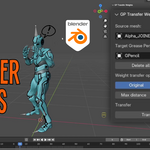
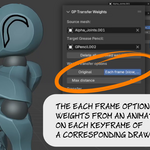
You can find the addon panel in the N panel, section "Grease Pencil". Select a Source mesh and a Target Grease Pencil object in the two boxes.
There are two main modes:
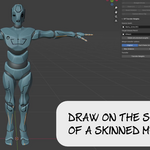
Original: The source mesh is evaluated in its original position. So you have to create your drawings on top of the mesh in its rest pose. You can disable an animation selecting "Rest Pose" for the armature while you draw
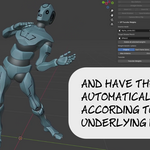
Each frame (slow, changes drawings): The source mesh is evaluated in its animated position, driven by the armature. So you can draw on each frame on top of an animated mesh. The points of the target Grease Pencil drawing will be moved to an inverse position, so they will be in their place when driven by the armature.
The weight assigned to each Grease Pencil point is taken from the closest vertex of the mesh. So on very sparse meshes they can behave slightly different than the mesh surface. This is particularly visible with the "Each frame" mode, because the points are moved back according to the transformation of the nearest vertex. You can fix that with ShrinkWrap or Smooth modifiers, after the transfer.
The Max distance setting can dictate that the points of the drawings more distant than that will not be affected. Leave it to 0 to give a weight to all Grease Pencil points, even if very far from the source mesh surface.
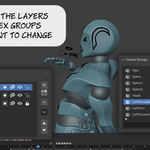
The locked layers in the Grease Pencil object will not be changed. You can lock layers where you already have weigths you want to preserve.
The locked vertex groups will not be changed. You can lock vertex groups you want to preserve.
Click the Transfer Weights button to launch the process (you don't need to select the objects).
The Delete all unlocked weights erases all vertex groups on the target Grease Pencil object. On Blender 4.3 and later there is a similar function in the vertex groups section, but 4.2 lacks that feature. This button can be useful to remove all the weights and start from scratch.
The process might take time, specially with dense source meshes and Grease Pencil objects with a lot of frames and strokes. The "Each frame" mode is particularly slow. If you want to have feedback, open the console before clicking "Transfer Weights". In the console you will see progress messages.
Discover more products like this
vertex groups copy weight DataTransfer 3D data transfer grease pencil add-on shrinkwrap skinning 3d to greasepencil Grease Pencil