HDRI Quick Switcher | Addon Tool
 Layerform



Installation
- Do NOT unzip the downloaded file
- In Blender, go to Edit → Preferences → Add-ons → Install…
- Select the downloaded .zip file and click Install Add-on
- Tick the checkbox next to HDRI Quick Switcher to enable it
- Click Save Preferences to keep it active on future launches
How to Use
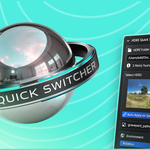
- In the 3D Viewport, press N to open the N-panel
- Click the HDRI tab on the right side
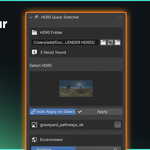
- Click the folder icon under HDRI Folder and select the folder containing your HDRIs
- Click any thumbnail to apply it to your scene instantly
- Use the Rotation and Strength sliders to fine-tune your lighting
Have questions about this product?
Login to message
| Published | 5 months ago |
| Blender Version | 3.0 - 5.1 |
| Render Engine Used | Cycles, Eevee |
| License | GPL |
Discover more products like this
BlenderHDRI 12K HDRI environment texture blender Setup Render Lighting hdri high res Scene