Hmtools Hdri Library & Downloader – 200 Hdris + Tweak Tools
 Grzegorz Wronkowski





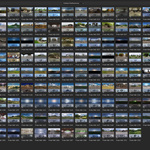





Download and install the add-on
Click shortcut "N" to open the side panel labeled HMTools
Click on Sync Library button and wait a few minutes
Open the Asset Browser and search for the hdrmaps library
Drag & drop any HDRI asset into the 3D View
Tweak HDRI settings with HMTools panel and click on Save HDRI Asset when you're satisfied with the results
The library is updated regularly - remember to sync it at least once a week
You can check for new version of the add-on in add-on's preferences
$10
Have questions about this product?
Login to message
| Dev Fund Contributor | |
| Published | about 1 year ago |
| Blender Version | 4.4 - 5.1 |
| Extension Type | N/A |
| Render Engine Used | Cycles, Eevee |
| License | GPL |