 Ismoil


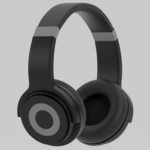
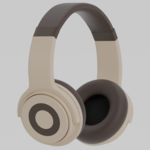
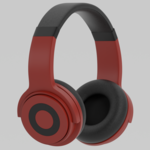
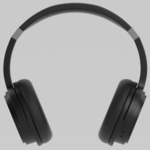
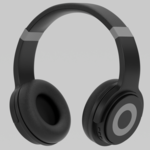
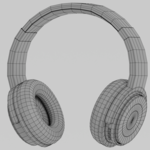
====== Feature Description ======
Formats: .blend, .fbx, .obj, .glb
Polygons: 5,414 (quads)
Vertices: 5,702
Textures: 4K (4096×4096), 2K (2048×2048), 1K (1024×1024) — all in PNG format
Scale: Real-world scale
====== Setup Guide ======
.blend
The object is centered in the scene with unapplied modifiers.
The default color setup is “black.”
To switch color setups, open the Shader Editor, locate the nodes with yellow frames in the “Body,” “Leather,” and “Highlight” slots, and connect them to the next node from the socket labeled with the desired color setup.
.obj / .fbx
Import the file into your preferred 3D software.
By default, these exports have no materials assigned.
To assign materials:
1. Open the “Maps” folder included in the archive.
2. Choose the folder matching your desired resolution.
3. Drag and drop the Normal, Roughness, and one of the Diffuse maps (each representing the three color setups) into your software.
4. Link each map to the corresponding material sockets.
.glb
Go to the “GLB” folder and select the subfolder matching your desired texture resolution.
Import any of the three exports, each representing one of the three color setups, into your software.
Have questions about this product?
Login to message
| Published | 11 months ago |
| Blender Version | 4.0 - 4.5 |
| Render Engine Used | Cycles, Eevee |
| Misc Data | Uvs-Unwrapped, Manifold-Mesh, Low-High-Resolution, Normal-Mapped |
| License | Royalty Free |

Discover more products like this
3d model products Electronics headphone stereo headphones audio PBR