Huan Material Manager
 Huan Sworld


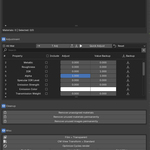
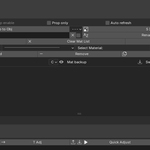
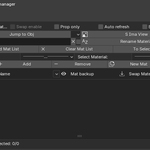
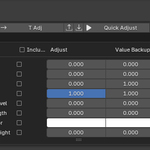
Huan Material Manager - Professional Material Management for Blender 4.1+
A powerful addon for efficient material management across multiple objects with advanced swap, backup, and batch adjustment features.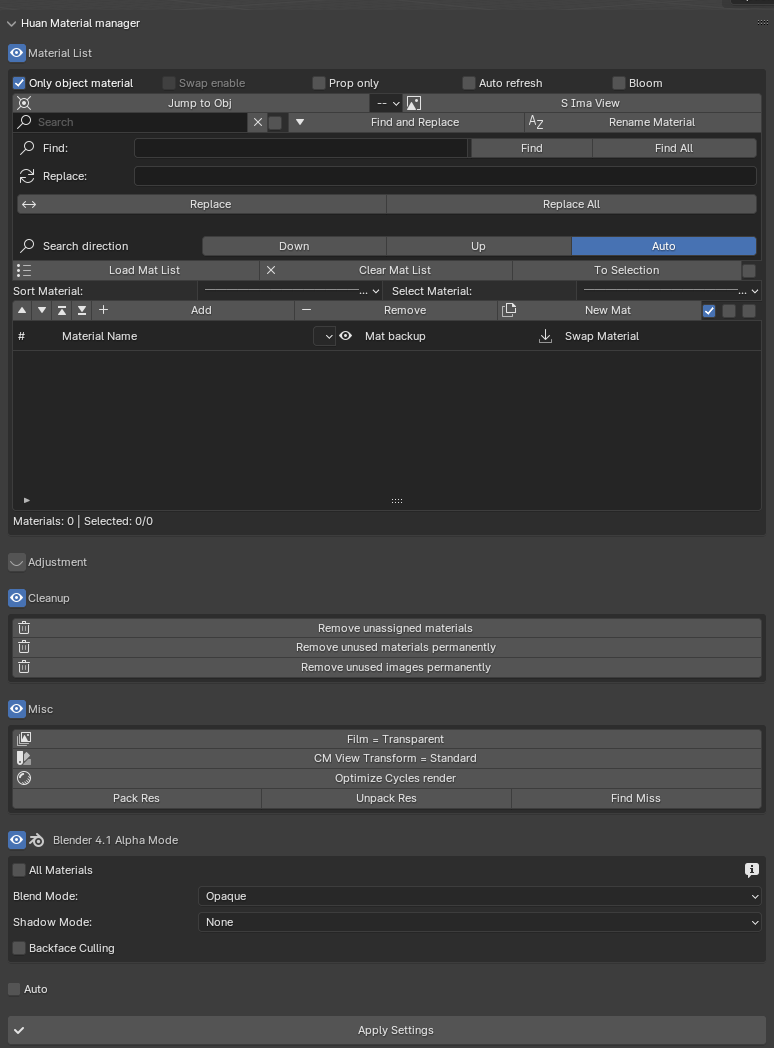
Key Features
Material List Management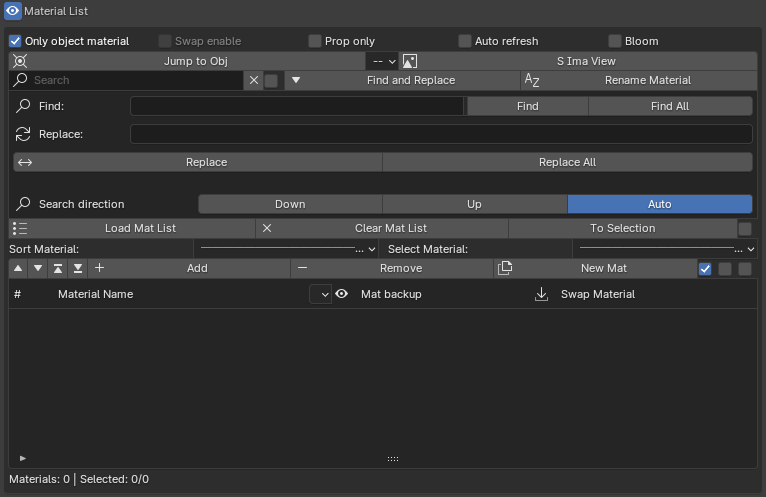
Smart Material Control:
- Only Object Material - Work with selected objects or entire scene
- Swap Enable - Global material swapping capability
- Prop Only - Copy node trees while preserving material names
- Auto Refresh - Automatic list updates on selection change
- Bloom Toggle - Quick EEVEE bloom control
Navigation:
- Jump to objects using specific materials
- Sync image textures to UV Editor
- Filter materials with exact match support
Find & Replace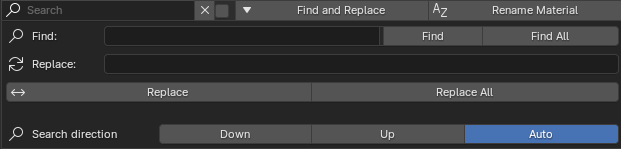
- Search materials by name with pattern matching
- Batch rename with auto-numbering
- Replace text in multiple material names simultaneously
- Configurable search direction (Down/Up/Auto)
Workflow:
- Enter search text in Find field
- Select materials with Find/Find All
- Enter replacement text
- Apply changes with Replace/Replace All
Adjustment System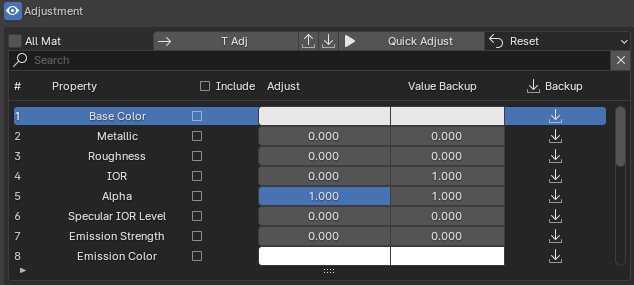
Batch Property Control:
- Adjust Metallic, Roughness, IOR, Base Color, and more
- Multi-material property synchronization
- Value backup and restore functionality
- Include/Exclude specific properties
Quick Operations:
- All Mat Toggle - Apply to all materials or selected only
- +/- Buttons - Quick value adjustments
- Reset Menu - Reset adjust values, backups, or both
- Apply Button - Commit changes to materials
Cleanup Tools
One-Click Cleanup:
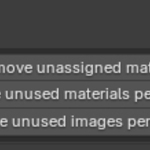
- Remove unassigned materials
- Delete unused materials permanently
- Clean unused images from file
- Sort by unused materials/images
🔧 Misc Functions
Render Settings:
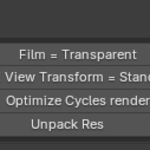
- Toggle film transparency
- Set color management to Standard
- Optimize Cycles render settings
File Management:
- Pack/Unpack external resources
- Find missing files
- Resource management
🎨 Blender Alpha Mode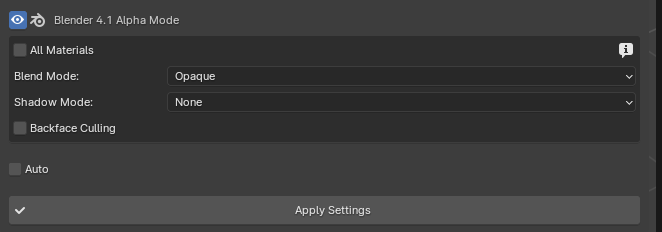
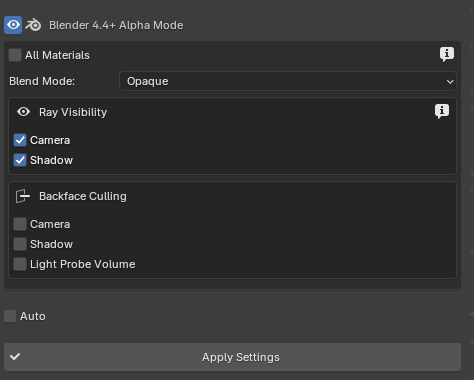
Advanced Transparency Control:
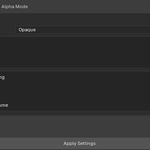
- Blend Mode: Opaque/Alpha Clip/Alpha Blend/Alpha Hashed
- Ray Visibility settings (Blender 4.2+)
- Backface Culling options
- Transparency Overlap control
- Auto-apply or manual application
🔄 Feature Combinations
Material Swapping
Selected Objects Only:
Only Object Material ON → Load Mat List → Select material in Swap column
Entire Scene:
Only Object Material OFF → Swap Enable ON → Load Mat List → Swap Material
Properties Only:
Prop Only ON → Copies node tree, keeps material name
Prop Only OFF → Complete material replacement
Backup & Restore
Requirements:
Only Object Material must be ON
Auto Refresh must be OFF
Usage:
Select material in Mat backup column
Test different materials
Click 📥 icon to restore original
Batch Adjustments
Selected Materials:
All Mat OFF → Select materials → Adjust properties → Apply
All Materials:
All Mat ON → Adjust properties → Apply (affects entire scene)
⚡ Quick Workflows
1. Swap Materials on Object Group
Enable "Only object material"
Load Mat List
Select new material in Swap column
Material automatically applies
2. Batch Property Adjustment
Select materials in list
Open Adjustment panel
Check Include for properties
Adjust values with sliders
Click Apply
3. Scene Cleanup
Set Sort to "Unused material"
Select unused materials
Click Remove with delete option
Repeat for unused images
4. Alpha Mode Setup
Select objects
Enable "All Materials" if needed
Choose Blend Mode
Configure Ray Visibility (4.2+)
Enable Auto or click Apply Settings
💡 Pro Tips
Eye Icon Behavior
Doesn't hide objects
Disconnects Material Output node
Material still exists, just doesn't render
Works with selected materials for batch control
Tracking Feature
Active when "Only Object Material" ON
Stores object name and slot index
Enables precise per-slot swapping
Doesn't affect other material slots
Auto Refresh Impact
When ON: Disables backup functionality
When OFF: Manual list reload required
Only works with "Only Object Material"
All Mat Warning
Affects ENTIRE scene materials
Use carefully to avoid unwanted changes
Preview changes before applying
📋 System Requirements
Blender Version: 4.1.0 or higher
Location: 3D Viewport > Sidebar (N) > Huan M M
Compatibility: Blender 4.2+ features automatically detected
🎓 Learning Resources
Quick Reference
Material List: Core management interface
Adjustment: Batch property editor
Cleanup: File optimization tools
Misc: Render and file utilities
Alpha Mode: Transparency control
Common Operations
Material Swap: Change materials across objects
Property Sync: Adjust multiple materials at once
Backup/Restore: Safe material experimentation
Cleanup: Optimize file size
Alpha Setup: Configure transparency settings
🚀 Getting Started
Install Addon:
Edit > Preferences > Add-ons > Install
Select addon file
Enable checkbox
Access Panel:
Press N in 3D Viewport
Navigate to "Huan M M" tab
Load Materials:
Enable "Only object material"
Select objects
Click "Load Mat List"
Start Managing:
Use Swap column for quick material changes
Open Adjustment for property control
Utilize Cleanup for file optimization
🔑 Key Advantages
✅ Time-Saving: Batch operations across multiple materials
✅ Non-Destructive: Backup and restore functionality
✅ Precise Control: Per-slot material tracking
✅ Flexible: Works with selected objects or entire scene
✅ Professional: Advanced features for production workflows
✅ Version-Aware: Automatically adapts to Blender 4.1/4.2+
📝 Important Notes
Cannot Backup When:
Auto Refresh is ON
Only Object Material is OFF (unless Swap Enable is ON)
Swap Doesn't Work When:
Both "Only Object Material" and "Swap Enable" are OFF
Mat Backup Disabled When:
Auto Refresh is ON
Only Object Material is OFF
📦 Installation & Support
Installation:
Download addon file
Edit > Preferences > Add-ons > Install
Enable "Huan Material Manager"
Access from Sidebar (N key)
Support:
For issues, questions, or feature requests, please contact through appropriate channels.
Version: 1.0.0
Author: Huan sworld
Category: Material Management
Blender: 4.1.0+
Transform your material workflow with Huan Material Manager - Professional material management made simple.
$25
Have questions about this product?
Login to message
| Published | 11 months ago |
| Blender Version | 4.1 - 4.5 |
| Extension Type | N/A |
| Render Engine Used | Cycles, Eevee |
| License | GPL |
