 Quad Lab







Asset Library Installation & Usage
Step 1: Create a new folder anywhere on your PC. This will be your asset library folder. Later, we will add this folder to Blender.
Step 2: Copy and paste the downloaded .blend file into that new folder.
Step 3: Open Blender, then go to Edit > Preferences > File Paths.
Step 4: Under the Asset Libraries section, click the Plus icon. Find the new folder you created and select it. You can double-click the added library name and rename it to whatever you want. And save preferences.
Step 5: Open the Asset Browser window and select your new asset library from the library dropdown. The assets should now appear in the Asset Browser.
-
$28.50
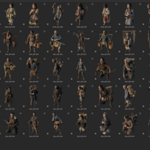
100% of the Asset library + Future Updates.
-
$15
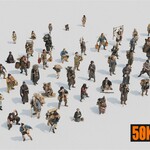
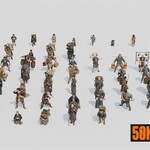
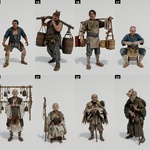
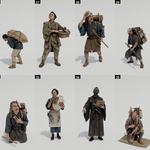
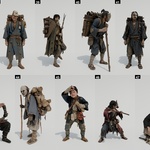
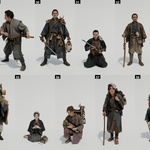
32 Posed Characters + 50% of Future Updates.
-
$4
10 Posed Characters
Have questions about this product?
Login to message
| Rating | 1 ratings |
| Dev Fund Contributor | |
| Published | 2 months ago |
| Blender Version | 4.0 - 5.2 |
| Render Engine Used | Cycles, Eevee |
| Misc Data | Uvs-Unwrapped, Normal-Mapped, Textured |
| License | Royalty Free |
Discover more products like this
historical people character Human edo crowd samurai blender japanese feudal-japan japan traveler's