 DC Labs



Hyper Asset Browser
Overview
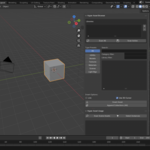
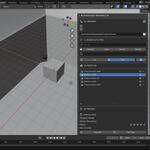
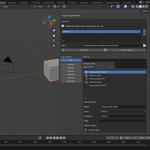
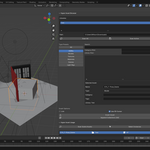
Hyper Asset Browser is a powerful Blender addon designed to supercharge your asset management workflow. It introduces an enhanced asset browser interface with smarter filtering, preview controls, tagging support, rating systems, and quick asset actions—all built to help creators organize, browse, and deploy assets faster and more intuitively.
Whether you're working on environment art, animation, product visualization, or game design, Hyper Asset Browser gives you a clean, optimized, and professional asset library management experience.
Key Features
🔍 Advanced Filtering System
Filter assets across categories such as:
Asset type
Library
Rating
Tags
Favorites
Search and sort faster than Blender’s default asset browser.
⭐ Rating & Favorites
Tag assets with star ratings and mark favorites for quick retrieval. Perfect for large studios or artists with extensive asset libraries.
🧩 One-Click Prefab Export
Turn selected objects into reusable prefabs instantly.
The addon automatically:
Creates a prefab collection
Saves it into a structured library folder
Writes a
.blendlibrary fileKeeps your assets organized
📁 Library Manager
Create and manage asset libraries directly inside Blender:
Add new libraries
Assign library paths
Easily switch between multiple collections
Organize large studios or team workflows efficiently
🖼️ Preview Controls
Toggle preview display options inside the browser:
Show/hide asset previews
Enable compact/focused browsing modes
Faster navigation for large asset collections
✨ Smart UI Panels
The addon adds multiple UI panels inside the 3D View > Sidebar, including:
Library Manager
Filtering Panel
Preview Settings
Asset Operations
Everything is structured and easy to access.
How It Works
1. Install the Addon
Open Blender > Preferences > Add-ons
Click Install
Select the
hyper_asset_browser.zipEnable Hyper Asset Browser
2. Create or Add a Library
Inside the addon panel:
Enter a library name
Choose a folder
Save
This becomes your asset library root.
3. Create Prefabs from Objects
Select any objects in your scene
Enter a prefab name
Click Create Prefab
The addon automatically:
Creates a new collection
Links selected objects
Saves the prefab into
/Library/Prefabs/Name.blend
4. Browse & Place Assets
Use the filtering and preview tools to locate any asset and drop it directly into your scene.
Use Cases
Environment Artists
Organize vegetation, props, materials, decals, buildings, and scatter assets.
Animators
Manage characters, rigs, motion libraries, cameras, props, and lighting setups.
Game Developers
Create reusable prefabs for modular buildings, weapons, VFX assets, and level design.
Studios & Teams
Build scalable shared libraries with ratings, favorites, and consistent prefab structure.
Compatibility
Blender 3.0+
Windows / Mac / Linux
Supports local & shared network libraries
Changelog
v1.0
Initial release
Prefab creation workflow
Advanced filtering UI
Library management system
Asset preview controls
Ratings/Favorites system
Credits
Developed by DC Labs
A studio focused on building innovative 3D tools, automation systems, and creator-centric solutions.