|
|
|
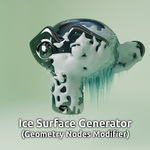
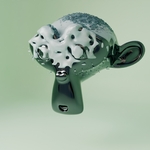
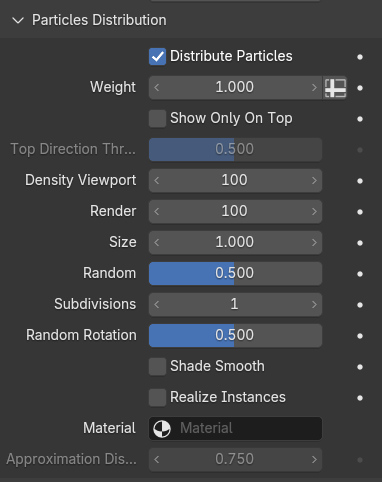
Particles distribution / Crystals
-
Distribute Particles - Control, if particles should be added / distributed.
-
Weight - Control the weight / size distribution of the particles with e.g. Weight Painting.
-
Show Only On Top , Top Direction Threshold - Check, if the particles should only be distributed "on top" of the mesh, meaning, on the faces, which are directing upwards. The threshold controls the factor of the degree, the face is directing upwards.
-
Density - Control, how dense particles should be distributed.
-
Size - Set the size for particles and randomize it.
-
Subdivisions - If you don't use your own custom particle object, you can set the subdivision level for the Ico Sphere.
-
Random Rotation - Set a random rotation factor, 0 (-180°) to 1 (180°).
-
Shade Smooth - Set a smooth shading.
-
Realize Instances - Using "Instances" is faster, but realizing them gives you the possibility to apply the modifier or to use a material over all objects, instead of a single particles.
-
Material - Use your favorite material.
-
Approximation Distance - Needed, if a approximation object is used. Set the minimum distance for a particle distribution here.
|
|
|
|
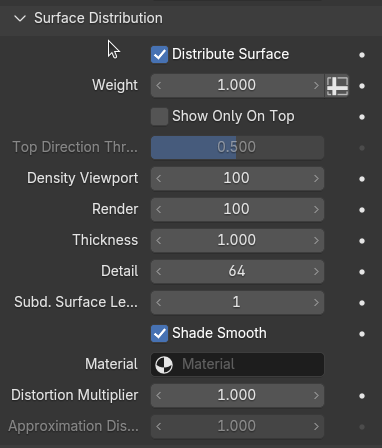
Surface Distribution / Snow
-
Distribute Surface - Control, if a surface should be added / distributed.
-
Weight - Control the placement / weight distribution of the snow with e.g. Weight Painting.
-
Show Only On Top , Top Direction Threshold - Check, if the surface should only be distributed "on top" of the mesh, meaning, on the faces, which are directing upwards. The threshold controls the factor of the degree, the face is directing upwards.
-
Density - Control, how dense particles should be distributed.
-
Thickness - Set the thickness / size for the surface. Using a volumetric generation and it's Voxel Amount.
-
Subd. Surface Level - Controls how much levels of Surface Subdivision should be added after generating the surface.
-
Shade Smooth - Set a smooth shading.
-
Material - Use your favorite material.
-
Distortion Multiplier - The surface can be distorted in slight way. Use this multiplier-value for it's strength.
-
Approximation Distance - Needed, if a approximation object is used. Set the minimum distance for a surface distribution here.
|
|
|
|
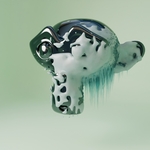
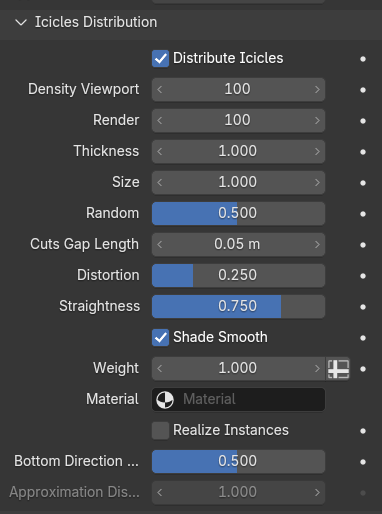
Icicles Distribution / Icicles
-
Distribute Icicles - Control, if icicles should be added / distributed.
-
Density - Control, how dense icicles should be distributed.
-
Thickness - Controls, how thick the root of single icicle should be.
-
Size - Set the size / length of the icicles, and randomize it.
-
Cuts Gap Length - Set the amount of the horizontal cuts of the distributed icicle-cone. It's not used, if you are using your own custom objects for icicles.
-
Distortion - Slightly control the distortion of the icicles. It's not used, if you are using own custom objects for icicles.
-
Straightness - Slightly randomize the vertical rotation.
-
Shade Smooth - Set a smooth shading.
-
Weight - Control the placement / weight distribution of the icicles with e.g. Weight Painting.
-
Material - Use you favorite material.
-
Realize Instances - Using "Instances" is faster, realizing them gives you the possibility to apply the modifier or to use a material over all objects, instead of a single icicle.
-
Bottom Direction Threshold - Icicles will be distributed on downward directed faces. The threshold controls the factor of the degree, the face is directing downwards.
-
Approximation Distance - Needed, if a approximation object is used. Set the minimum distance for an icicles distribution here.
|
|
|
|
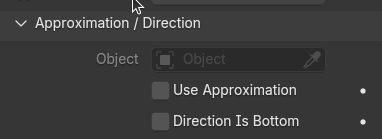
Approximation / Direction
-
Object - Chose the object, which location should be used for approximation or direction.
-
Use Approximation - Check, if you want to use the approximation feature for particles, surface or icicles.
-
Direction Is Bottom - Check, if you want the icicles not directing downwards, instead of pointing away from the Object. Means, the Object-direction towards the Mesh-Object defines the direction, the opposite is the bottom, used for the icicles distribution.
|
|
|
|
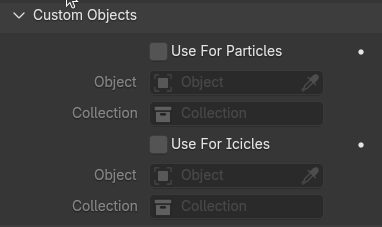
Custom Objects
-
Use For Particles / Icicles - Check, if you want to use your own custom objects for particles or icicles distribution.
-
Object / Collection - Chose your single object or a collection of objects to distribute these object as particles of icicles.
|
 Dennis Hafemann