 JMS Tools



⚠️ Important — First Run Notice
On the first time you run this addon, it may take a few seconds to start. This happens because the system may need to initialize and prepare required internal components.
This is completely normal. After the first run, all next executions will start instantly.
What does this addon do?
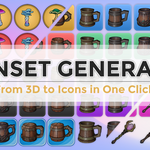
IconSet Generator is a Blender addon that automates the process of rendering 3D objects and converting them into game-ready icons and iconsets (spritesheets).
Does this addon create 3D models?
No. This addon does not generate models, scenes, cameras, or lights. It only automates the rendering and image processing pipeline using your own assets and your own scene setup.
How does the rendering process work?
When you click Generate, the addon:
- Takes all selected MESH objects
- For each object, it temporarily moves it to position (0,0,0)
- Renders the object using the active scene camera
- Restores the object to its original position
- Repeats this process for each selected object
This movement is temporary and your scene is not modified permanently.
How should I setup my scene?
- You must have at least one camera in the scene
- The camera should be positioned near (0,0,0)
- The camera must be framed to properly display the objects when they are placed at (0,0,0)
- You should place all objects that will become icons far from the world center
- You must setup your own lighting
Does the addon create or modify lights?
No. All lighting is fully your responsibility. The addon does not create, modify, or fix lights or materials.
What render resolution should I use?
You should set Blender render resolution to 2048 x 2048. The addon will use this as the master render and downscale automatically to smaller sizes if enabled.Using a lower base resolution will reduce final quality.
What resolutions can be generated?
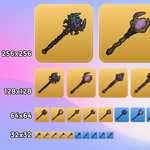
- 512 x 512
- 256 x 256
- 128 x 128
- 64 x 64
- 32 x 32
What is an iconset?
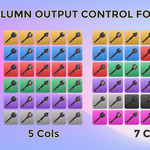
An iconset is a grid image (also called spritesheet) containing multiple icons packed into a single image.The addon can automatically generate these grids.
What is the Pixel Art mode?
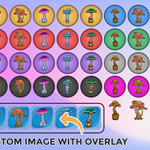
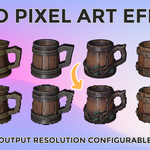
Pixel Art mode converts the generated icons into pixel-art style versions and rebuilds all iconsets using pixel-perfect scaling.
Does this addon require any external libraries?
Yes. It uses the Pillow (PIL) library for image processing.If Pillow is not found, the addon will attempt to install it automatically using Blender's internal Python.
Do I need to install Python or Pillow manually?
In most cases, no. The addon will attempt to install Pillow automatically. If the computer has no internet access or is restricted, you may need to install it manually.
Does this addon change my scene?
No permanent changes are made. Objects are moved only temporarily during rendering and are restored to their original positions.
Can I use this addon in commercial projects?
Yes. You can use all generated icons in any commercial or personal project.
Is this addon compatible with future Blender versions?
The addon is designed for Blender 4.0 and newer. Future compatibility depends on Blender API changes.
License
This addon is released under the GNU General Public License v3 (GPL-3.0).
Have questions about this product?
Login to message
| Blender Extension Compatible | Yes |
| Published | 8 months ago |
| Blender Version | 4.0 - 5.0 |
| Extension Type | Add-on |
| Render Engine Used | Eevee |
| License | GPL |
Discover more products like this
thumbnails icon generator Render Automation texture atlas iconset ui icons inventory icons batch render spritesheet productivity tool game icons