Import Redshift Material Pro - C4D Redshift To Blender Importer
 blenderVfxMaster


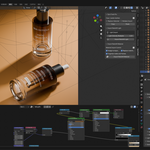
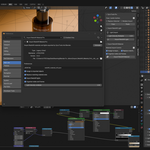
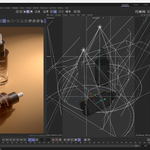
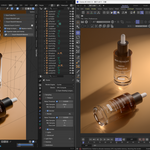

What does Import Redshift material Pro do?
It imports Cinema 4D Redshift scene data into Blender, focusing on Redshift materials, texture assignments, lights, cameras and practical product-scene conversion.
Do I need Cinema 4D and Redshift?
Yes. Cinema 4D with Redshift is needed on the source side to export Redshift scene information. Blender is used on the import side.
Which Blender version is supported?
Blender 5.0 or newer is recommended. Blender 5.1 is tested for this product.
Does it preserve all Redshift materials perfectly?
It preserves common Redshift product-material workflows as closely as possible. Some renderer-specific effects may be approximated or baked because Blender and Redshift do not share the same shader system.
Are textures, labels and opacity decals supported?
Yes. The workflow is designed for image textures, product labels, logos, opacity maps, decals and UV/projection-prepared texture workflows.
Are Redshift lights supported?
Yes. Common Redshift physical lights, area light shapes, spot-style lights and dome/HDR environment workflows are supported where practical.
What should I do if a scene does not match exactly?
First check missing texture paths, material assignments and light intensity. If the issue remains, contact support through Superhive with screenshots and a short description of the C4D scene.
$12
 Included
Includes 12 months of
- Support from blenderVfxMaster
- Product updates
Extend this product’s Support Period +12 months: 50% of product price
Have questions before purchasing?
Login to message
| Blender Extension Compatible | Yes |
| Published | 3 months ago |
| Blender Version | 4.2 - 5.2 |
| Extension Type | Add-on |
| License |
Discover more products like this
texture eevee product-visualization Cinema 4D to Blender redshift blender addon Cycles c4d fbx blender tools Shader Transfer Material Transfer