Import Archive
 PLASTIK MACHINE


About
ImportArchive is an add-on for Blender that imports compressed archive files such as .RAR,.ZIP & .7Z, directly into Blender.
Features
Supported formats: .RAR, .ZIP, .7Z
Supports drag & drop.
Imported files can be placed into a new collection.
Set import scale.
The add-on can automatically search for textures.
Support for archive files containing multiple 3d files.
Native import dialog support.
Tips
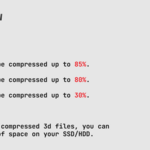
To best utilize the add-on and optimize your hard disk space, the following workflow is recommended:
When you download a compressed asset file:
- extract textures into a folder called maps (no point in having .png and .jpeg files inside an archive - they are already compressed)
- extract 3d files (.MAX, .FBX , .OBJ, etc.)
-
preferably using the ultra compression method, compress only the
extracted 3d files (which will be later imported directly into Blender
using ImportArchive)
- delete the original file
Installation
Download the .zip file. Open preferences, select the Add-ons tab and Install from Disk. Or drag & drop the .zip file onto Blender viewport.
Requirements
Add-on has been tested and works with Blender 5.0.0 - 5.2.0.
Notes
Due to Blenders internal handling of drag & drop .ZIP files for installing add-ons, the add-on does not support drag & drop function for .ZIP files. However .ZIP files can still be imported using File - Import - Archive.
License
GNU GPL 3.0
Release notes
Latest version: 1.0.0
Have questions about this product?
Login to message
| Published | about 2 months ago |
| Blender Version | 5.0 - 5.2 |
| Extension Type | Add-on |
| Render Engine Used | Arnold, Blender-Internal, Blender-Game-Engine, Cycles, Eevee, Freestyle, Luxrender, Mental-Ray, Octane, Vray, Yafaray |
| License | GPL |
Discover more products like this
7zip archive File Import rar rar import zip 7z WINRAR compression extract import compressed