 NodeMonkey




☄️ Stop Keyframing. Start Simulating.
Let’s be honest: animating projectiles, balancing orbital gravity, or keyframing objects along a path usually means endless trial and error. You press play, watch the arrow miss the target or the planet drift off course, adjust the keyframe slightly, and try again.
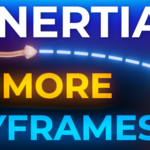
INERTIA solves this. It is a premium suite of 100% native Geometry Nodes physics engines that do the math for you.
Whether you are launching a volley of arrows, building a stable solar system, or creating a rollercoaster, INERTIA calculates the perfect trajectory, rotation, and gravity instantly.
📦 The 3 Physics Engines Included:
🎯 1. Projectile Inertia (With Auto-Aim)
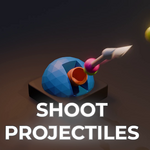
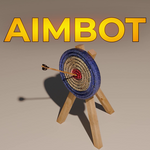
Stop guessing your launch angles. Simply select your target object, and the built-in Aim Bot mathematically calculates the exact velocity and arc required to hit the bullseye every single time.
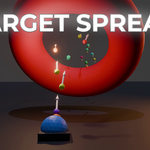
Volley Scattering: Turn a single arrow into an army. Scatter 1,000 projectiles that all calculate their own unique arcs.
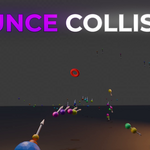
Aerodynamics & Collisions: Add realistic air friction, glide, and choose whether projectiles Bounce (like a grenade) or Stick (like a dart) when they hit environment meshes.
🪐 2. Orbital Inertia (N-Body Gravity)
Create complex celestial mechanics with zero keyframes. Give your objects mass and let universal gravity take over.
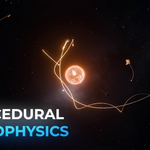
True N-Body Physics: Planets pull on moons, stars pull on planets. Built-in sub-stepping ensures your orbits are razor-thin and mathematically stable (no more spiraling out of control!).
EasyOrbit Mode: A built-in "Hollywood Hack" that isolates gravity, guaranteeing your moons never get accidentally ripped away by the sun.
🎢 3. Curve Inertia (Gravity on Rails)
Ditch Blender’s robotic "Follow Path" constraint. Draw a Bezier curve and let real-world gravity drive the animation.
Dynamic Momentum: Objects realistically accelerate down steep slopes and naturally lose momentum when climbing uphill.
Auto-Banking: Your objects will dynamically lean and tilt into sharp corners like a real jet fighter or rollercoaster.
🔮 The "Magic" Feature: Predictive Paths
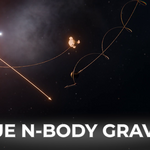
Never guess where an object will land again. INERTIA generates a real-time Predictive Curve in your viewport. You can see the exact trajectory of your arrows and the orbital rings of your planets drawn as a line before you even press play on the timeline.
🎁 FREE BONUS: The NodeMonkey Instance Tracker!
Standard Blender parenting (Ctrl + P) completely fails on moving Geometry Nodes instances.
We've included our custom Instance Tracker
tool in the box absolutely free! Simply drop the tracker near your
simulated arrow or planet, and it will mathematically lock onto it. You
can now easily parent your Cameras, lights, or smoke simulations to your
flying physics objects!
📂 What's Inside the Download:
The .blend Core Asset Library containing the INERTIA physics node groups.
The Instance_Tracker system.
Beautifully structured PDF Documentation & Setup Guides for all tools.
Bonus Demo Scenes: Includes ready-to-play scenes to help you reverse-engineer the setups (Archery Aim-bot, Solar System, etc.).
⚙️ Compatibility:
Built for and verified on Blender 5.1+ to utilize the absolute latest in Simulation Node performance.
Animate with physics, not keyframes.
-NodeMonkey