Instantflow : Cables & Udim Bundle
 Mickael Faure




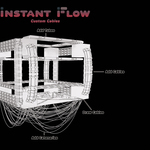
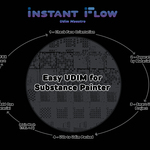
After purchasing, you'll receive a .zip file named InstantFlow - Pro Pack v1.0.zip.
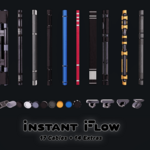
This file contains the Blender addon as well as additional assets (cables in .blend, .FBX, and .OBJ formats).
Before installing the addon in Blender, please unzip this file first.
Here's how to install :
1 - Unzip the downloaded archive (InstantFlow - Pro Pack v1.0.zip) to a folder on your computer.
2 - Inside, you’ll find a file called InstantFlow.zip - this is the actual addon.
3 - Open Blender and go to Edit > Preferences > Add-ons.
4 - Click Install... and select the file:
→ InstantFlow.zip (from the unzipped folder)
5 - Activate the addon in the list.
You’ll also find bonus content like :
- A .blend file with 17 cables and 14 extras (ready to append).
- .FBX and .OBJ versions for external use.InstantFlow
delivers the full feature set across all versions. The only differences
lie in pricing and licensing, depending on your team size and specific
usage needs.
- Solo Bundle License (Custom Cables + UDIM Maestro) : Available exclusively on Blender Market and Payhip Website, this bundle includes both core modules. Ideal for freelancers, students, or independent artists working solo.
- Studio Bundle License - Core Team (1–5 Users) : Designed for small studios, this license covers up to five users within the same organization, with full access to all InstantFlow features.
- Studio Bundle License - Extended Team (6+ Users) : Tailored for larger studios with six or more users.
If you are representing a studio with one or more artists who intend to use the addon, please select the appropriate Licence version.
Standalone versions are available for users who only need one of the two core modules:
Complete documentation is available online at: https://instantflow.gitbook.io/if/
This official resource includes detailed user guides, video tutorials, update logs, and troubleshooting tips. This comprehensive resource is designed to help you navigate every feature of the InstantFlow plugin and maximize your productivity.
My update logs outline all the new features, performance enhancements, and bug fixes introduced in each release. The latest update includes improvements to both the Cables and UDIM workflows. For a complete list of updates and detailed explanations, visit the "What’s New" section.
Your feedback is essential to the ongoing improvement of InstantFlow. Whether you’ve encountered a bug or have an idea for a new feature or enhancement, I’d love to hear from you.
You can reach out via:
The "Contact" section on my Payhip Website.
The "Get In Touch" section on the official documentation site.
I personally review every submission and use your input to prioritize updates and improvements - your feedback truly helps shape the future of the plugin.
Yes - InstantFlow is actively maintained to ensure full compatibility with the latest stable releases of Blender. I make every effort to support both the current and recent previous versions, so you can work confidently with your preferred Blender setup.
I offer a variety of resources to help you make the most of InstantFlow,
including video tutorials and step-by-step walkthroughs.
Visit my official YouTube channel for in-depth guides covering everything from initial setup and cable creation to advanced UDIM workflows.
These tutorials are designed to help users of all levels get up and running quickly and efficiently.
InstantFlow is designed to work seamlessly across multiple operating systems. It supports Windows, macOS, and Linux, ensuring that you can integrate it into your existing workflow regardless of your preferred platform.
Discover more products like this
pipes uvs autoseam instantflow cables unwrapping packing tubes speed blender--substance-painter udim catenaries