 Blender.Fun


This add-on is a huge time saver.
No more ctrl-s -> cursor to selected and ctrl-s -> selection to cursor.
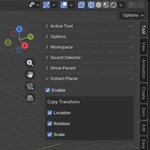
Just select an object where you want to place the new object. Add the new object as you know it with shift-a and the new object will be placed at the location of the selected object.
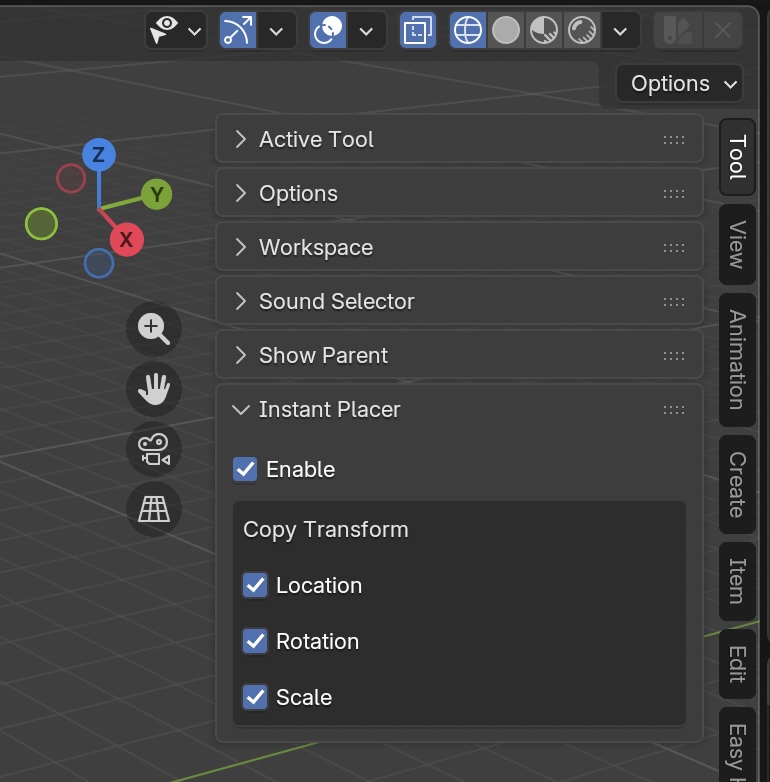
Optionally you can choose whether you want to copy location, rotation and/or scale to your newly created object. Just choose it in viewport > Tools > Instant Placer.
Of course you can disable this functionality any time.
You save just 1 second adding and placing each object.
A normal blend file has around 40 objects.
That’s 40 seconds saved per file.
You do one file a day.
365 days later?
14,600 seconds gone from your life.
That’s 243+ minutes.
Over 4 full hours.
Four hours of your life.
Four hours you will never get back.
Now ask yourself the only question that matters:
If 4 hours of your time isn’t worth a few dollars…
then keep doing it the slow, painful way.
But if you’re the kind of artist who actually values their time, their deadlines, and their sanity…
You already know what you have to do.
Stop wasting hours.
Buy it now.
