 3D SHAKER





To import into your scene go to File>Append, navigate to .blend files folder, open the file, open "Group" folder, then double-click on the name of the group and append.
The name of the model and the name of the group is the same.
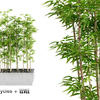
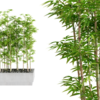
Bamboo single
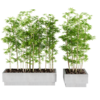
Bamboo in big planter
Or you can select it and copy it using CTRL+C and in your scene pressing CTRL+V.
Please note that this scene contains textures from Zagg - Textures may not be redistributed
HDRI maps are from HDRI Haven
Have questions about this product?
Login to message
| Sales | 80+ |
| Published | over 8 years ago |
| Blender Version | 4.1, 4.0, 3.6, 3.5, 3.4, 3.3, 3.2, 3.1, 3.0, 2.93, 2.92, 2.91, 2.9, 2.83, 2.82, 2.81, 2.8, 2.79 |
| Render Engine Used | Cycles |
| License | Royalty Free |
Discover more products like this
spring21 loveblender tree plant trees 3d 3dshaker spring23 bfcm20 tree bfcm24 winter24 plants bamboo bfcm21 3dshakertropic bfcm19 #nature bfcm23 summer22 bcon22 3dshakertree 3dshakerplant summer24 spring20 bfcm22 summer23 3dshakerintplant summer20 spring22 plants plant spring24 spring19 plants set bcon19 bfcm18 bamboo tree summer21 3dshakernature leaves