 Nabat
Nabat


Quick Start
Installation: Install via Blender Extensions or manually place files in addons folder
Activation: Press / (forward slash) or find iRuler panel in N-Panel sidebar
Requirements: Blender 4.1.0 or newer
Core Features
Object Mode Measurements
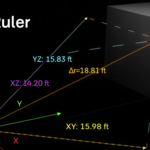
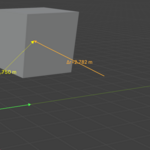
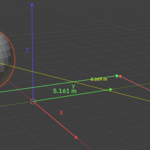
- Distance Measurement: Select two objects to see real-time distance with ruler visualization
- Position Vectors: Shows vector from origin to object with magnitude display
- Displacement Tracking: Tracks object movement with delta vectors
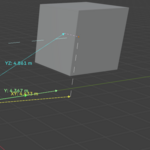
- Component Analysis: Displays X, Y, Z components and vector projections
Edit Mode Analysis
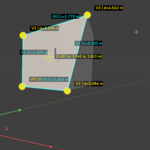
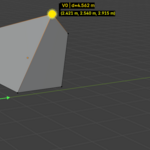
- Vertex Information: Shows coordinates and distance from origin
- Edge Length: Displays edge measurements with visual indicators
- Face Analysis: Area calculations with normal vector visualization
- Selection Center: Calculates and displays center point of selected geometry
Automatic Unit Conversion
All measurements automatically convert when you change Blender's unit system:
- Metric Units: meters, centimeters, millimeters, kilometers
- Imperial Units: feet, inches, miles
- Custom Scale: Respects scene unit scale settings
- Smart Precision: Adjusts decimal places based on unit size
Interface Controls
Toggle Overlay: Press / or use the iRuler panel button
Feature Selection: Enable/disable specific measurement types via checkboxes
Real-time Updates: All measurements update automatically as you work
Panel Options
- Coordinate Axes display
- Position and displacement vectors
- Vector projections and components
- Distance rulers between objects
- Edit mode geometry analysis
Professional Features
Clean Display: Labels positioned at vector midpoints to reduce clutter Background Text: Semi-transparent backgrounds ensure text readability Element Limiting: Shows maximum 10 elements in edit mode to prevent overwhelming display Color Coding: Consistent color scheme - red/green/blue for X/Y/Z axes Performance Optimized: Minimal viewport impact with smart refresh system
Usage Tips
- For Architectural Work: Enable distance measurement and coordinate display
- For Precision Modeling: Use edit mode vertex analysis with displacement tracking
- For Education: Show coordinate axes and vector components
- For Quality Control: Compare object positions with component analysis
Keyboard Shortcuts
-
/- Toggle measurement overlay on/off - Tab - Switch between Object/Edit modes (standard Blender)
Have questions about this product?
Login to message
Discover more products like this
3darchitect measure ruler 3D Measurement Tools ruler-3d-model