Isolate Pro
 RPG Tavern



Installation: either-
1.edit/preferences/add-ons/install from disk
2.drag and drop Isolate Pro into the scene to install
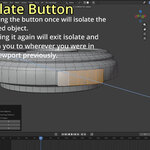
Isolate Pro was designed to be as close to 3ds Max's Isolate feature as I could recall from memory.
- Isolate zooms in on the selected object (or objects)
- exiting isolation will return you to wherever you were in the scene before entering isolation
- built specifically to single out an object to work on while hiding the rest of the scene so that you're not having to navigate it
Quality of Life Features
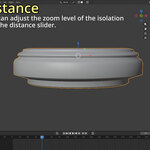
1. zoom level on the isolated object can be adjusted
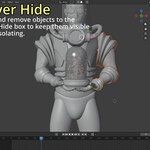
2. the "Never Hide" box allows you to add or remove objects to keep in the scene while isolating objects. Useful for keeping modeling reference visible, or light blocking, or scale reference, etc.
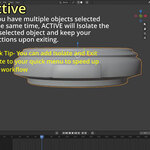
3. Quick Tips- right clicking on Isolate and Exit Isolate will allow you to add those buttons to your Quick Favorite menu (Q) to really speed up your workflow.
Have questions about this product?
Login to message
| Dev Fund Contributor | |
| Published | 10 months ago |
| Blender Version | 4.5 - 5.0 |
| Extension Type | N/A |
| Render Engine Used | Cycles, Eevee |
| License | GPL |