 LitFor20

How to add the .blend file to your Blender library
1. First, unzip the downloaded ZIP file.
2. In Blender, go to:
Edit > Preferences > File Paths > Asset Libraries
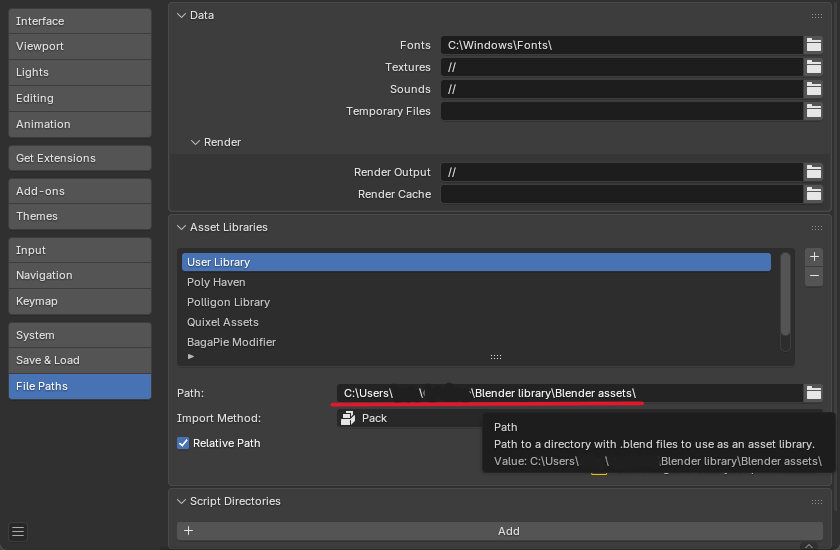
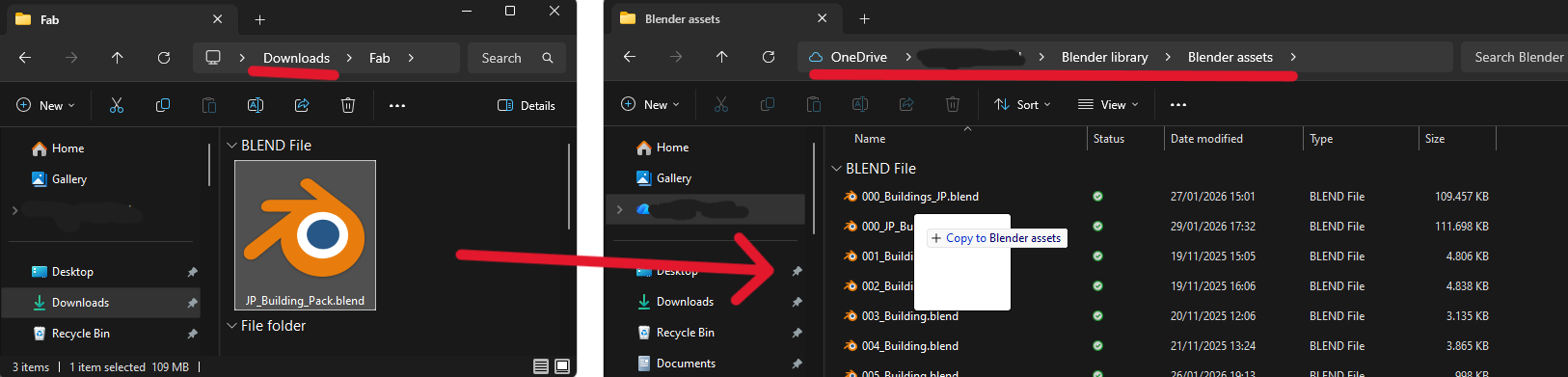
3. Drag the .blend file into the User Library (or any library you want it saved in)
Have questions about this product?
Login to message
| Dev Fund Contributor | |
| Published | 1 day ago |
| Blender Version | 5.0 - 5.3 |
| Render Engine Used | Cycles |
| Misc Data | Normal-Mapped, Textured |
| License | Royalty Free |
Discover more products like this
3d-exterior building japan architecture residential vertexpaint House 3d japan japanese Interior residential tokyo exterior