 FrameCubed
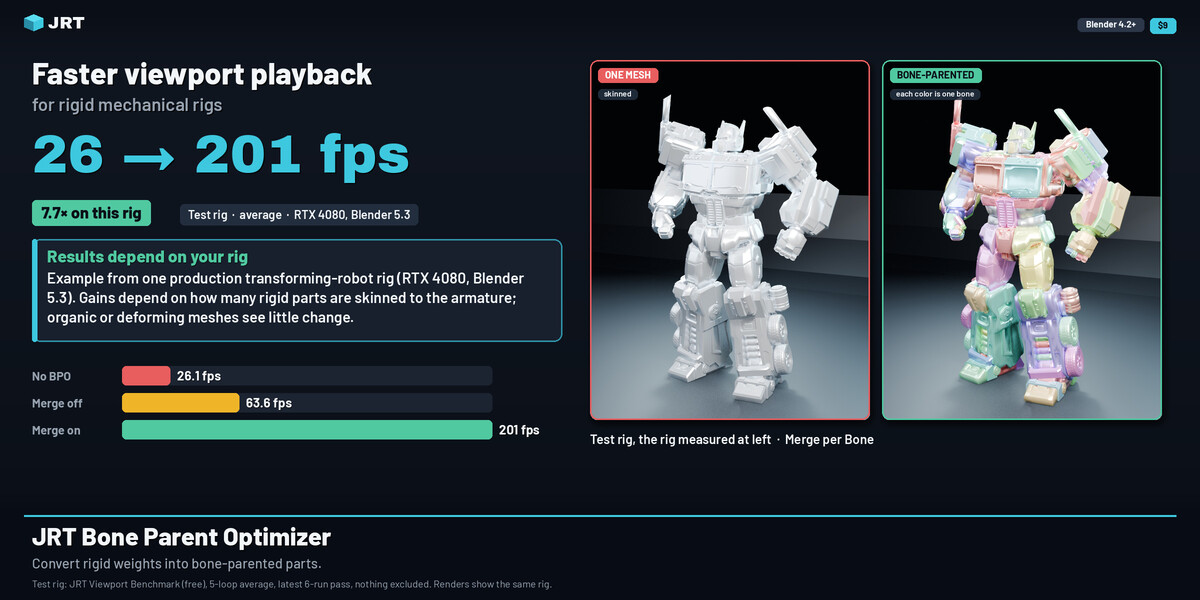
Mechanical rigs should not pay the cost of a skin deformer. If a mesh island is weighted 100% to one bone, it can be a separate object parented to that bone — same motion, no per-vertex Armature evaluation.
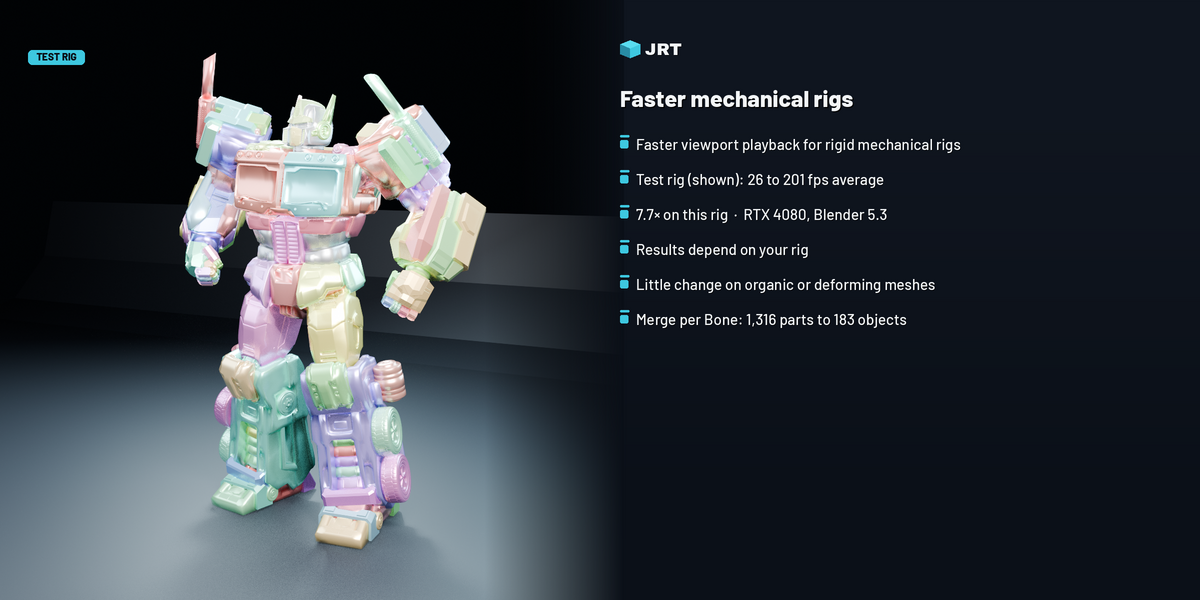
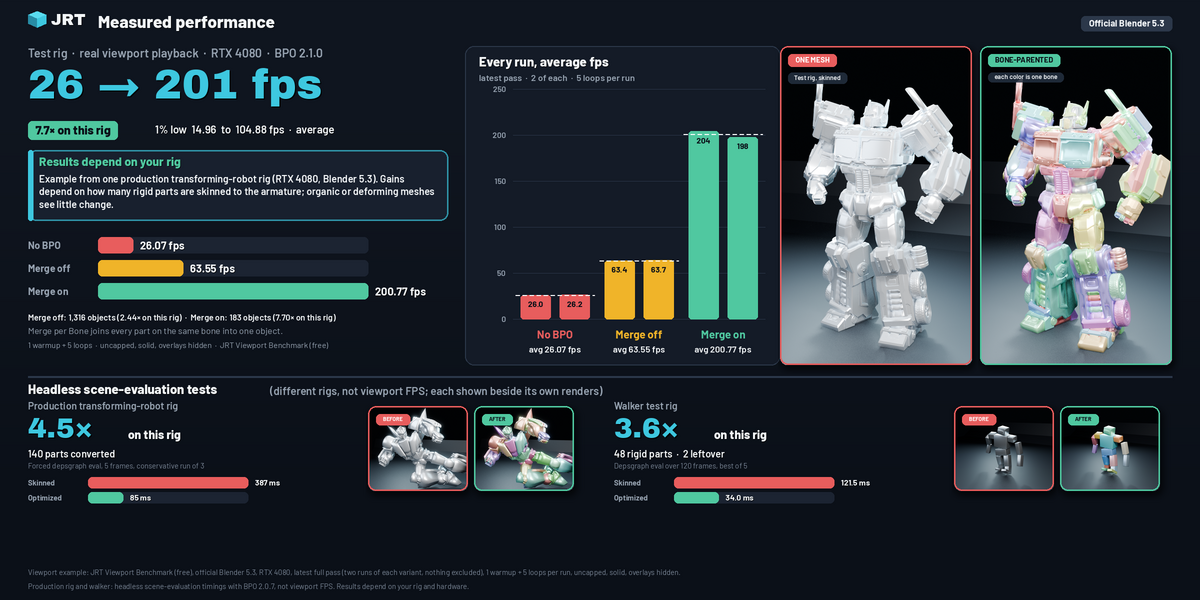
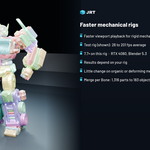
JRT Bone Parent Optimizer finds those rigid parts, shows you a preview report, and converts them in one undoable step. With Merge per Bone, every part that follows the same bone becomes a single object. Example: one production transforming-robot rig went from 26 to 201 fps average (7.7× on this rig). Mixed-weight islands stay skinned. Materials, UVs, custom normals, and other modifiers come along.
What it does
A robot, weapon, vehicle, or hard-surface creature is often built as one skinned mesh. Even when every plate is painted to a single bone, Blender still runs the Armature modifier on every vertex, every frame.
The manual fix is slow and easy to get wrong: separate by loose parts, check weights, remove the Armature modifier, parent each piece to its bone, and fix the inverse so the pose still matches.
This add-on does that conversion for you, without rewriting the pose or the actions.
- Weight threshold (default 0.999) so “rigid” is a setting, not a guess.
- Preview and a full report before anything changes. Leftover mixed islands stay on the original Armature modifier.
- Undo-safe. The current pose and all actions are left alone. The add-on binds each part from the edit-bone rest pose and does not apply the pose as rest or insert keyframes.
- Preserves materials, UVs, vertex colors, custom normals, and non-Armature modifiers. Vertex groups that those modifiers still use (for example a Solidify outline group) are kept.
- Merge per Bone (on by default): all rigid parts on the same bone become one object, built in rest space. Fewer objects, much faster playback. Turn it off for one object per part.
- Fast Apply: about 4 seconds on a 1,316-part production rig.
- Organized names (
{object}-{bone}) and an optional{armature}_RigidPartscollection. - Shape-key meshes are skipped by default. If you turn that off, each part keeps a copy of the shape keys.
- Optional Keep Original (off by default): Apply first keeps an untouched, hidden full copy of each changed mesh, named
<object>-original, in aJRT Originalscollection. The conversion result is identical with or without it.
It is a permanent conversion for parts that should never squash or stretch — not a temporary viewport proxy, and not a replacement for organic character skinning.
An example on a production rig
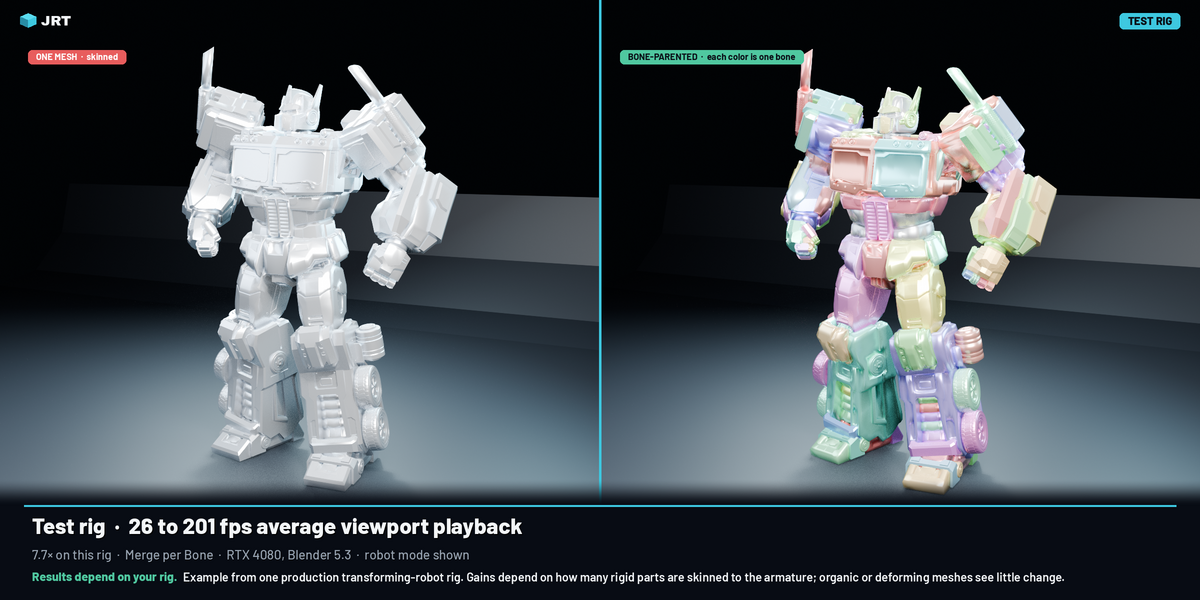
Example: one production transforming-robot rig, 26 to 201 fps average (RTX 4080, Blender 5.3) — 7.7× on this rig.
Results depend on your rig. The gain is largest when many rigidly weighted parts sit on skinned meshes, so the Armature modifier is doing work that bone parenting can do more cheaply. Organic or truly deforming meshes see little change.
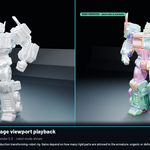
Viewport playback (one production transforming-robot rig, official Blender 5.3, RTX 4080). Three copies of the same file (shape keys removed from all three so they match): skinned, converted with Merge per Bone off, and converted with Merge per Bone on. JRT Viewport Benchmark (free) played frames 0–73 once to warm up and then five measured loops per run, uncapped, Play Every Frame, solid shading, overlays hidden, in the same 1889×1001 viewport. The three files were alternated twice.
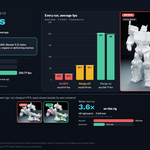
| Transforming-robot rig (no shape keys) | Runs | Average | 1% low | vs. skinned |
|---|---|---|---|---|
| Skinned, no BPO | 2 | 26.07 fps | 14.96 fps | 1.00× |
| BPO, Merge per Bone off (1,316 parts) | 2 | 63.55 fps | 36.51 fps | 2.44× |
| BPO, Merge per Bone on (183 objects) | 2 | 200.77 fps | 104.88 fps | 7.70× |
Merge per Bone is the feature behind most of the gain on this rig: every rigid part that follows the same bone becomes one object, so Blender evaluates and draws 183 objects instead of 1,316. These averages are from the latest full pass: two runs of each variant, nothing excluded. These are averaged real-viewport figures from this machine, not a single fps-counter screenshot and not a headless timing. Apply on this rig takes about 4 seconds.
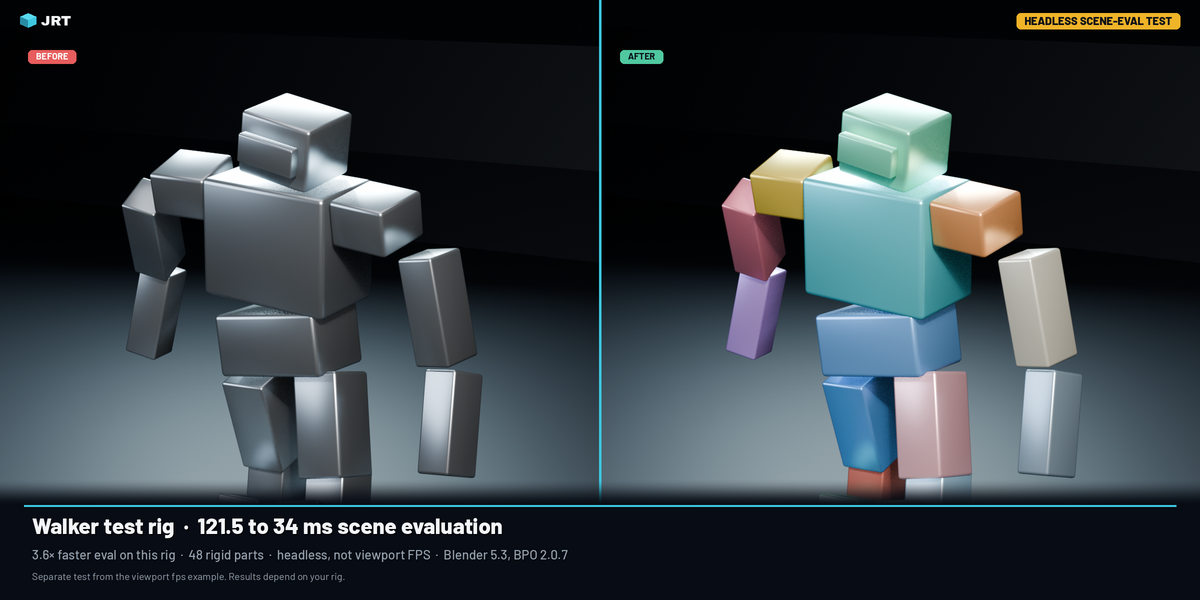
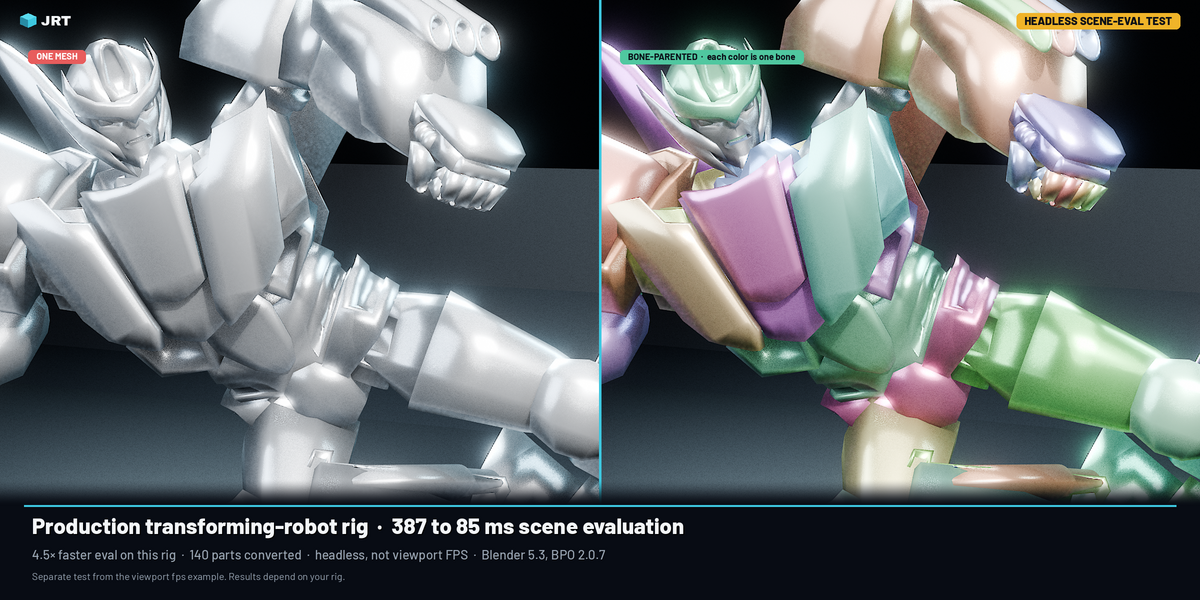
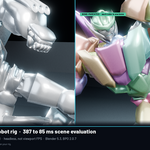
Headless scene-evaluation tests (not viewport FPS). On a second production transforming-robot rig, official Blender 5.3, Bone Parent Optimizer 2.0.7, forced depsgraph evaluation over 5 frames (conservative run of 3): 387 ms → 85 ms, 4.5× faster, with 140 rigid parts converted and 6 blended islands correctly left skinned. Posed vertex positions agreed to a max error of 4.1×10⁻⁶. A walker test rig (depsgraph eval over 120 frames, best of 5) went 121.5 ms → 34.0 ms, about 3.6× faster.
Results depend on your rig, modifiers, and hardware. These figures are measurements on specific files, not a standardized metric or a guarantee.
Headless test suite on the shipped zips: 1212/1212 checks passed on Blender 4.5.16 LTS, Blender 5.3.0, and Goo Engine 4.4.3, and 1211/1211 on Blender 4.2.16 LTS (the one-check difference is layered-action slots, which arrived in Blender 4.4). The tools were also checked by hand in the Blender interface, including undo and redo. This tool’s own suite: 167/167 on Blender 4.2, 4.3, 4.4, 4.5, 5.3, and Goo Engine 4.4.3.
Install
Works as a Blender 4.2+ extension. Do not unzip the extension zip before installing.
- In Blender 4.2 or later, drag the zip onto the main window, or go to Edit → Preferences → Get Extensions → Install from Disk and choose the zip.
- Enable the add-on in Preferences.
- Open the 3D Viewport sidebar (N) and look under the JRT tab.
- Open JRT → Bone Parent Optimizer. Select the skinned mesh, click Preview, then Apply.
Requirements
- Blender 4.2 or later (minimum version in the extension manifest).
- Tested on official Blender 4.5.16 LTS, Blender 4.2.16 LTS, Blender 5.3.0, and Goo Engine 4.4.3.
- No extra Python packages.
- Linked or overridden library data should be made local first where the tool edits objects or armatures.
What’s included
- JRT Bone Parent Optimizer v2.1.0 as a Blender 4.2+ extension zip (
blender_manifest.toml, README, license text).
License
Licensed under the GNU GPL version 3 or later (GPL-3.0-or-later). Source is included in the extension zip. You may use, study, share, and modify it under the terms of the GPL.
Art and documentation shipped with this listing (including the demo .blend) are all rights reserved.
Demo file
This listing includes jrt-bone-parent-optimizer-demo.blend, a fresh official-Blender 5.3 scene that shows what the tool works on. Select MechBody. In the 3D View sidebar (N) open JRT → Bone Parent Optimizer. Click Preview, then Apply.
Support
Questions, a bug, or a file that does not behave as expected? Message me on Superhive. Please include your Blender version and, if you can, a stripped .blend that shows the issue.