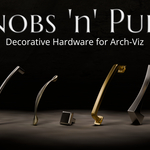
Knobs 'n' Pulls - Decorative Hardware For Arch-Viz
 SFE-Viz




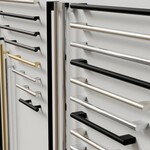
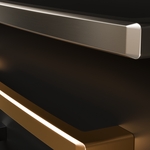
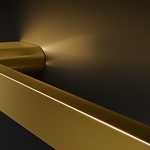
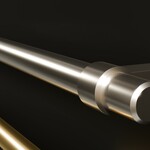
Installation:
After downloading unpack the zip file in a location of your preference.
Then in Blender go to Edit
→ Preferences → File paths and
you’ll
find the settings for
asset libraries. Click
on the little + icon and navigate to the folder where you stored the
pack, then select that folder and click ‘Add Asset Library.
Now you will find "Knobs 'n' Pulls" in the drop-down menu of your asset browser.
Using the assets:
Navigating the assets is easy. They are neatly organized in categories. Once you made your choice simply click and drag the asset into your scene. You can also snap it to an object like a door or drawer front right away. This works best in orthographic view.
Most assets come with multiple materials. To change the material you can do one of two things:
1. In edit mode select everything and then select the material of choice in the material tab and click assign.
2. Choose the material you want to keep and delete all other material slots by selecting them and clicking the "-"
Compatibility
The assets were created with 4.2LTS and are meant to be used with this or newer versions.
In older versions, especially prior 4.x you will have to enable auto-smooth under the normals tab in the data properties, in order to get the "harden normal" function of the bevel modifier to work properly and achieve correct shading.
Additionally, if you rely on an older version of Blender, you should save a renamed copy of the pack *.blend file with your preferred version to get the asset browser to perform correctly. In this case also remember to change the auto-smooth settings.
Have questions about this product?
Login to message
| Sales | 20+ |
| Dev Fund Contributor | |
| Published | over 1 year ago |
| Blender Version | 4.3, 4.2 |
| Render Engine Used | Cycles |
| Misc Data | Uvs-Unwrapped, Manifold-Mesh, Textured |
| License | Royalty Free |
Discover more products like this
door pull cabinet knob Arch-viz assets drawer hardware cabinet hardware Cabinet pulls cabinet pull pulls knobs door knob #arch-viz-ready drawer knob elegant drawer pulls door harware drawer pull