 Lazy3D






Lazy Interiors Documentation
This documentation explains how to install, configure, and use Lazy Interiors: asset browser, scene import system, materials library, and Quick Snap Tools.
Video tutorial
Watch a step-by-step walkthrough covering installation, asset browser, scene import, materials library, and Quick Snap Tools.
Watch on YouTube: https://youtu.be/OkR3BCOW12Y
Installation & Library Location
Lazy Interiors consists of two parts: the addon itself and a large external library containing assets, scenes, and materials.
- Install the addon via Blender Preferences → Add-ons → Install.
- After installation, set a custom library location in addon preferences.
- The library can be stored on any drive (recommended due to size).
- Total library size is approximately 43 GB.
Assets Browser
The Assets Browser allows you to add objects by category directly into the scene.
- Browse assets by predefined categories.
- Add assets to the scene with a single click.
- Assets are imported cleanly without manual Append or file browsing.
Scene Import
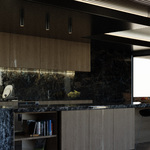
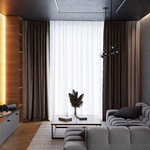
Scene Import provides ready-made interior setups for quick starting points.
- Scenes are organized by category.
- Import full scene setups in one click.
- Useful for previews, layout starting points, and fast rendering.
Materials Library
The materials library provides more than 70 ready-to-use materials that can be quickly assigned to assets or scene elements.
Quick Snap Tools
Quick Snap Tools are designed to speed up object placement in interior scenes.
- Snap objects cleanly to surfaces.
- Quick alignment and positioning helpers.
- Designed specifically for interior workflows.
Performance Notes
- Assets are optimized for interior visualization.
- Large scenes may require sufficient system memory.
- Using a fast SSD for the library is recommended.
Known Limitations
- Library size requires significant disk space.
- Addon is focused on interior scenes only.
Credits & License
Addon development, scripting, UI, and workflow design: Vladislav Maltsev (Lazy3D)
All 3D assets and interior scenes: VizFromBlender – Abhigyan Kumar ( SuperHive creator page )
- Addon code: GNU GPL v3
- Assets & scenes: Royalty Free, rights belong to the original author
-
$24
Contains addon, assets and materials. Without scenes [Winter Sale 35% OFF - Original Price is 30$]
-
$41
Contains addon, assets, materials and scenes [Winter Sale 35% OFF - Original Price is 50$]
Have questions about this product?
Login to message