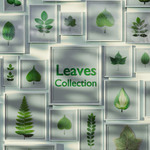
Leaves Collection
 Vertixel Studio



Support :
If you experience any issues with this asset, feel free to contact us.
We aim to respond to all questions and support requests within 72 hours.
Even though this asset is free, it still comes with full support. We stand behind the quality of Vertixel resources and value our users’ experience.
Geometry Nodes – Quick Usage Guide (Blender 5.0) :
This pack includes a simple Geometry Nodes setup created for Blender 5.0.
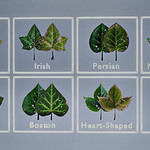
The node lets you quickly switch your object's UV to match a specific leaf in the texture atlas.
How to use:
1- Import or open your mesh in Blender.
Assign the provided Vertixel leaf material to your mesh:
Go to the Material Properties panel.
Select the material included with this pack (e.g. LeafAtlas_Mat).
2- Add the included Geometry Nodes modifier to your object:
Select your mesh.
In the Modifiers tab, add a Geometry Nodes modifier.
3- Choose the provided node group.
In the Geometry Nodes modifier settings, use the leaf selection parameter (LeafType) to choose your desired leaf type or variation.
The object's UV will automatically switch to the corresponding leaf in the atlas.
This system is designed to make switching between different leaves fast and convenient while working with the atlas.
Texture Usage :
All textures are provided as transparent PNGs with 700 × 700 px resolution per leaf.
These can be used in any 3D software, game engine, or digital art workflow that supports image textures and alpha.
If you prefer not to use the atlas, you can simply import the individual texture files directly into your project and use them as standalone leaf maps.
-
$0.65 $1
This version is perfect for personal projects and prototypes. Under the CC-BY license, you are free to use these assets commercially, provided you include a visible credit to the creator in your project's documentation or credits screen.
-
$3.24 $4.99
Choose the Royalty Free License for total creative freedom. While the CC-BY version requires credit, this license allows you to use these assets in professional and commercial projects without attribution. Keep your credits clean and your workflow simple.
Have questions about this product?
Login to message
| Sales | 10+ |
| Rating | 1 ratings |
| Published | 5 months ago |
| Blender Version | 5.0 - 5.1 |
| Render Engine Used | Cycles, Eevee |
| Misc Data | Uvs-Unwrapped, Textured |
| License | Creative Commons |
Discover more products like this
forest Game asset foliage leaf Atlas vegetation plant geometry nodes leaves botanical texture-pack #nature