 Magnetiq


LensMode Documentation
What is LensMode?
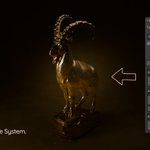
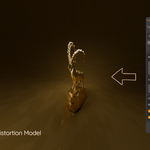
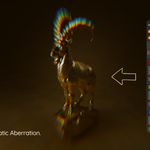
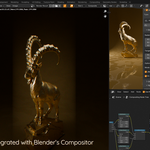
LensMode is a Blender addon that adds professional lens distortion effects to your renders. It automatically creates compositor nodes for authentic lens characteristics including barrel/pincushion distortion, chromatic aberration, vignetting, and anamorphic squeeze. Instead of manually building complex node setups for each camera, LensMode gives you one-click presets and full UI control - saving hours of repetitive work.
Installation
- Download
lensmode.zip - Open Blender 4.0 or higher
- Go to Edit → Preferences → Add-ons
- Click "Install" button
- Select
lensmode.zip - Enable the "LensMode" checkbox
Quick Start
- Select your camera
- Press N in 3D viewport to open sidebar
- Click "LensMode" tab
- Enable the checkbox at the top
- Click "Load Preset" and choose a lens
- Press F12 to render and see effects
Interface
LensMode appears in the 3D Viewport sidebar with these sections:
Main Panel
- Enable/disable toggle
- Lens type selector (Rectilinear, Anamorphic, Fisheye)
- Preset loader
- Reset button
Distortion - Controls barrel/pincushion warping Chromatic Aberration - Controls color fringing Vignette - Controls edge darkening Anamorphic - Controls cinematic squeeze (anamorphic lenses only) Quick Presets - Fast access to all 15 lens profiles
Using Presets
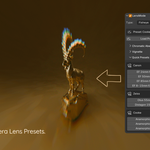
Click "Load Preset" and select from 15 professional lenses:
- Canon (24mm, 50mm, 85mm, Fisheye)
- Zeiss (Otus 55mm, Distagon 15mm)
- Cooke Anamorphic (25mm, 40mm, 50mm)
- Panavision C-Series 40mm
- Sigma Fisheye
- Helios 44-2 Vintage
The preset name shows in the panel after loading. Click the reset icon to return to defaults.
Manual Controls
Distortion
K1, K2, K3 (Radial Distortion)
- Controls barrel (negative) or pincushion (positive) warping
- K1 has the most impact, K2 and K3 fine-tune
- Range: -10 to +10
P1, P2 (Tangential Distortion)
- Controls asymmetric warping
- Range: -5 to +5
Options
- Projector Mode: Radial or Horizontal
- Jitter: Adds randomization
- Fit: Automatically fits distorted image to frame
Chromatic Aberration
Overall Strength - Base intensity of color separation (0-5)
Per-Channel Controls (Red, Green, Blue)
- Offset X/Y: Position shift (-2 to +2)
- Rotation: Channel rotation (-360° to +360°)
Vignette
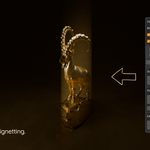
Strength - Darkness intensity (0-1) Width/Height - Coverage area (0.01-10) X/Y Position - Center point (0-1) Rotation - Angle (0-360°) Blur X/Y - Edge softness (0-2000)
Anamorphic
Horizontal Squeeze - Compression factor (0.1-10x) Vertical Scale - Height adjustment (0.1-10x)
Workflow Tips
VFX/Matchmoving
- Load preset matching your real camera lens
- Fine-tune distortion coefficients as needed
- Keep chromatic aberration subtle
- Use light vignette (0.1-0.3)
Cinematic/Stylized
- Use anamorphic presets
- Increase chromatic aberration for vintage look
- Add strong vignette for dramatic focus
- Experiment with extreme distortion
Product/Archviz
- Use rectilinear lens type
- Minimal distortion (K1: -0.01 to -0.03)
- Subtle vignette only
- No chromatic aberration
Rendering
Effects apply to final renders (F12) automatically. Works with both Cycles and Eevee. Compositor nodes are created and updated automatically - you don't need to touch the compositor.
Troubleshooting
Panel doesn't appear
- Ensure a camera exists in your scene
- Press N to open sidebar
- Verify addon is enabled in Preferences
No effects in render
- Check LensMode is enabled (checkbox on)
- Ensure values aren't all at zero
Vignette too small
- Increase Width/Height (try 1.5-3.0)
- Increase Blur for softer edges
Chromatic aberration invisible
- Increase Overall Strength (0.02-0.05)
- Effect shows most at image edges
Support
Questions or issues? Contact: [email protected]
Version 1.0.0 - Initial Release.
Have questions about this product?
Login to message
| Blender Extension Compatible | Yes |
| Published | 12 months ago |
| Blender Version | 4.0 - 5.0 |
| Extension Type | Add-on |
| Render Engine Used | Cycles, Eevee |
| License | GPL |