 Mr. Steve 3D



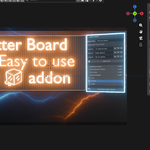
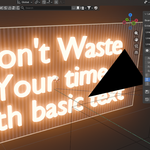
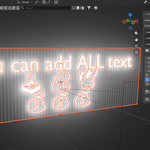
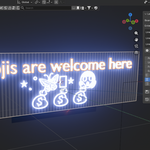
Letter Board
Effortlessly create and manage 3D letter boards right inside Blender
Overview
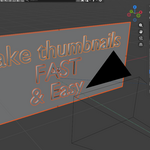
Letter Board is a lightweight Blender addon that lets you generate fully customizable letter boards at your 3D cursor with just a few clicks. Ideal for designers, motion-graphics artists, and game developers, this tool streamlines the process of building text-based props and in-scene signage without manually modeling each character or worrying about alignment.
–––
Key Features
-
Instant Board Creation
Generate a new letter board exactly where your 3D cursor sits. No more hunting for empties or manually placing objects—your board appears ready for text entry. -
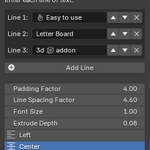
Unlimited Lines
Add as many lines of text as you need. Whether it’s a short headline or a full paragraph, you’re never limited by preset row counts. -
Custom Naming & Collection Management
Assign a unique name to each board to automatically create a matching Collection. All letters, spacers, and background elements get organized for you—keeping your Outliner neat and tidy. -
One-Click Regeneration
Need to tweak your message? Simply update the text and click Generate again—the existing board will be replaced with your new content, preserving all spacing and alignment settings. -
Full Typography Control
-
Letter Size: Scale individual letters up or down for emphasis or design flair.
-
Line Spacing: Adjust vertical gaps between rows to suit any aesthetic.
-
Letter Spacing: Tweak horizontal margins for a tight or airy feel.
-
-
Alignment Options
Choose Left, Center, or Right alignment per line—or switch the whole board’s alignment on the fly. -
Quick-Recall Function
Select any existing letter board object and hit Recall. Instantly load all of that board’s text, spacing, alignment, and size settings back into the panel—so you can edit or duplicate boards without re-entering parameters.
–––
How It Works
-
Position 3D Cursor
Place your cursor where you want the center (or start) of your letter board. -
Name & Generate
Open the Letter Board panel, give your board a name, enter your text, and click Generate. -
Customize
Fine-tune spacing, size, and alignment using the intuitive sliders and dropdowns. -
Recall & Edit
To revisit an existing board, select any board element, press Recall, and watch all settings populate automatically.
–––
Requirements
-
Blender 3.0 or higher
-
No external dependencies—installs in seconds and works out of the box.
–––
Installation
-
Download the latest ZIP from the GitHub/Gumroad release page.
-
In Blender, go to Edit → Preferences → Add-ons → Install...
-
Select the ZIP file and enable Letter Board in the list.
You’re now ready to build polished, fully editable letter boards in seconds!
–––––
Get started today and elevate your Blender projects with dynamic, editable letter boards!