 Har 3D


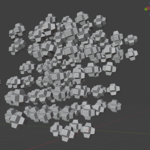
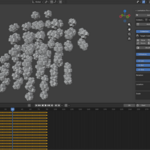
📘 LEVITATION PRO v1.0 — DOCUMENTATION
Levitation Pro v1.0 professional procedural animation tool for Blender (5.0+) designed for creating technically flawless, seamless cyclic motion. This addon eliminates the need for manual keyframe matching by using a math-based engine tied directly to your project's timeline.
1. Quick Start Guide
Select one or more objects in the 3D Viewport.
Open the Sidebar (N-panel) and find the Levitation tab.
Click "Activate Selected" to apply the procedural engine to individual objects or use "Activate Collection" to control a group via a leader object.
2. Core Parameters
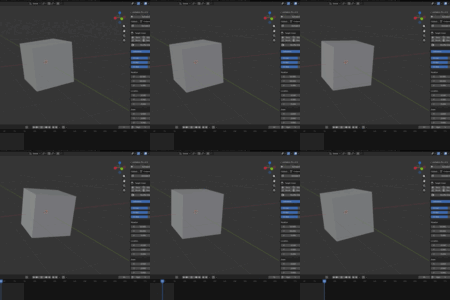
The "C" (Cycles) Parameter: This is the heart of the perfect loop. Enter an integer (e.g., 1.0, 2.0). The object will complete exactly that many oscillations over your scene's frame range, ensuring the start and end frames match perfectly.
Influence: A master slider to scale the overall intensity of all active levitation effects.
Global Multipliers (G-Loc, G-Rot, G-Sca): Quickly adjust the strength of Location, Rotation, or Scale independently without breaking the loop logic.
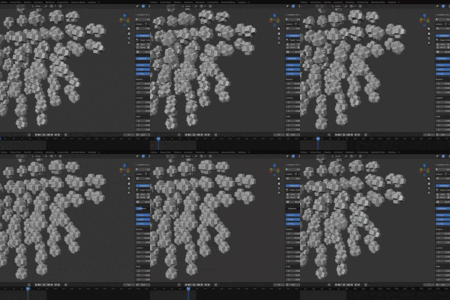
Shuffle Chaos Pattern: Generates a unique "Seed" for each object. This shifts the animation phase so multiple objects don't move in a synchronized, robotic way, while still maintaining their individual perfect loops.
3. High-End Presets
Instantly apply professionally tuned movement profiles:
Slow / Floating: Soft, organic movements for elegant product reveals.
Zero-G: Simulates weightlessness.
Glitch / Panic / Storm: High-energy, chaotic motions for VFX and abstract art.
4. Technical Features
Static Anchor System: The addon saves the original position as an "Anchor." You can adjust settings indefinitely, and the object will always oscillate around its starting point.
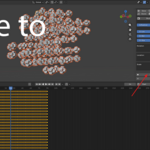
Bake to Keys: When your animation is ready for export to Unreal Engine, Unity, or Omniverse, click "Bake to Keys". This converts procedural drivers into standard keyframes.
Remove All: Completely cleans all drivers and "lev_" properties from the selected objects, returning them to their anchor state.
5. Tips for the Perfect Loop
Ensure your Frame Start and Frame End are set correctly in Blender before activating.
Use integer values in the "C" column for a mathematically seamless transition.
Mix different "C" values on different axes (e.g., X=1, Z=2) to create more complex, non-repetitive looking paths that still loop perfectly.
Have questions about this product?
Login to message
| Blender Extension Compatible | Yes |
| Published | 6 months ago |
| Blender Version | 4.5 - 5.1 |
| Extension Type | Add-on |
| Render Engine Used | Arnold, Blender-Internal, Blender-Game-Engine, Cycles, Eevee, Freestyle, Luxrender, Mental-Ray, Octane, Vray, Yafaray |
| License | GPL |
Discover more products like this
addon motion graphics loop animation Workflow Procedural Animation floating seamless levitation