 NodeWorks



Light Textures Pro - Documentation
Hello, my name is Konstantin. This guide explains how to use Light Textures Pro in Blender, including installation, workflow, and advanced controls.
Installation
Option 1 - Addon
- Open Blender
- Drag and drop the .zip file into the window
Or manually:
- Edit → Preferences → Add-ons
- Install → select .zip
- Enable addon
Option 2 - Asset Library
- Extract the .rar
- Add folder via Preferences → File Paths
- Select it in Asset Browser
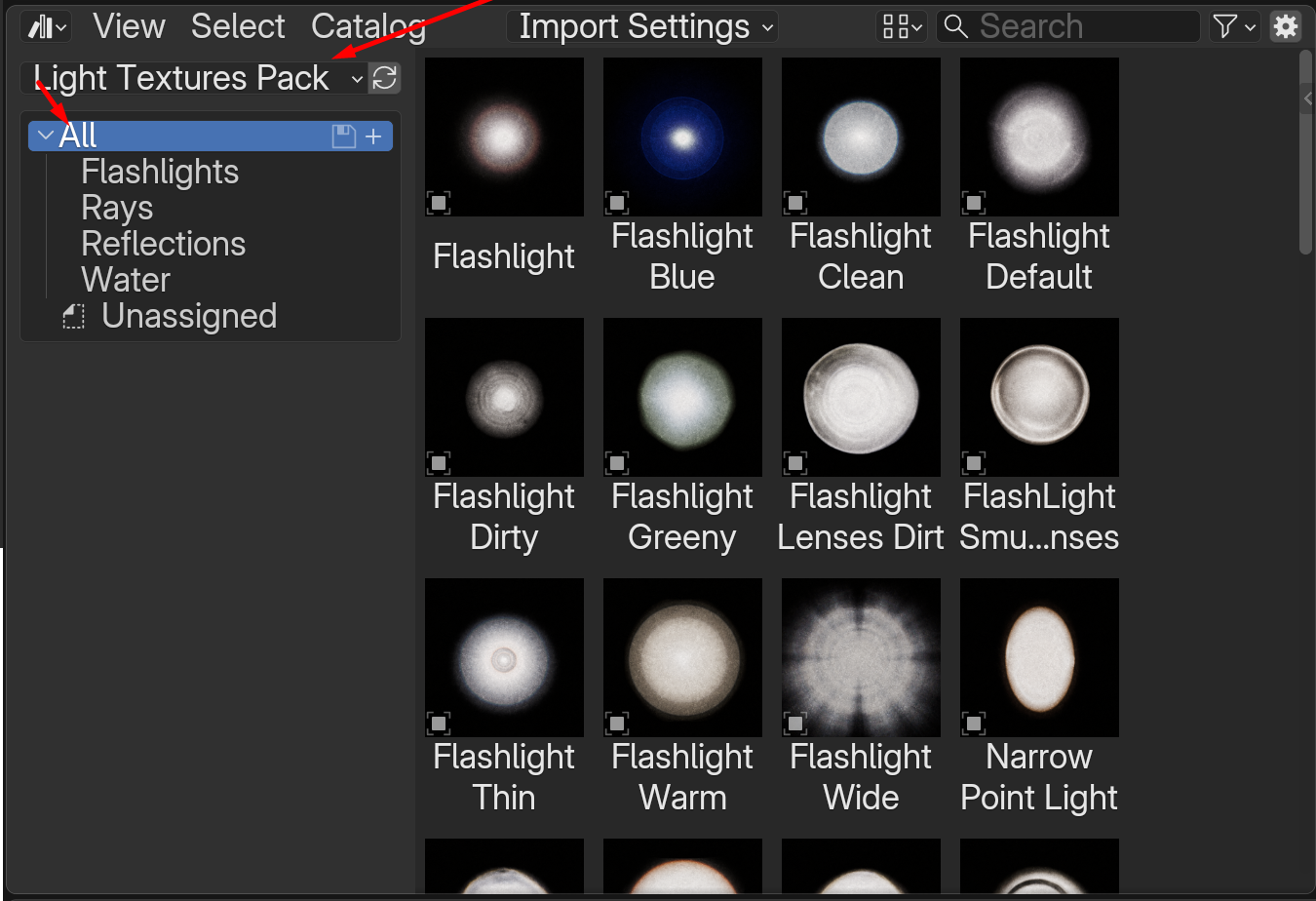
- Use Append for full editability
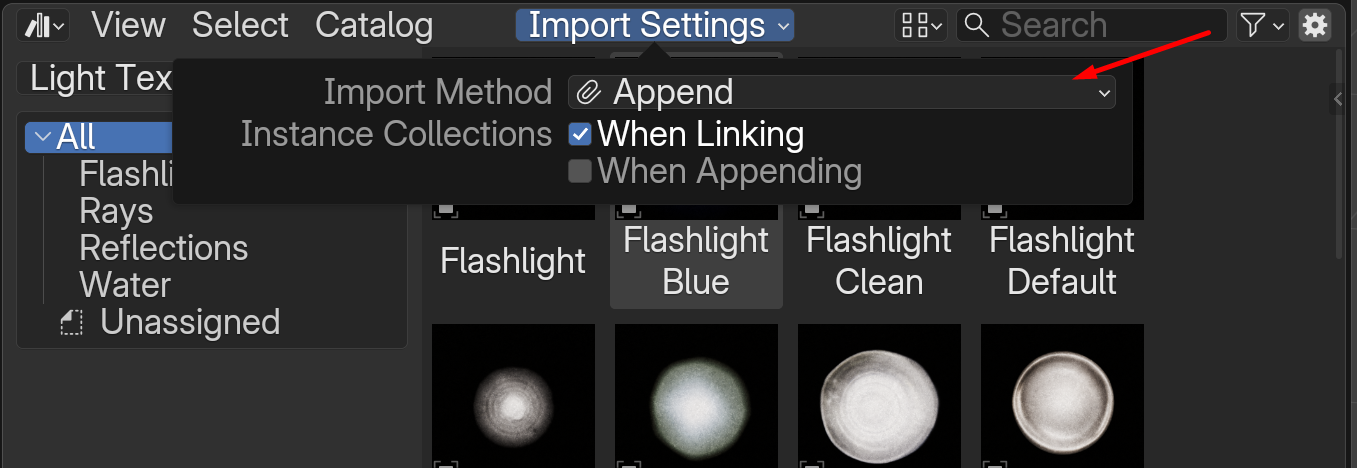
Accessing the Addon
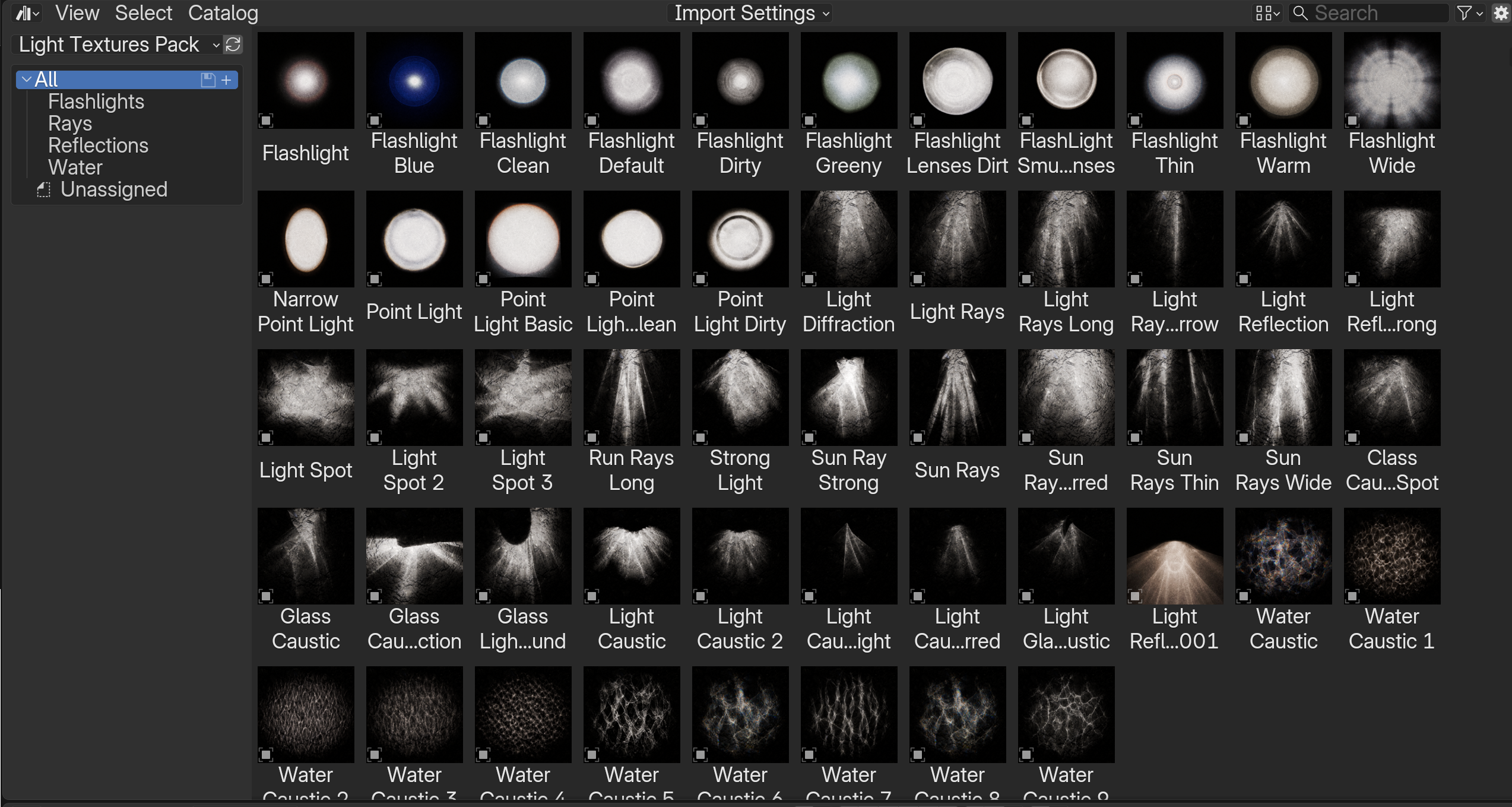
Asset Browser
Categories:
- Flashlights
- Rays
- Reflections
- Water
Use Append mode
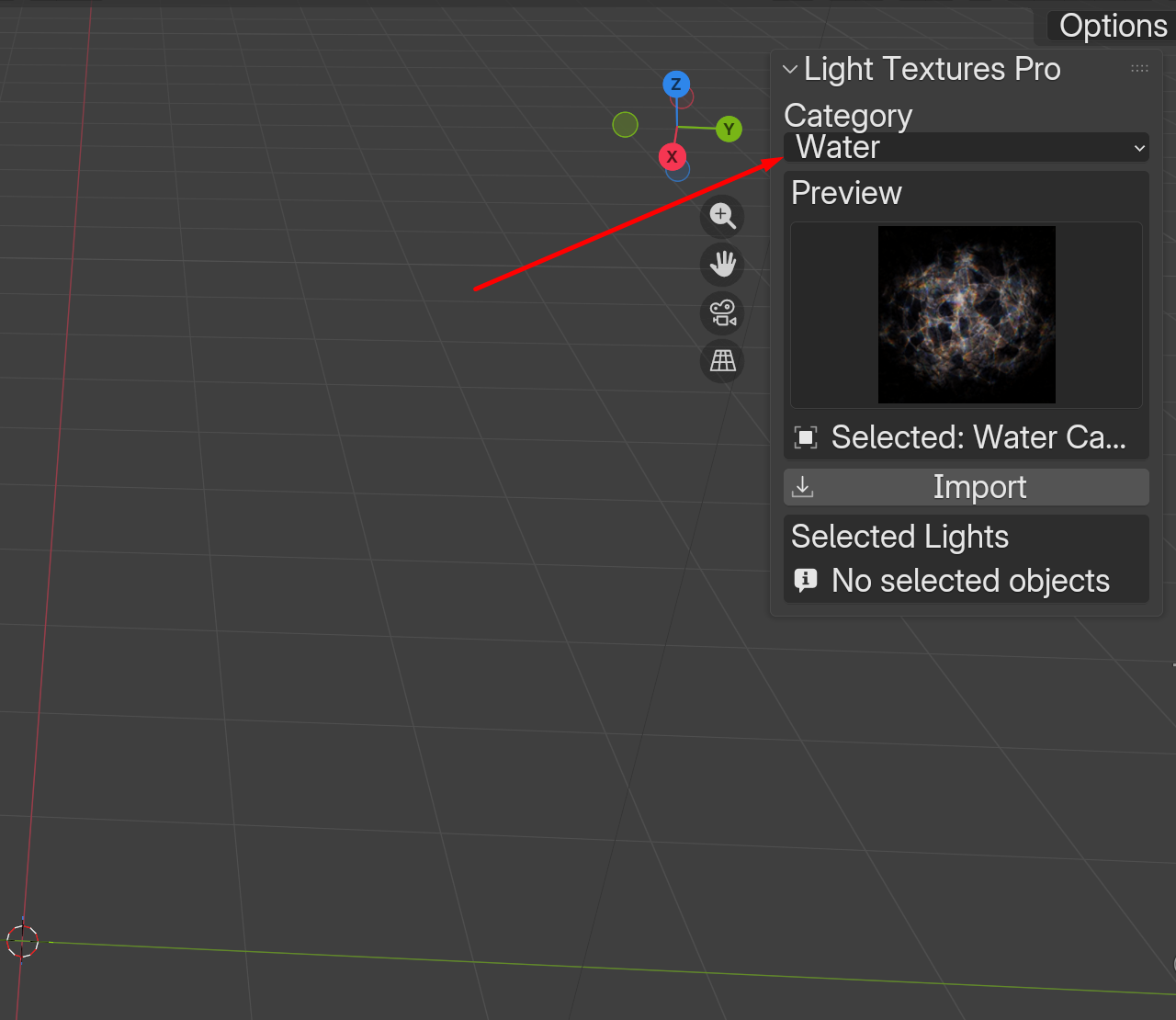
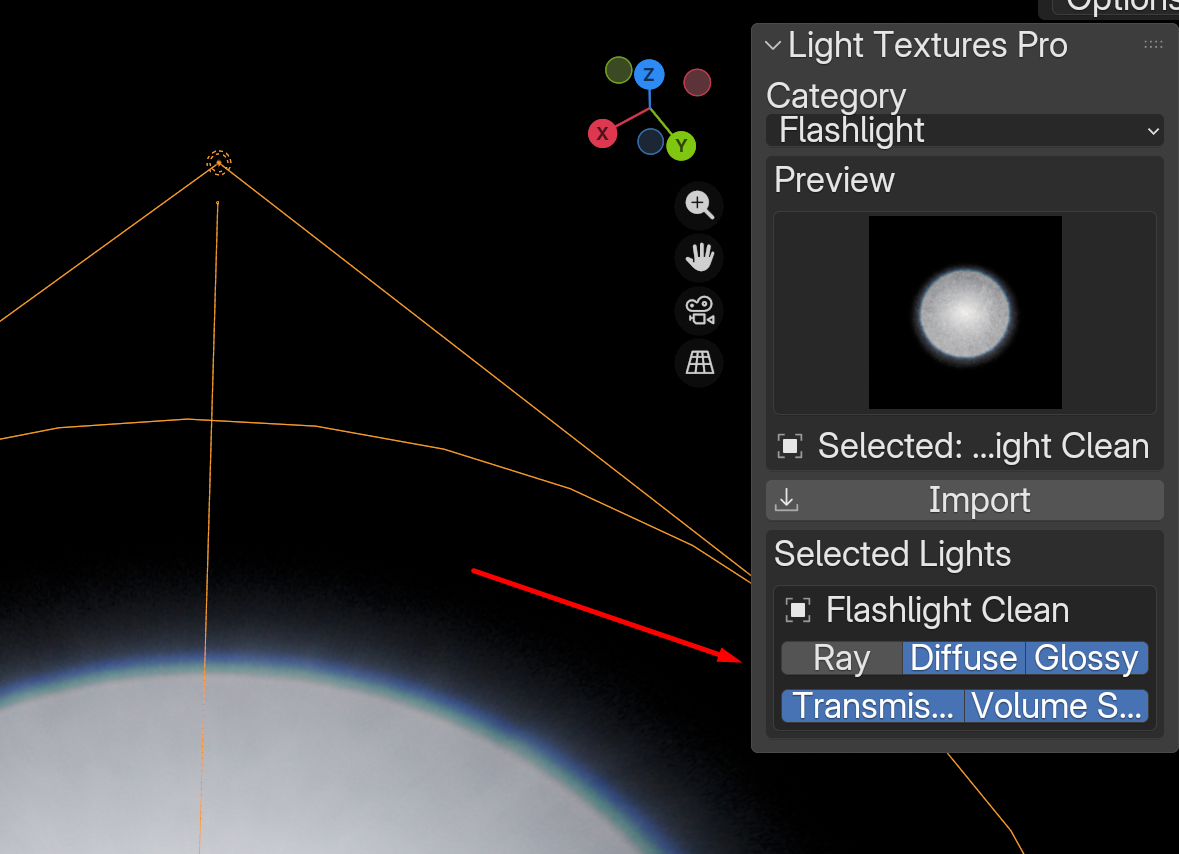
N-Panel
Imported light appears at 3D Cursor
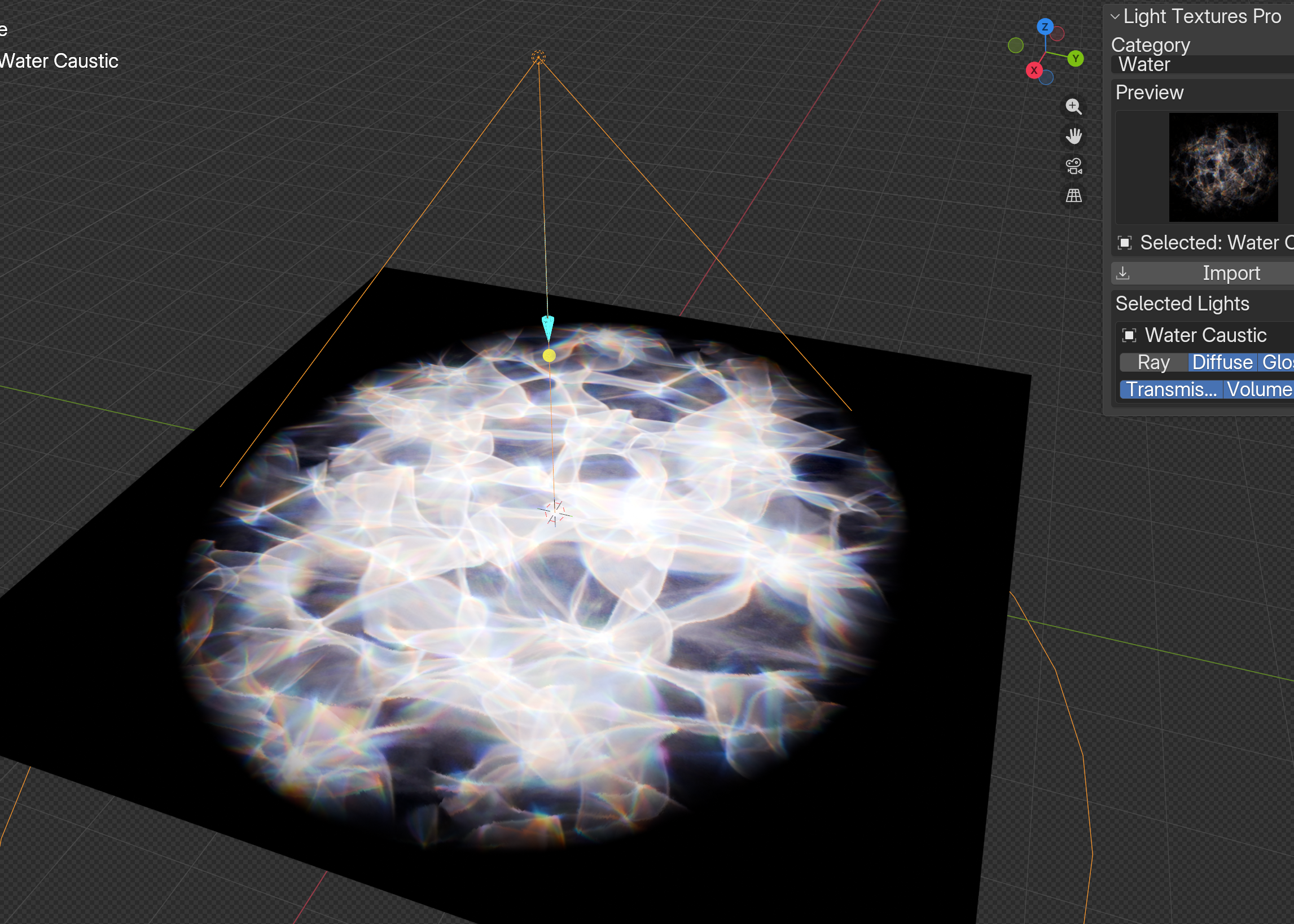
Light Settings
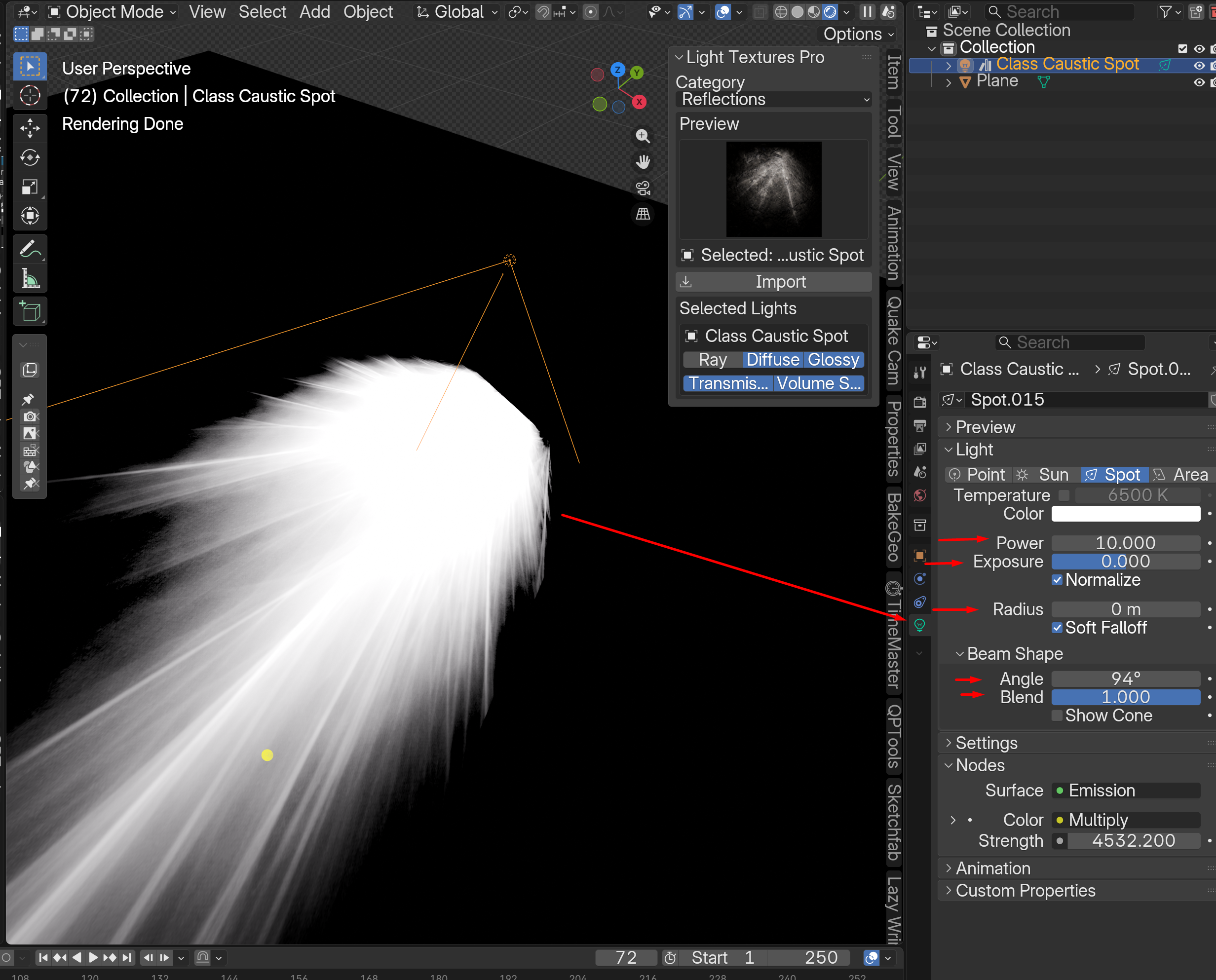
- Power - intensity
- Exposure - brightness
- Radius - softness
- Beam Shape - projection size
- Blend - falloff
Flow Map System
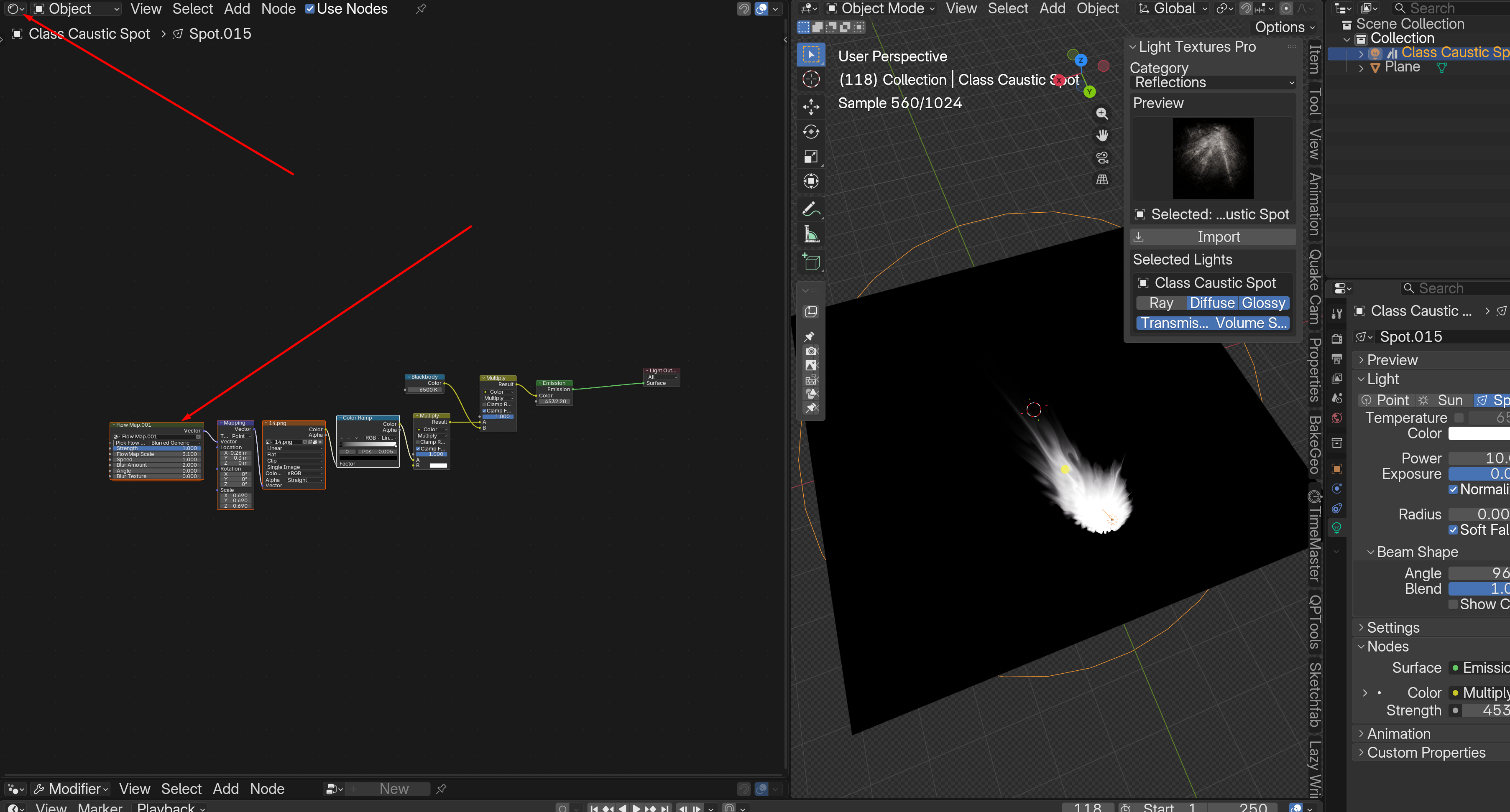
Used for animated distortion.
- Strength
- Scale
- Speed
- Blur
- Angle
Artifacts & Fix
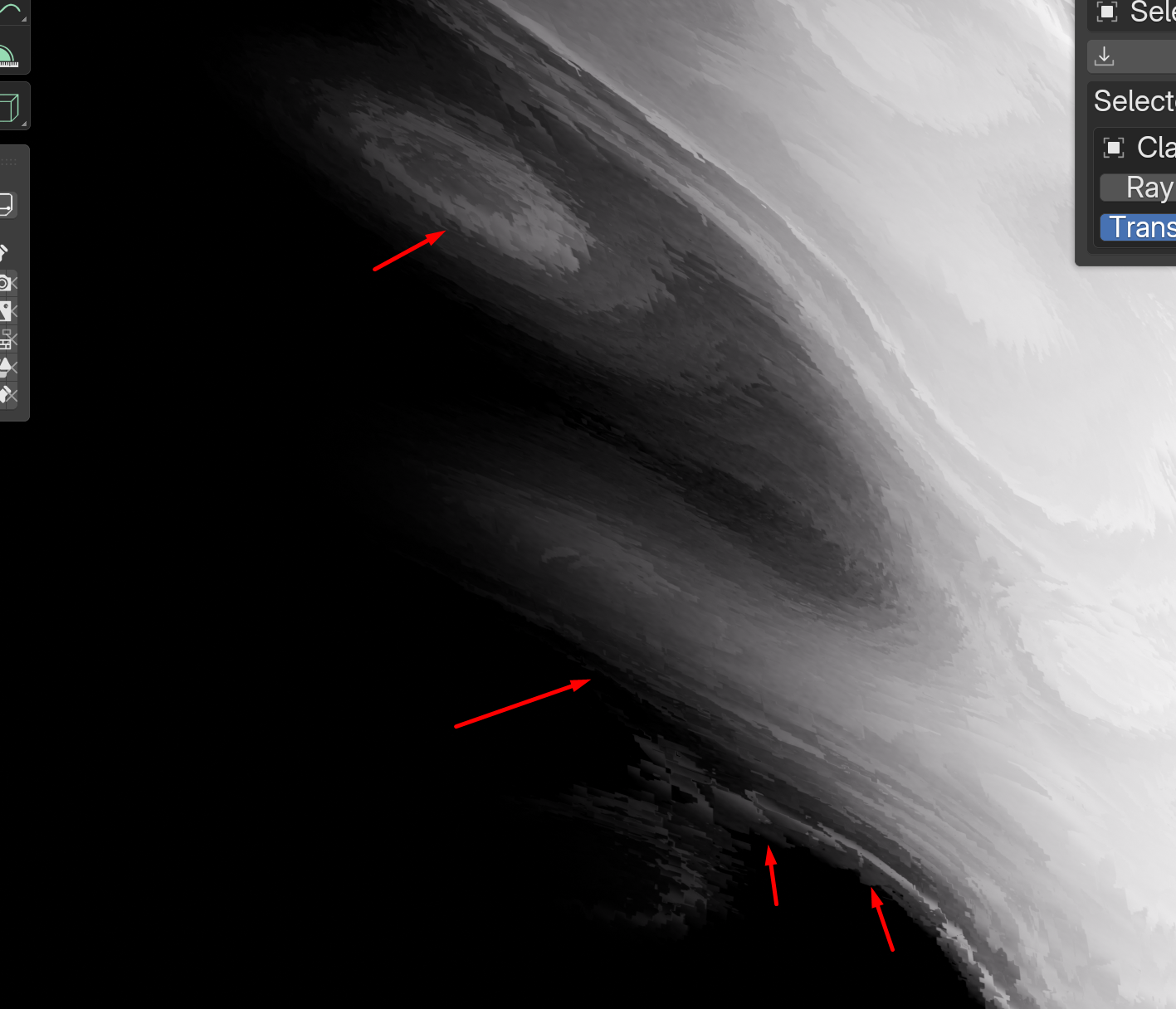
High strength + close distance may create sharp artifacts.
Fix: Increase Radius slightly (~0.0002 m)

Flashlight Diffraction
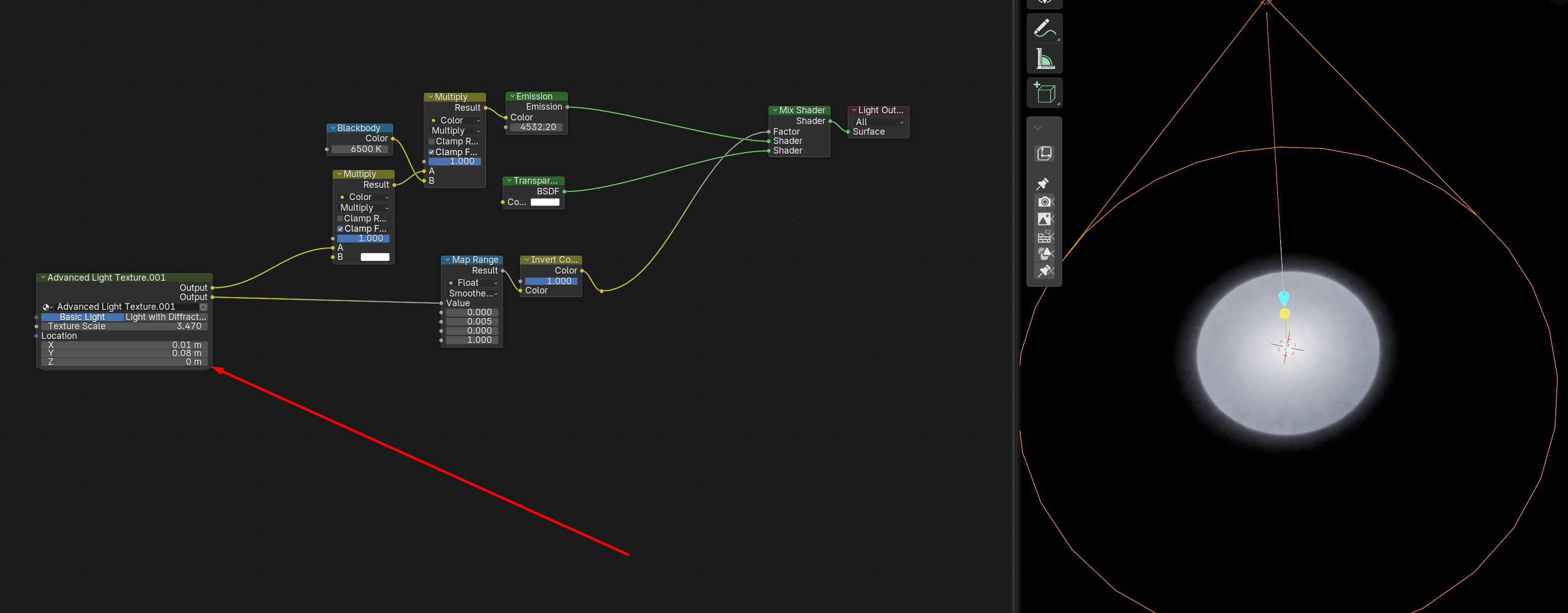
- Texture Scale node controls size
- Angle controls spread
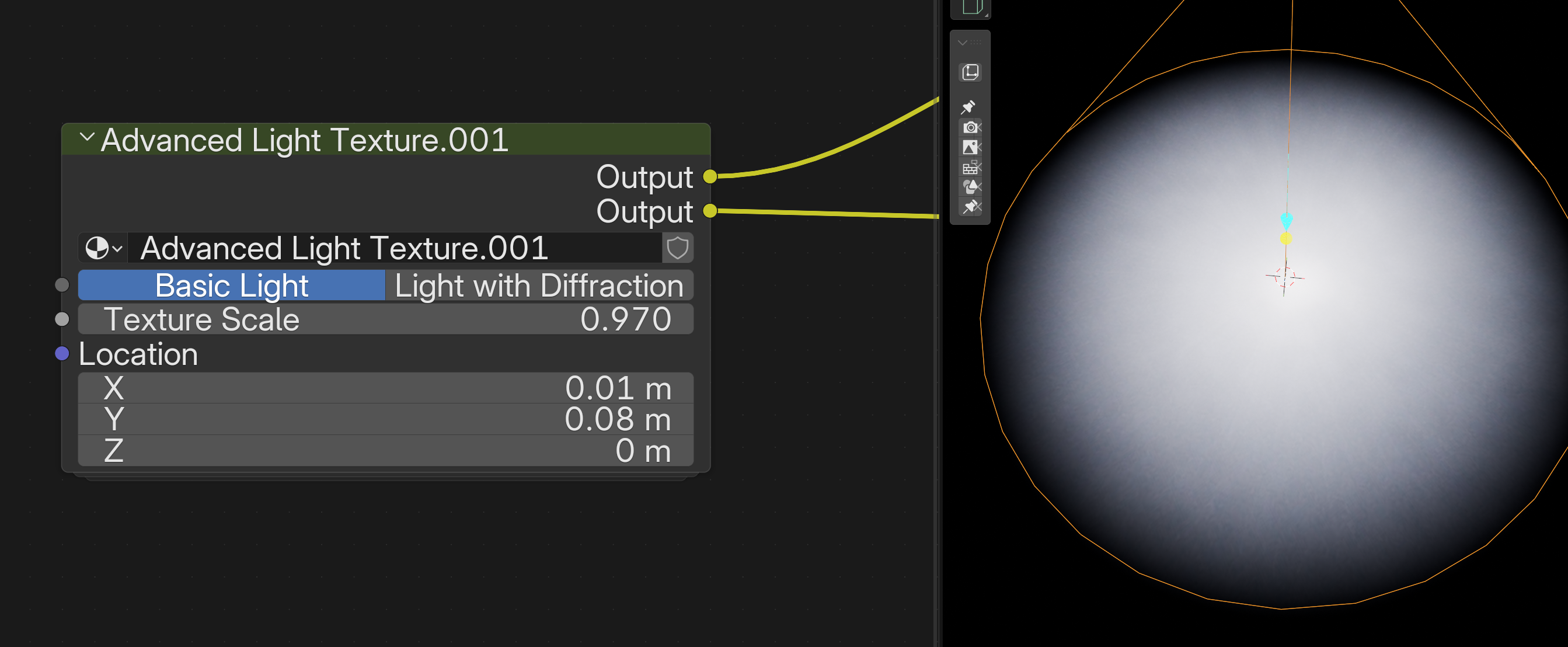
Enable: Light with Diffraction
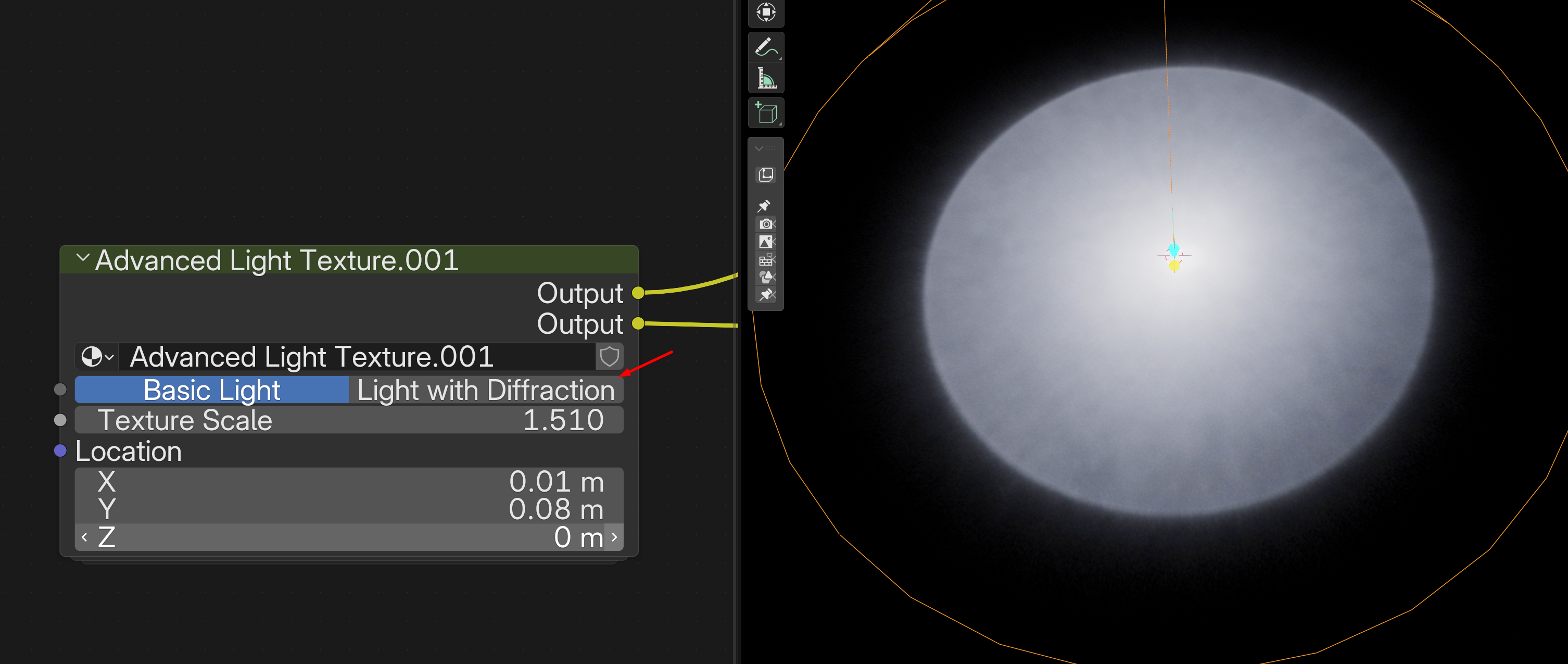
- Low = inward
- High = outward
Avoid extreme values
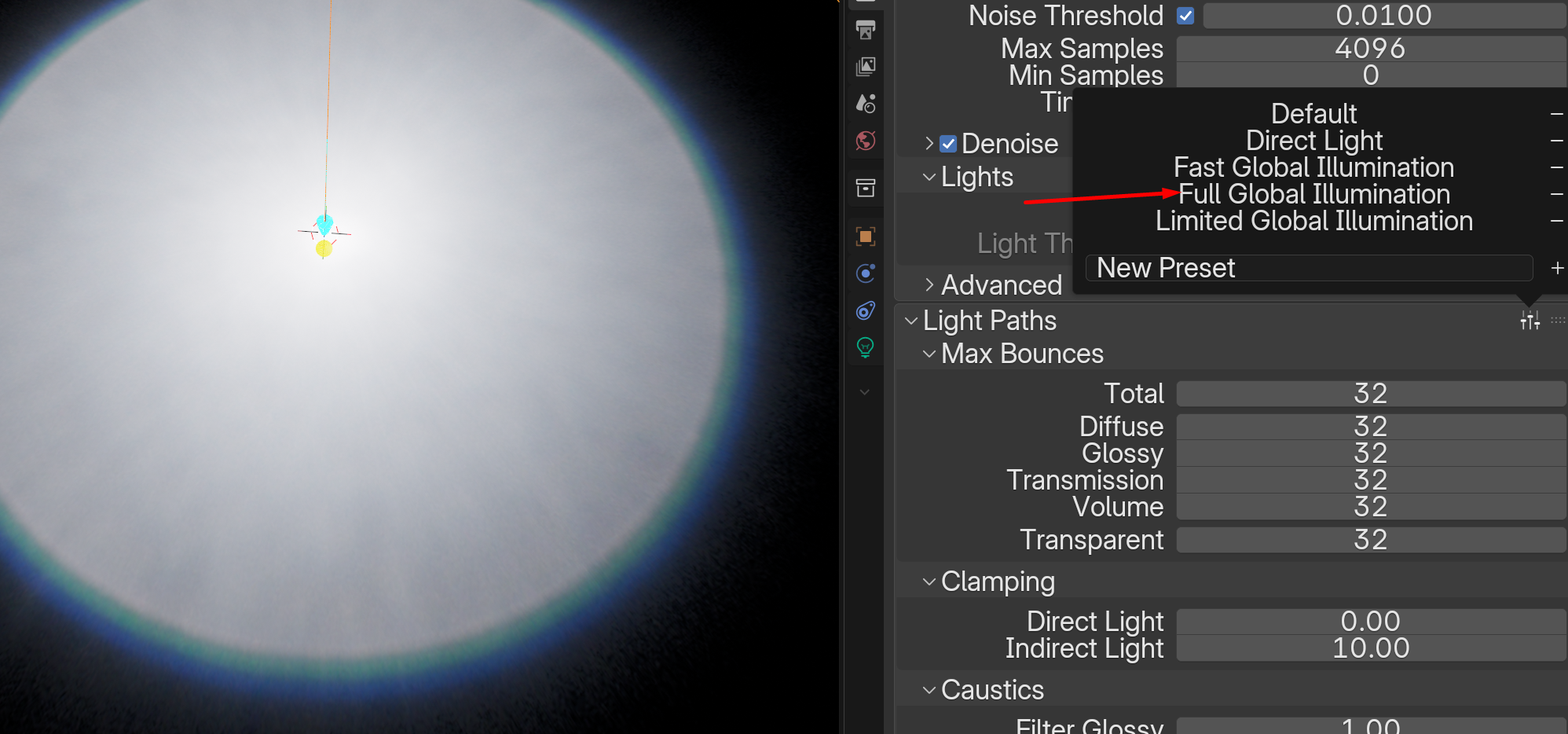
Rendering Tips
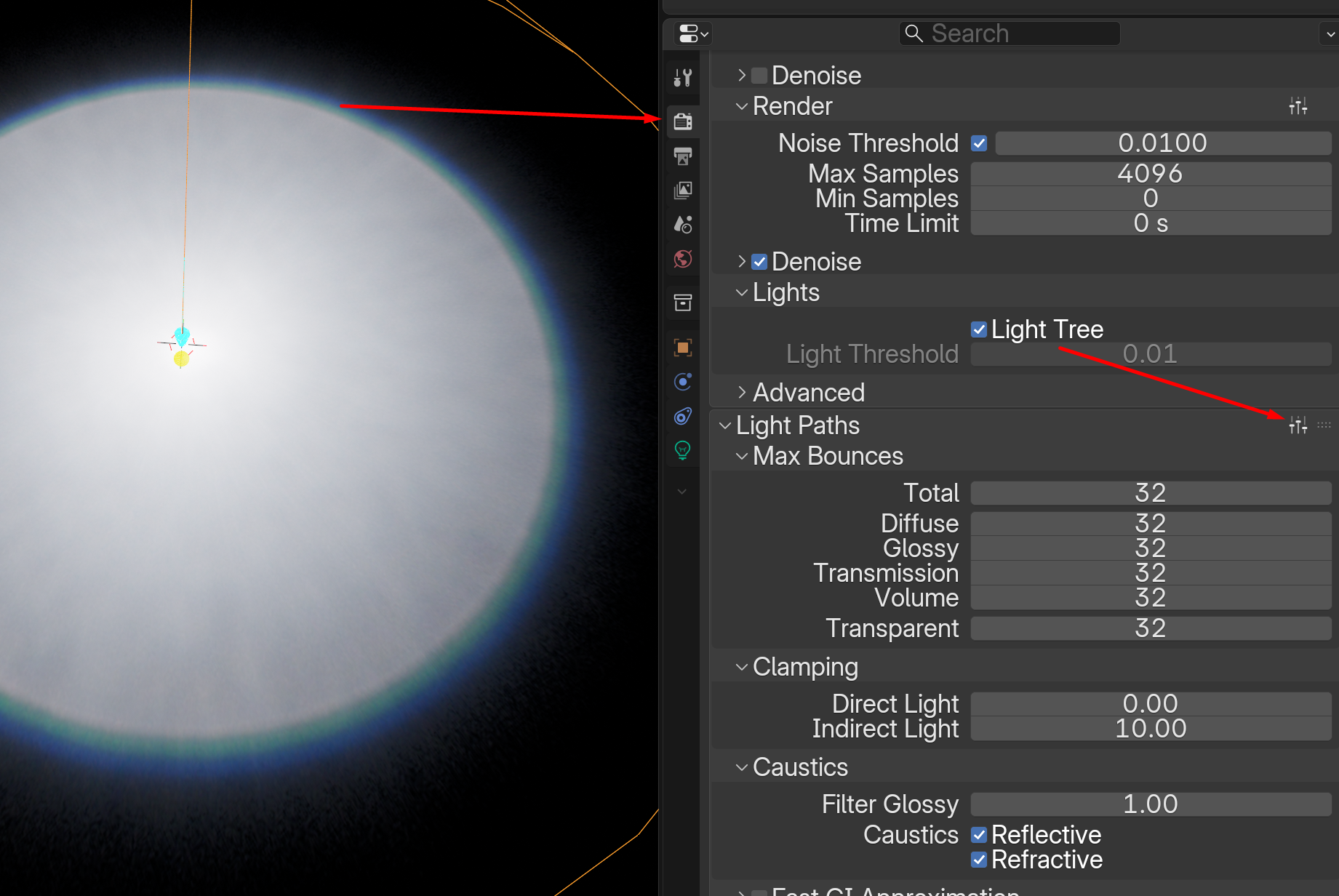
Set:
- Global Illumination = Full
Addon Panel
- Quick categories
- Import buttons
- Visibility toggle
Credits
Konstantin Feyer - textures, flowmaps, node groups
Lazy3D - script and design