 codeideal


Documentation: LipKit for Blender
LipKit is your all-in-one solution for automated lip-sync in Blender, designed to work seamlessly with both 2D (Grease Pencil) and 3D (Shape Keys) characters. By leveraging the powerful Rhubarb phoneme engine, LipKit saves you hours of manual keyframing, allowing you to focus on the creative aspects of animation.
Key Features
Universal Audio Import: Import audio directly from your project files or use an external WAV file.
Multi-Character & Multi-Line Support: Animate multiple characters and voice lines simultaneously within the same scene.
Tweakable Controller System: A dedicated controller object is generated, giving you precise control to tweak mouth poses for both 3D shape keys and 2D Grease Pencil layer opacity.
Cross-Dimensional Support: Works perfectly with both 2D (Grease Pencil layers) and 3D (shape keys) characters, making it an incredibly versatile tool.
Fully Mappable Phoneme Presets: Easily link any of your character's shape keys or Grease Pencil layers to Rhubarb's nine mouth positions.
Extendable Architecture: Designed to support additional phoneme engines in future updates.
Clean & Non-Destructive: Generated lip-sync data can be removed with a single click, ensuring a clean workflow.
Step-by-Step Workflow
Activate the Add-on: After installing, navigate to the N-panel in your 3D viewport and locate the LipKit tab.
Import Your Audio: Select your audio source—either a WAV file or an audio channel from the Video Sequence Editor (VSE).
Analyze the Audio: Choose the phoneme engine (currently Rhubarb) and press "Analyze." LipKit will process your audio to identify speech patterns.
-
Choose Your Dimension: Select your animation target:
For 3D: Prepare your character with individual shape keys for each mouth position.
For 2D: Create a Grease Pencil object with each mouth shape on a separate layer.
-
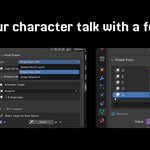
Map the Mouth Shapes:
Generate the Controller: Once your mapping is complete, click "Create Controller." This generates a dedicated controller object for your character.
Generate the Animation: Finally, click "Generate Lip Sync." LipKit will automatically add keyframes to your controller, bringing your character to life.
Refine & Iterate: Use the controller to make fine adjustments. To start over, simply use "Clear Controller" to remove all lip-sync data.
Important Notes
Rhubarb Mouth Shapes: The Rhubarb phoneme engine uses nine distinct mouth positions for English speech, ranging from A (closed) to H and X (rest/idle). Each shape corresponds to specific sounds, making accurate mapping crucial for convincing animation.
Multi-Character Workflow: For scenes with multiple characters, create a separate controller for each. This allows you to manage and animate each character's dialogue independently.
Have questions about this product?
Login to message
| Blender Extension Compatible | Yes |
| Published | 5 months ago |
| Blender Version | 4.4 - 5.1 |
| Extension Type | Add-on |
| Render Engine Used | Arnold, Blender-Internal, Blender-Game-Engine, Cycles, Eevee, Freestyle, Luxrender, Mental-Ray, Octane, Vray, Yafaray |
| License | GPL |