 BeshMesh


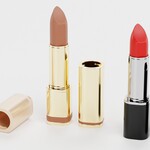
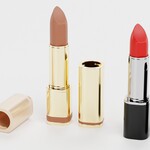
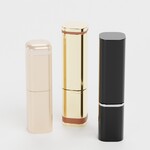
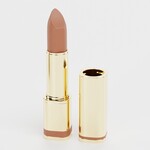
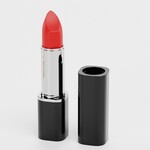
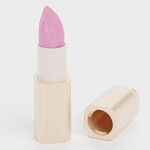
A lipstick set designed as a flexible cosmetic product collection for beauty mockups, branding concepts, and packaging visualization. The three lipstick variants represent different product styles (from classic cosmetic packaging to premium gold tube formats) allowing the collection to support a wider range of beauty product presentations. Each lipstick follows familiar retail proportions and functional structure, making the set useful for cosmetic campaigns, product line concepts, and professional makeup product visuals.
Key Features
- 3 lipstick variants forming a cohesive cosmetic product set
- Combination of classic, matte gold, and glossy luxury tube formats
- Visible lipstick bullets supporting open product presentation
- Brand-neutral cosmetic surfaces prepared for custom branding
- Suitable for lipstick mockups, lip makeup visuals, and beauty product displays
- Production-ready for professional pipelines
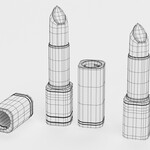
- Hand-modeled geometry with clean topology and optimized mesh
- High-quality 4K PBR textures (Diffuse, Roughness, Normal)
- Ready to render out-of-the-box with included lights and cameras
- Native Blender setup – no third-party plug-ins required
Technical Details
- Original Software: Blender v3.0
- Tested in: Blender 5.0 (Fully compatible)
- Objects Included: 3
- Polygons: 6,054 (Subdivision OFF) / 96,864 (Subdivision ON)
- Vertices: 6,090 (Subdivision OFF) / 96,900 (Subdivision ON)
- Largest object (Lipstick 3): 2,240 polygons and 2,252 vertices (Subdivision OFF)
- Units: Centimeters (H: 10; W: 6; L: 19)
- Renderer: Blender Cycles
- Plug-ins: None required
Textures & Materials
- Standard PBR workflow
- 4K textures (4096×4096 px): Diffuse, Roughness, Normal
- All textures created from original photographs or drawings
-
Ready to render out-of-the-box – lighting and cameras used for previews are included
Mesh & File Structure
-
Handcrafted mesh with clean topology
- Export formats (non-native) provided as base mesh (not smoothed) for flexible subdivision control
Additional Notes
- All preview renders created in Blender Cycles without compositing editors