Lithos Terrain | GPU Powered Node Based Terrain Generator [80% Off Launch Sale]
 Blender Procedural

Which Blender version do I need?
Blender 5.2 or newer. Lithos Terrain is a Blender extension: drag the ZIP into Blender or use Preferences › Get Extensions › Install from Disk.
Do I need to know node editors?
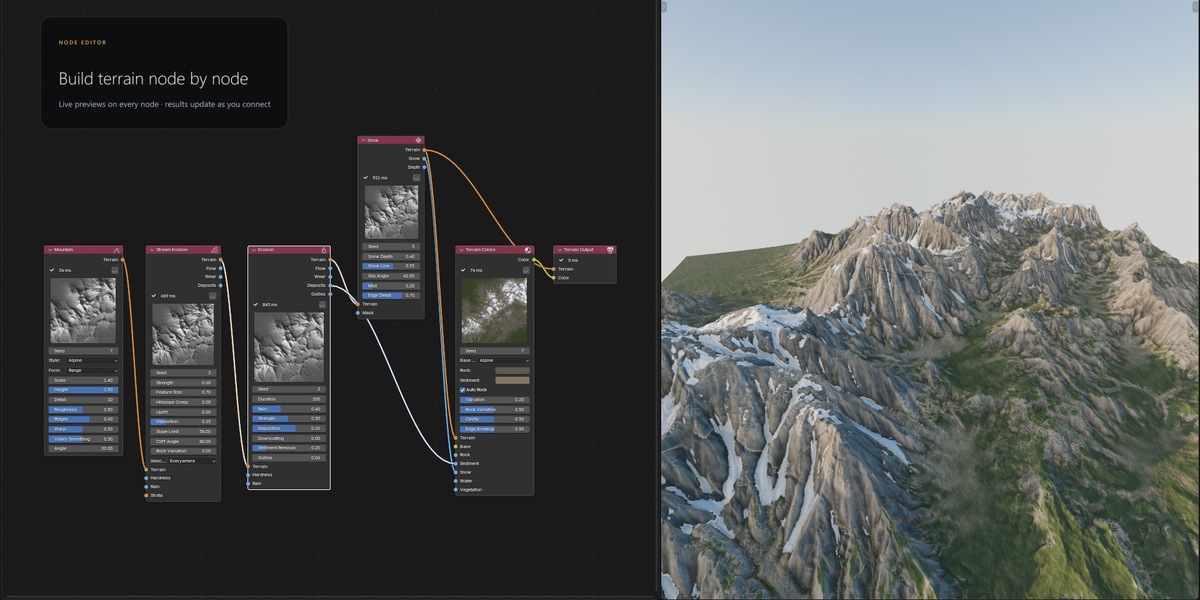
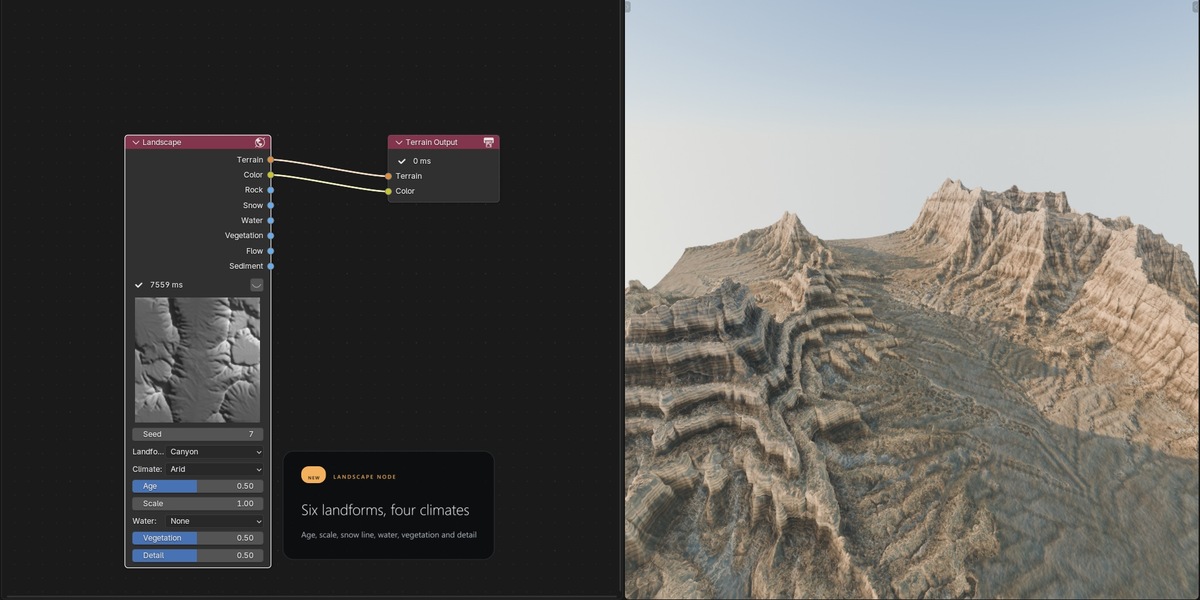
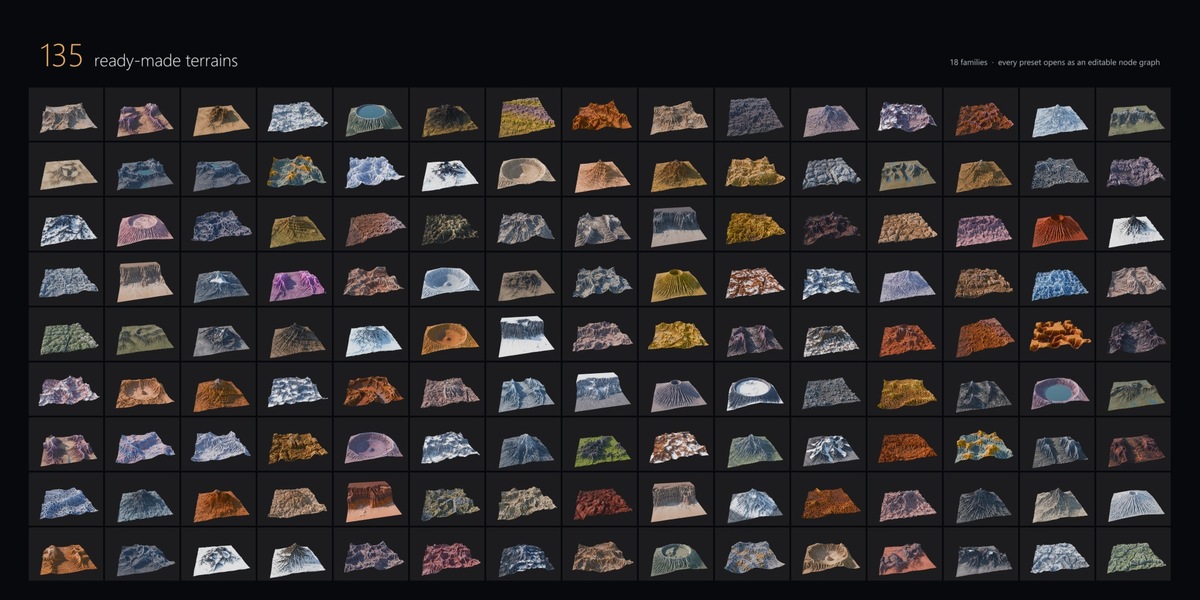
No. Start with the one-node Quick Landscape template or any of the 135 presets, and use the built-in tutorial (Learn the Nodes: Tutorial) to learn the editor step by step.
Does it need a powerful GPU?
No. Everything runs on the CPU. With a GPU (and Use GPU enabled in the add-on preferences) the simulations run many times faster; for example, erosion of a 4096 × 4096 terrain takes about 7 seconds on an RTX 4060 instead of about 2 minutes on the CPU.
Which operating systems are supported?
Lithos Terrain is pure Python and NumPy, which ship with Blender, so it runs wherever Blender 5.2 runs. It is developed and tested on Windows.
Can I use the terrains in Unity, Unreal or other engines?
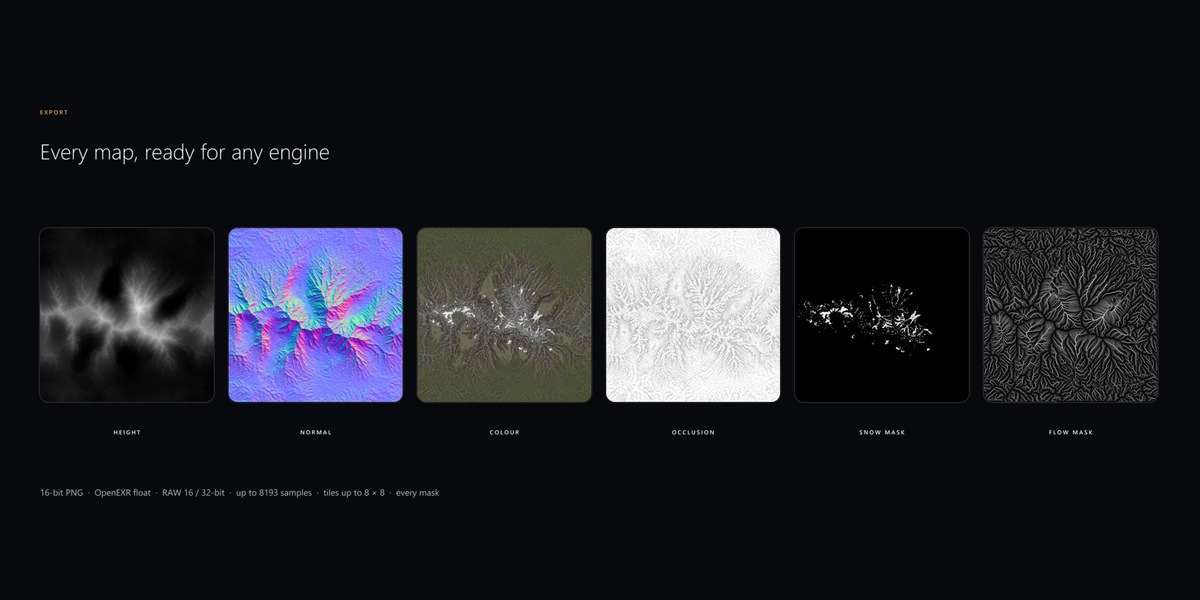
Yes. Export Maps writes height (16-bit PNG, float EXR, RAW 16 or 32-bit), colour, normal (OpenGL or DirectX), roughness, occlusion and masks, at the sizes game-engine terrains expect, as single files or tiles.
Can I use my own models or height maps?
Yes. Object Height turns any mesh into a terrain, Heightmap Image reads a height map image, and Paint Mask lets you paint masks on the terrain in the viewport.
Can I sell renders, games or assets made with it?
Yes. Terrains, renders and exported maps you make with Lithos Terrain are yours to use in personal and commercial work.
How large can a terrain be?
Final builds go up to 4096 × 4096 samples with surface maps and the render mesh up to 8192, and exports up to 8193 samples per side. The world size and height are free (metres), so a terrain can be a 50 m rock garden or a 20 km mountain range.
Does the terrain end at its edges?
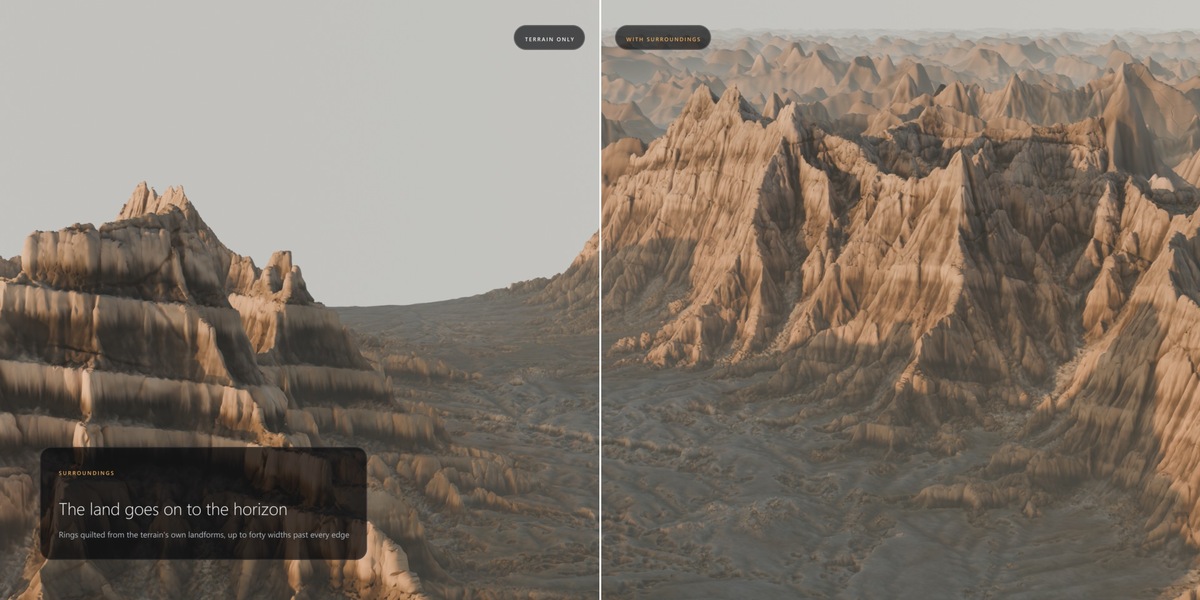
Only if you want it to. Turn on Surroundings and Build Final: rings made from the terrain's own landforms carry it on to the horizon (up to forty terrain widths past every edge), with its colours, rock and haze, so wide shots show land instead of empty sky.
Is it slow?
The preview builds in a moment, and only the nodes you change are computed again. Final builds at 2048 take seconds to about a minute, depending on the graph and your hardware.
Are updates included?
Yes. Updates are published on Superhive; install the new ZIP over the old one.
I found a bug or have a question.
Please use the support / Ask a Question button on the product page, with your Blender version, your OS and, if possible, the graph (Save Graph...) that shows the problem.
 Included
Includes 12 months of
- Support from Blender Procedural
- Product updates
Extend this product’s Support Period +12 months: 50% of product price
Have questions before purchasing?
Login to message
| Blender Extension Compatible | Yes |
| Sales | 10+ |
| Published | about 2 hours ago |
| Blender Version | 5.0 - 5.3 |
| Extension Type | Add-on |
| Render Engine Used | Cycles, Eevee |
| License | GPL |
Discover more products like this
erosion game terrain landscape environment Heightmap mountains Node Editor hydraulic erosion procedural displacement world building terrain