Loop Cut Pro
 Nodes Interactive

Loop Cut Pro is an addon compatible with Blender 5.1.
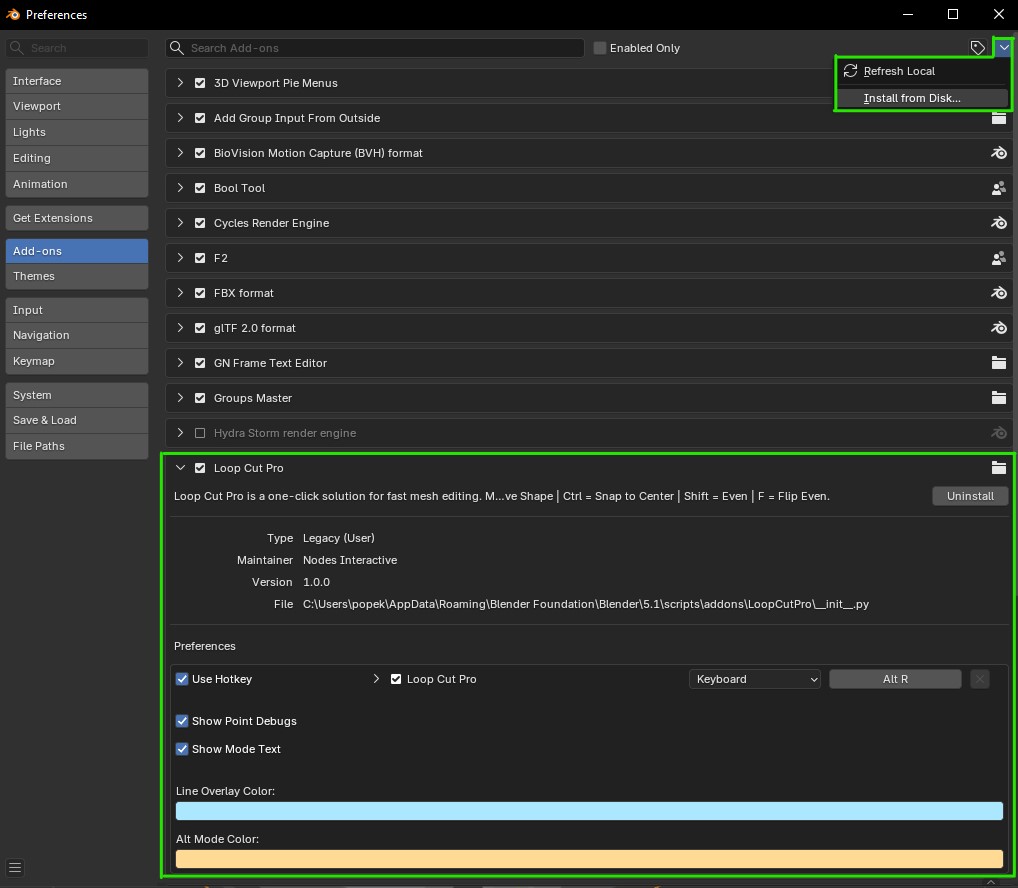
How to Install
Ready-to-use after the LoopCutPro.zip file is installed from the disk.
If you have a previous version of Loop Cut Pro installed, then uninstall and reboot of Blender will be necessary for a clean install.
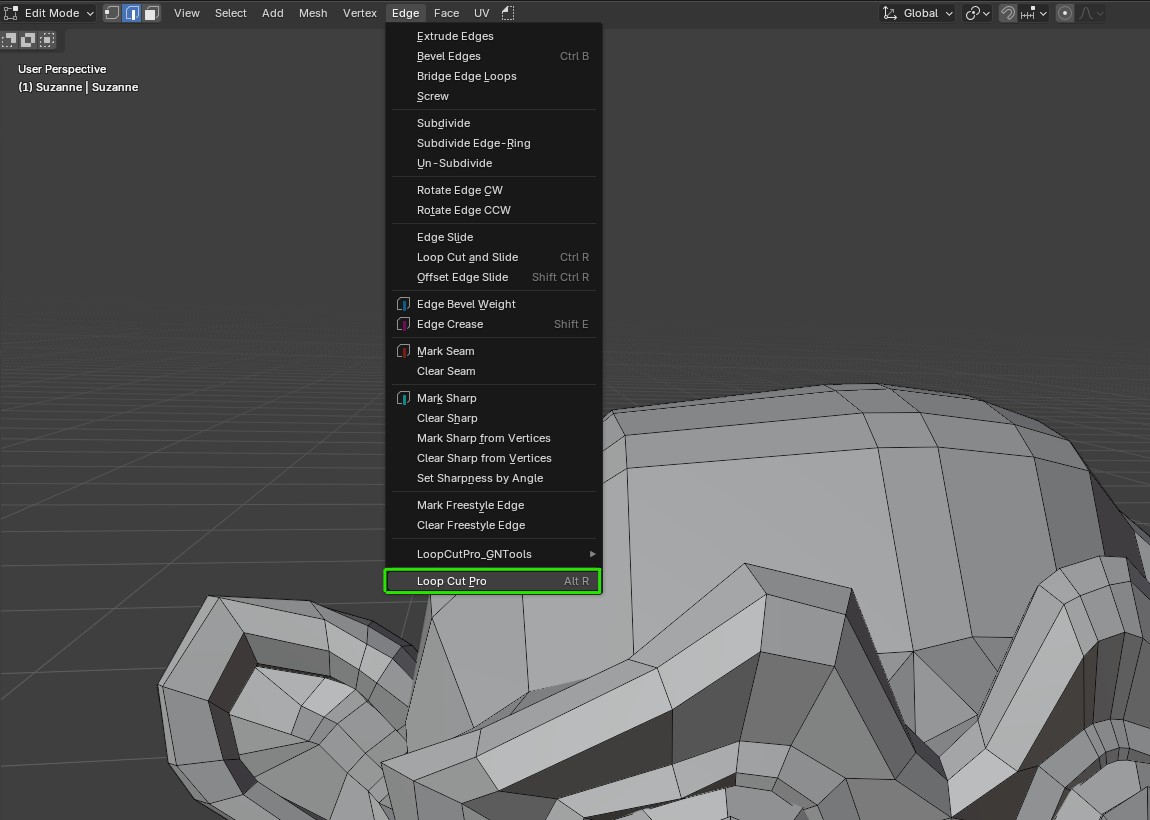
The Loop Cut Pro operator can be found in the Edge menu in Edit Mode.
Default hotkey is Alt+R.
Modes (can be combined):
Alt - Preserve Shape
Ctrl - Snap to Center
Shift - Even (F - Flip Even)
Release Notes
Version 1.0.4 - Compatible with Blender 5.2+
- Works with any UV map name
- Works with multiple UV maps
Version 1.0.3 - Compatible with Blender 5.2+
Maintenance update.
Version 1.0.2 - Compatible with Blender 5.1
If you have a previous version of Loop Cut Pro installed, then uninstall and reboot of Blender will be necessary for a clean install.
- Navigation is now available while the Loop Cut Pro is being used.
- Safeguards in the code have been set up to avoid multiple instances of Loop Cut Pro running simultaneously and to prevent the operator from running in the background after it was escaped.
Version 1.0.1 - Compatible with Blender 5.1
If you have a previous version of Loop Cut Pro installed, then uninstall and reboot of Blender will be necessary for a clean install.
- Hotkey is now preserved between sessions
- Emulate 3 Button Mouse no longer blocks the Alt mode
- Updated algorithm to work properly for large and tiny sized objects
- Added pref Color setting for Closest Point
- Preview of the loop cut inconsistance is now fixed
- Crease and Sharp Edges are no longer copied to the created loop cuts
Version 1.0 - Compatible with Blender 5.1
LLM use disclaimer
Loop Cut Pro is a geometry nodes powered tool. All of the geometry nodes setup that is running the mesh editing is done 100% by a human - me.
The viewport overlay and merging of geometry nodes tools into a modal (ctrl/alt/shift) operator were done with the use of LLM.
-
$4.99
Single user. For personal and commercial use.
Have questions about this product?
Login to message