 loviz
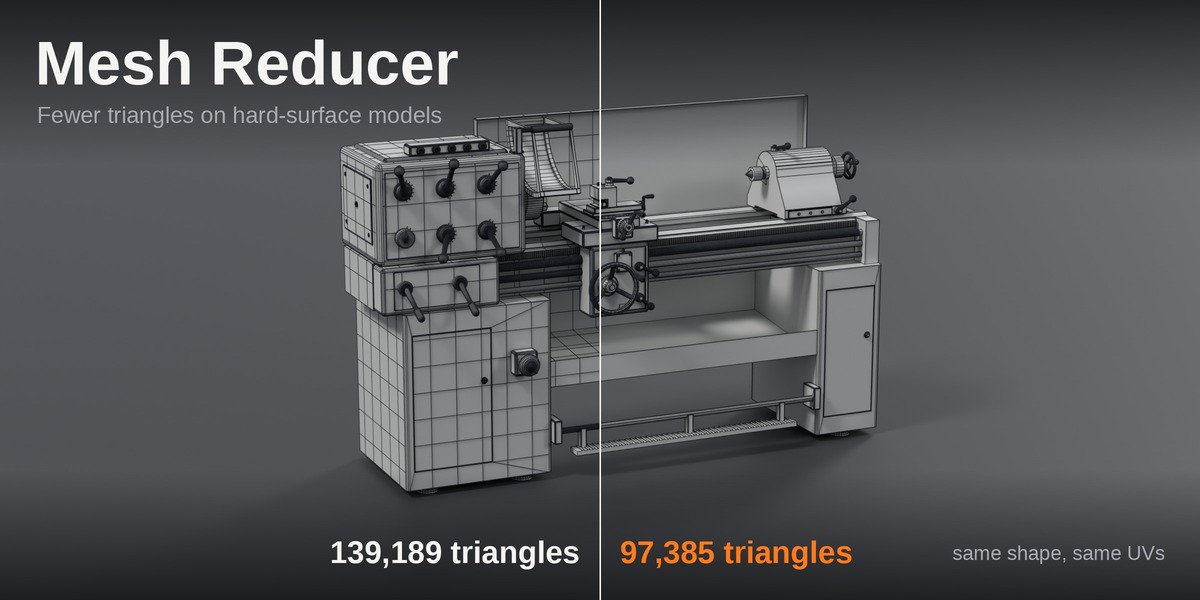

Fewer triangles on hard-surface models, and the mesh still looks like you built it that way.
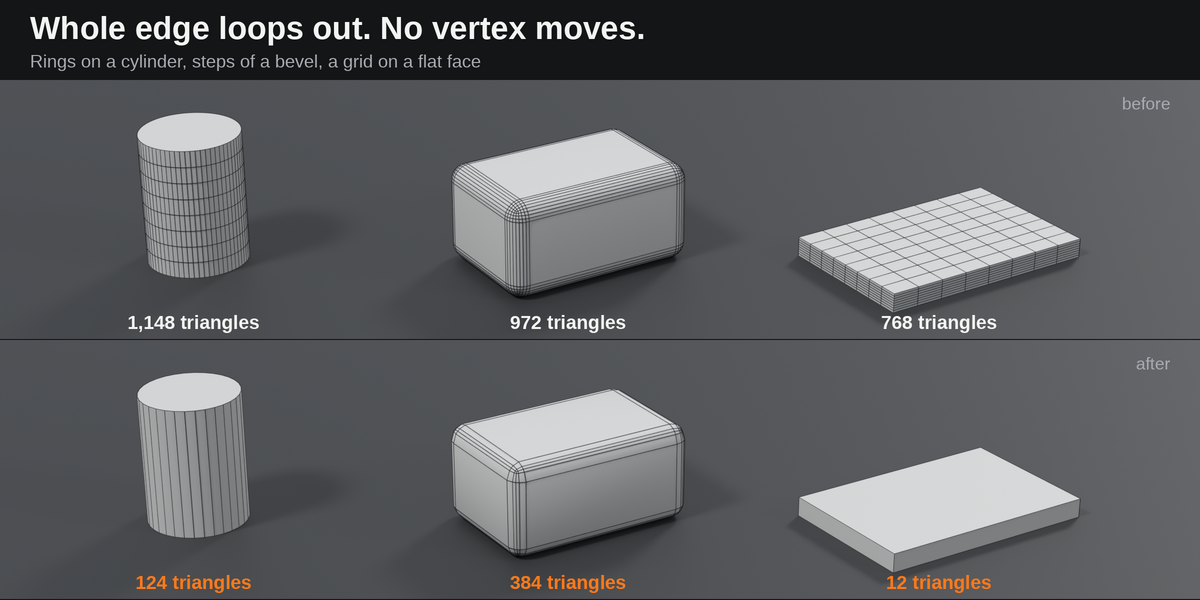
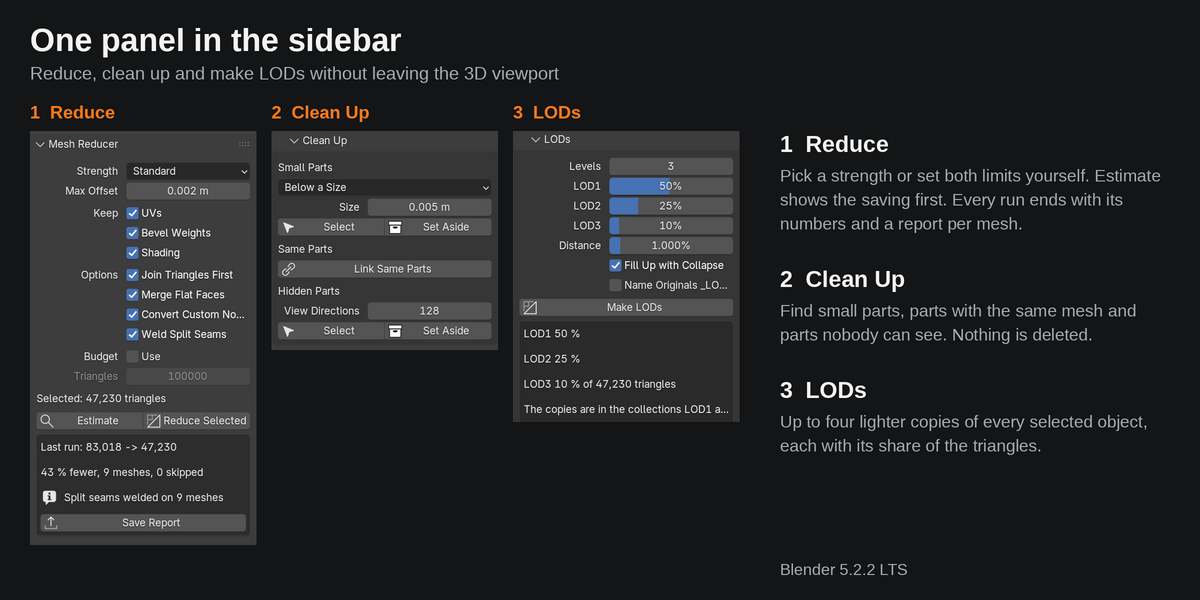
Mesh Reducer takes out the edge loops a shape does not need. A cylinder keeps fewer sides, a bevel fewer steps, a flat grid becomes one face. No vertex moves, quads stay quads, and UVs, seams and sharp edges stay where they are. It also makes LODs and tidies imported assemblies. One panel, and a report for every run.
Why not Decimate?
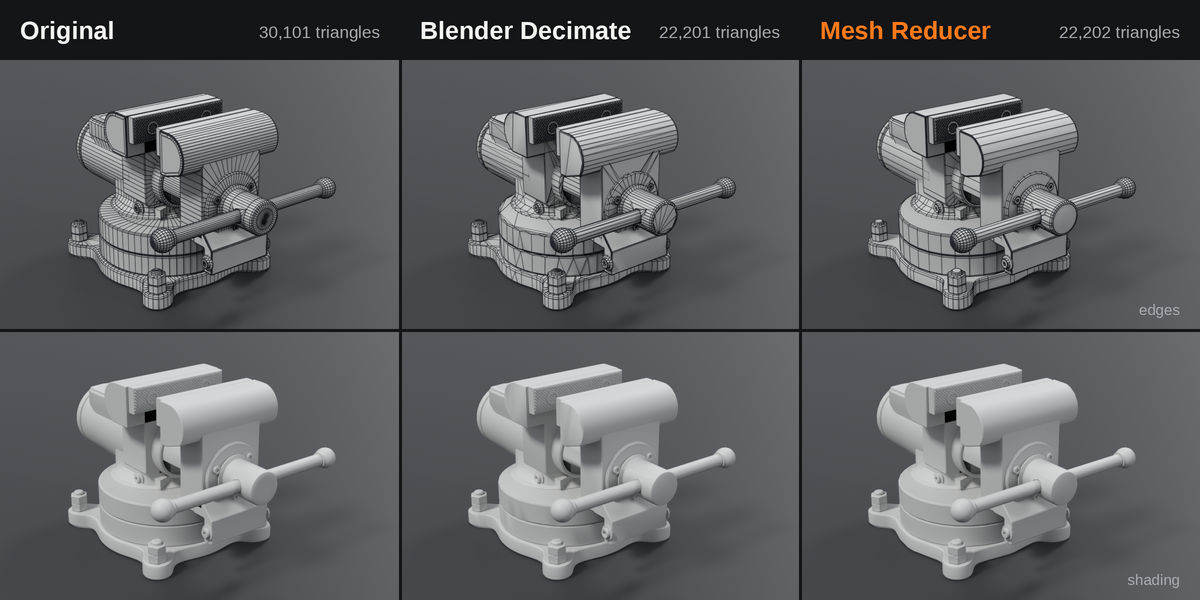
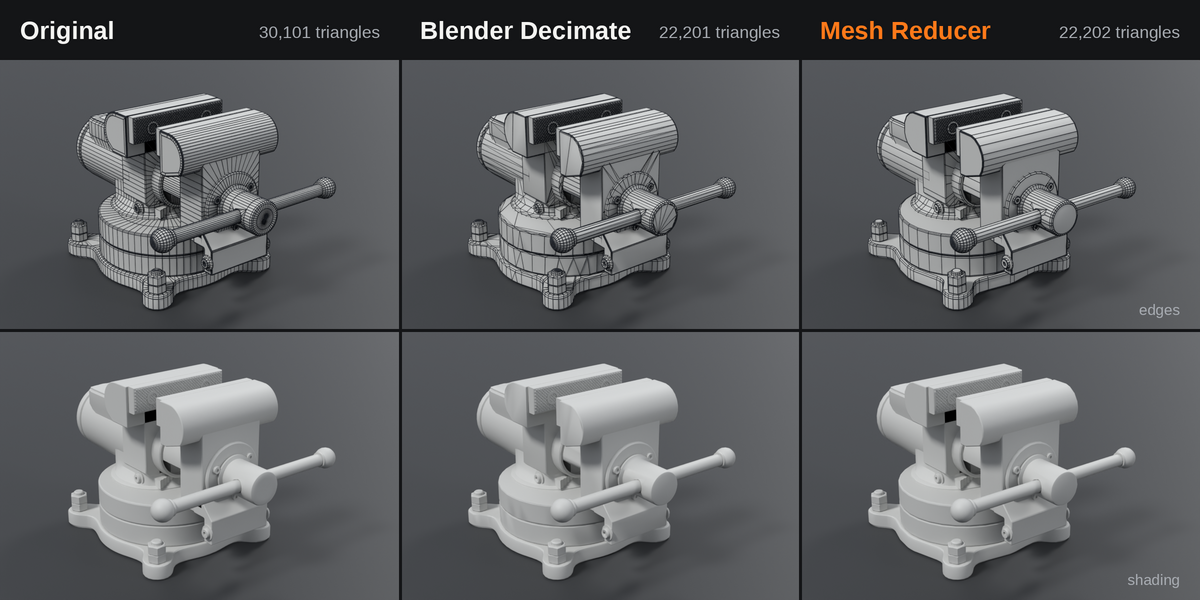
Decimate (Collapse) moves vertices and leaves irregular triangles. On a hard-surface model that shows at once: rims are no longer round, flat faces get a pattern, the UVs smear.
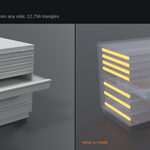
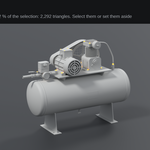
Reduce only removes complete loops. What is left is the mesh you would have built with fewer segments. The comparison shows the same part at the same triangle count.
Whole loops out, inside limits you set
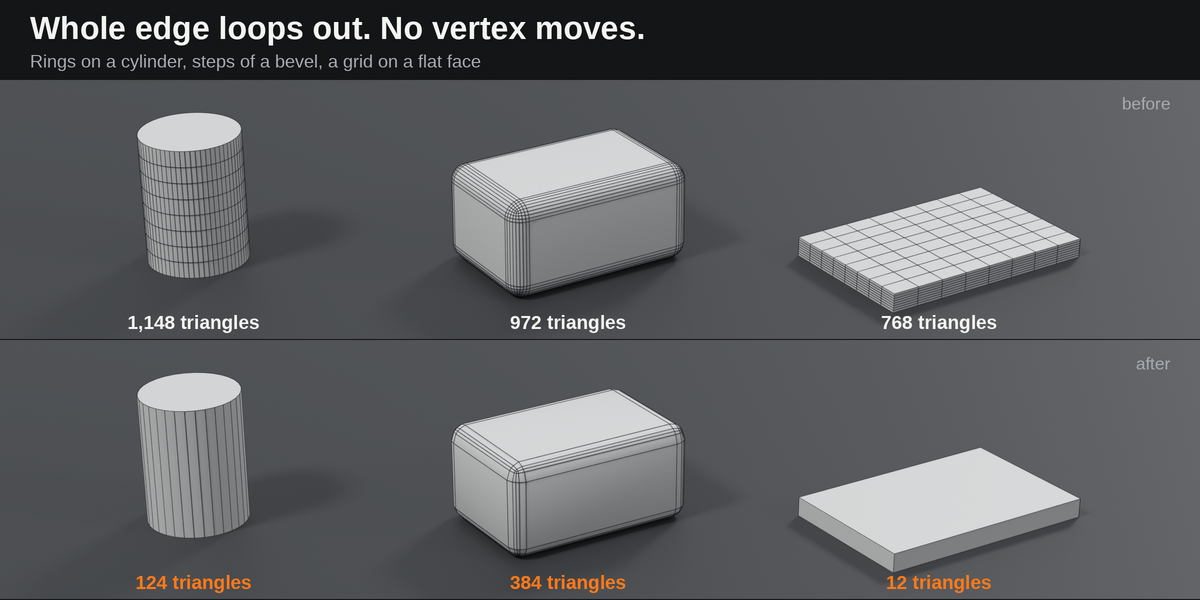
A loop goes only if the surface stays within a distance you set and the facets stay under an angle you set. Seams, sharp edges and material borders are never touched, and with "Keep UVs" a loop stays if removing it would shift the texture.
- Three strengths: Gentle, Standard and Strong, or set both limits yourself.
- Estimate: shows the saving before anything changes.
- Triangle Budget: name a number and the strength goes up step by step until the selection is under it.
LODs in one click
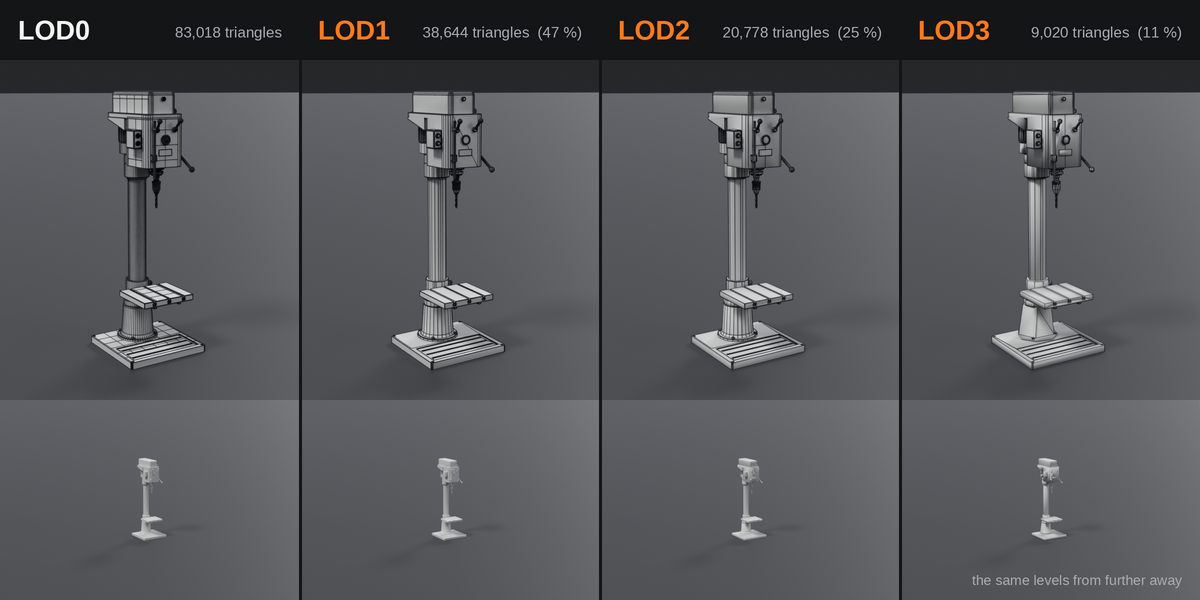
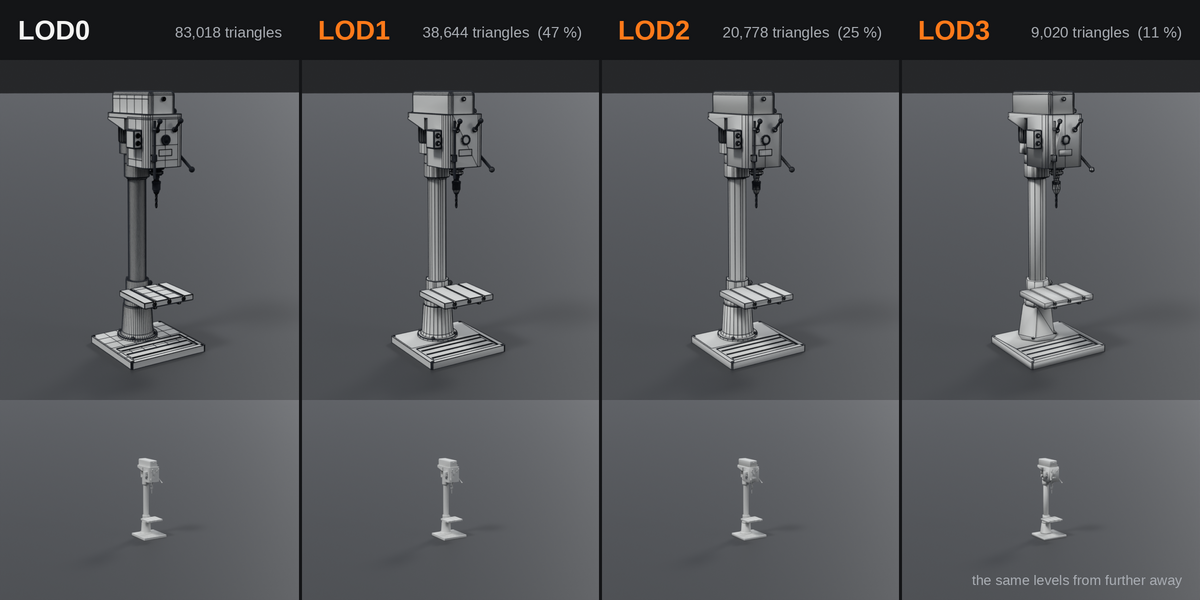
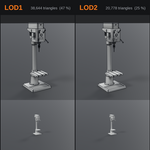
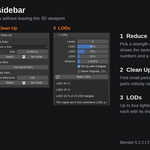
"Make LODs" makes up to four lighter copies of every selected object, named _LOD1 to _LOD4. That is the naming Unity reads on import. Every level takes out more loops with wider limits. Where loops alone do not reach the share you asked for, Blender's Collapse does the rest, and you can switch that off. The originals stay as they are.
Clean up imported assemblies
CAD exports and kitbashed scenes carry weight that no reduction finds: parts nobody sees, the same screw stored a hundred times, hardware too small to show. Three buttons find it. Nothing is deleted. Parts are selected, or moved into a collection that is switched off.
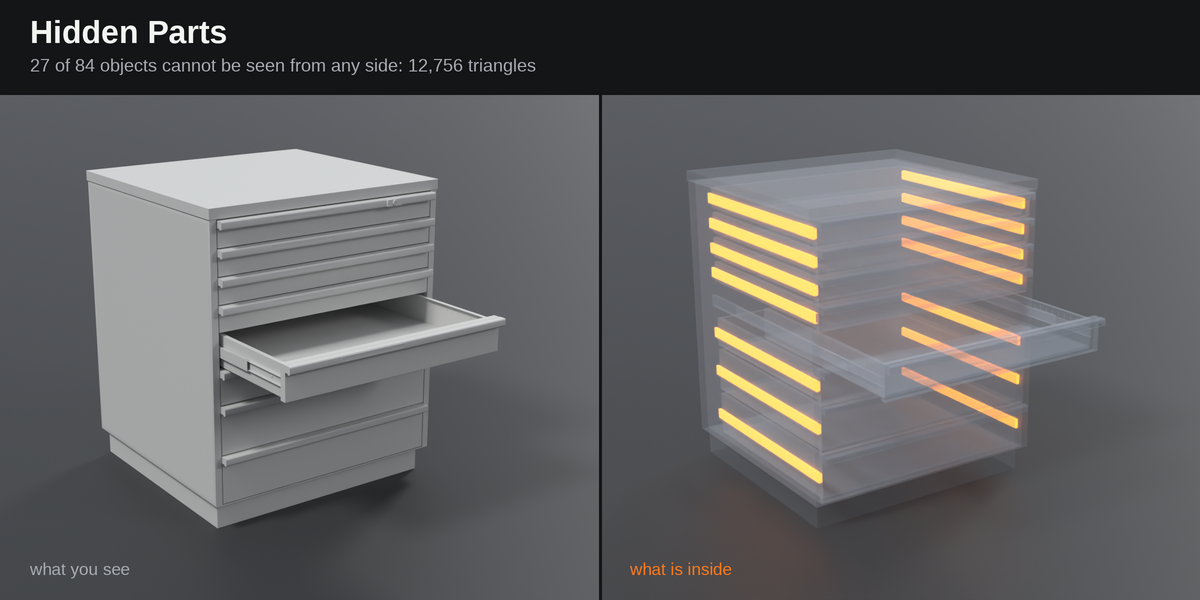
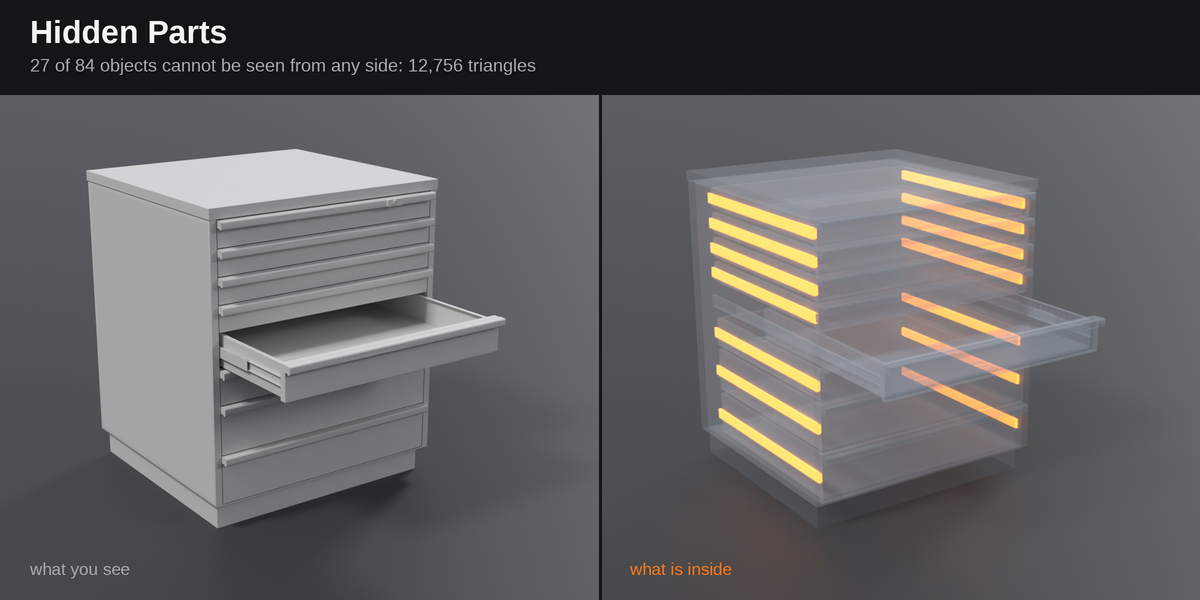
Hidden Parts looks at the selection from up to 2,048 sides and finds the objects that cannot be seen from any of them.
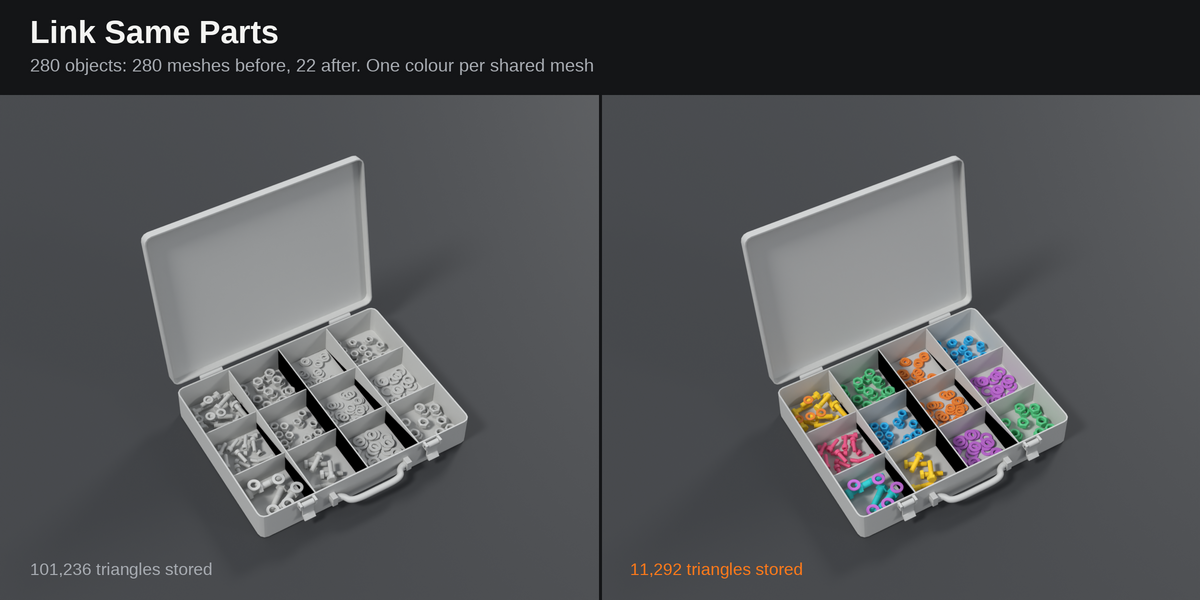
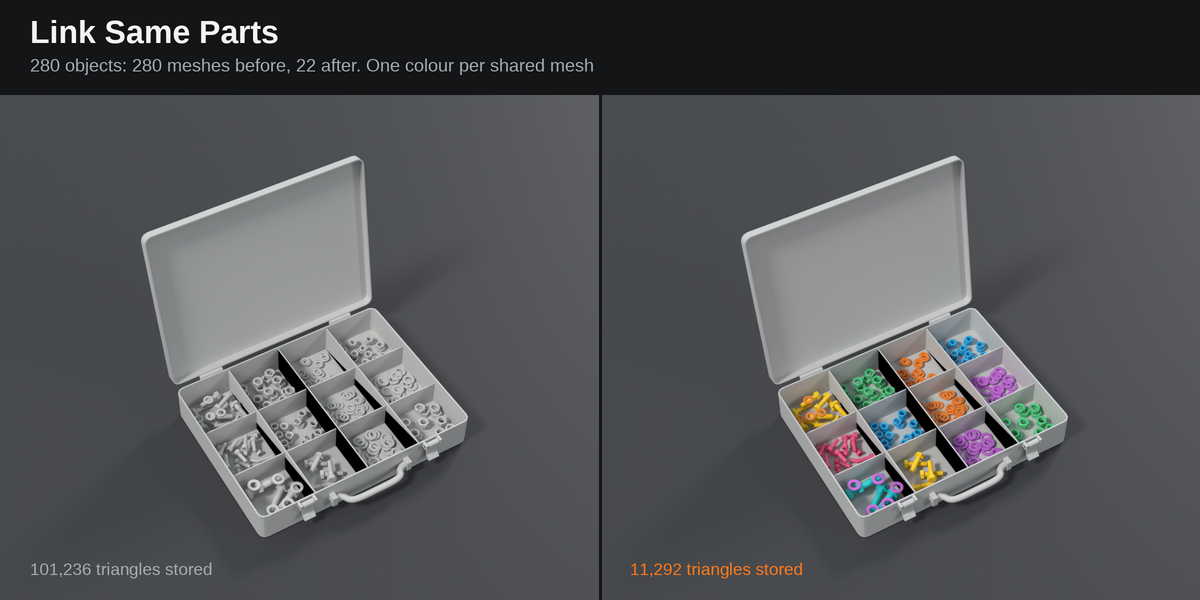
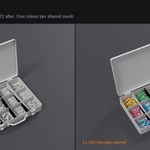
Link Same Parts finds the objects whose meshes are the same shape and lets them share one mesh. The file gets smaller, and a change to one part reaches all of them.
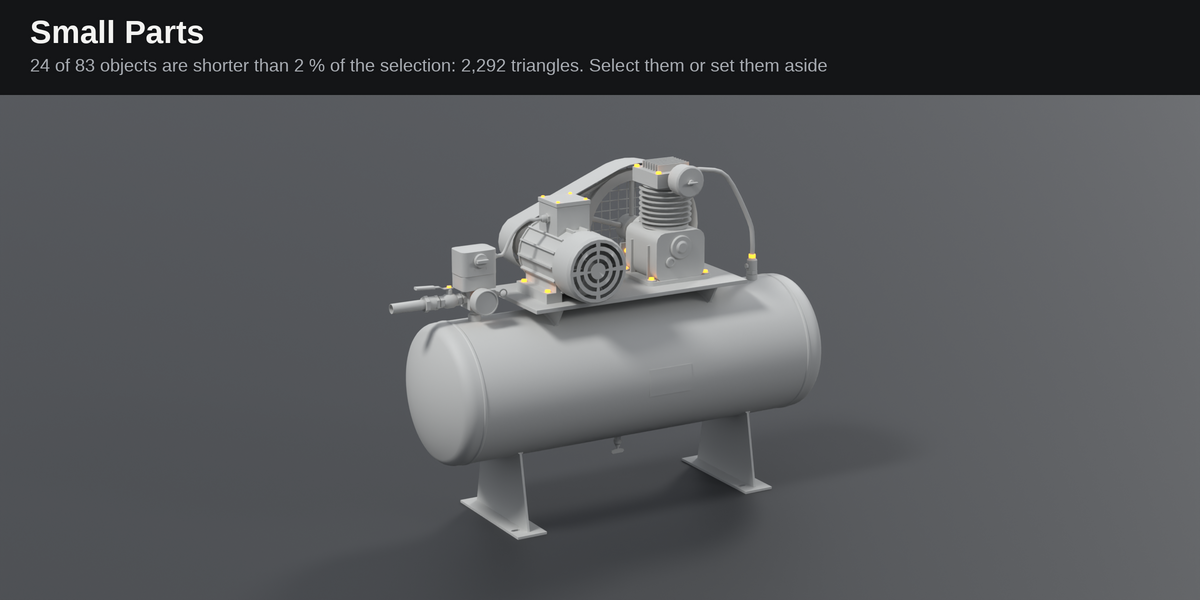
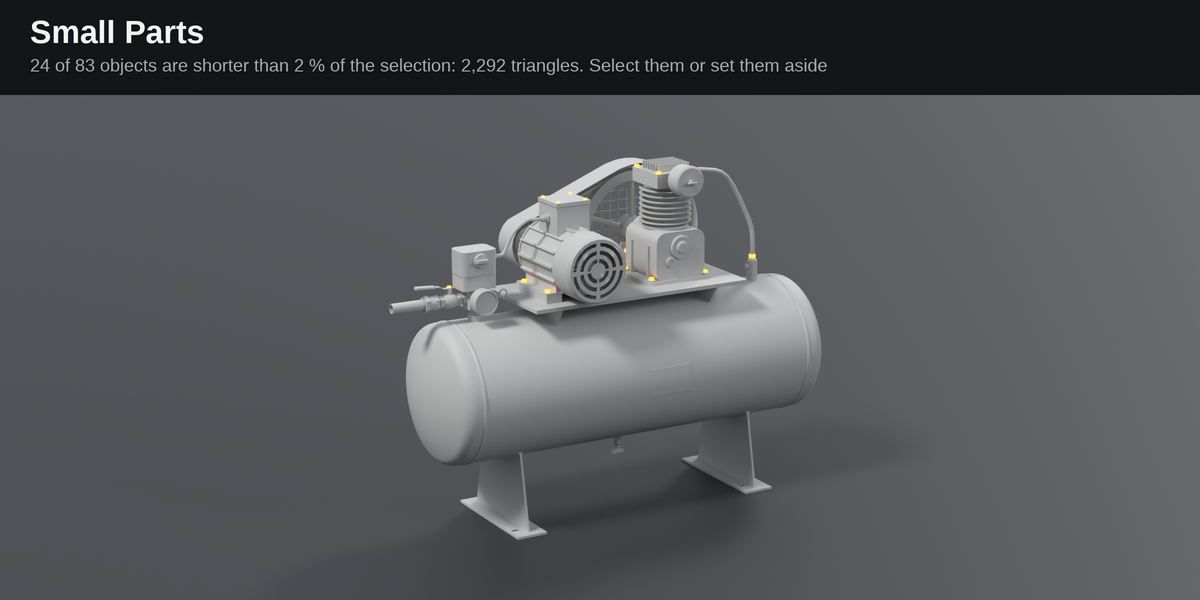
Small Parts finds everything below a size, or below a share of the selection.
Imported FBX and glTF files
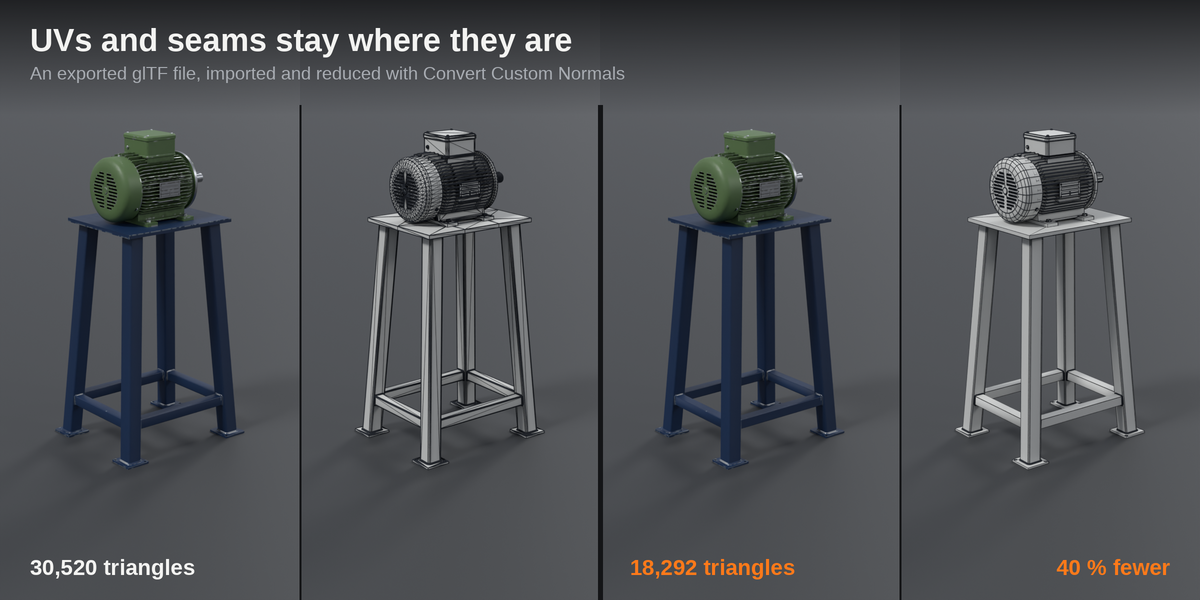
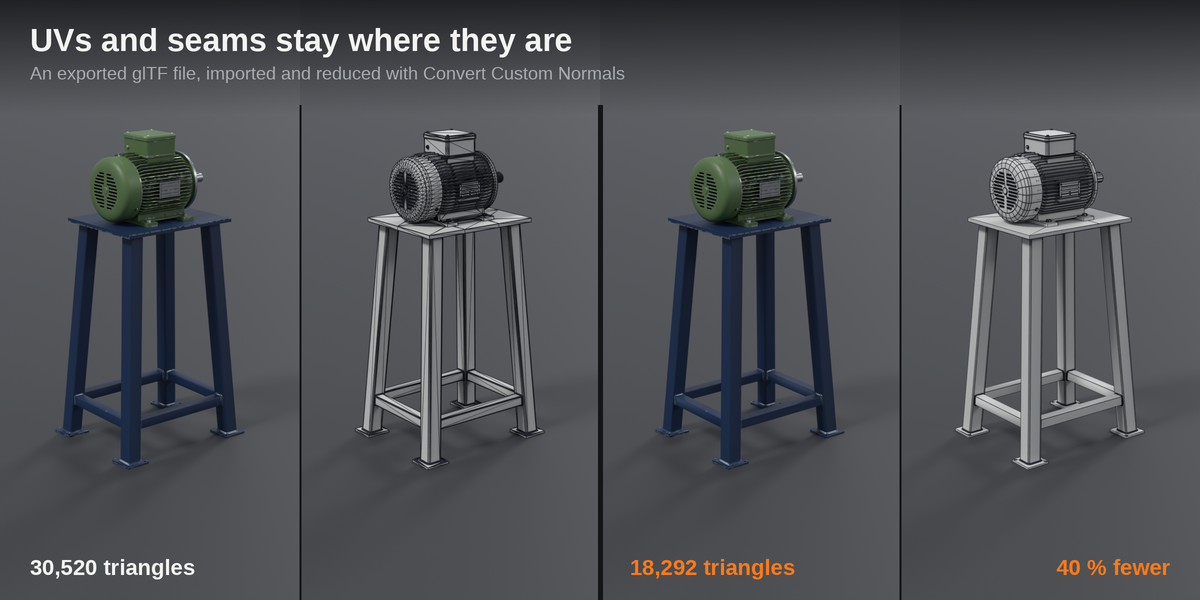
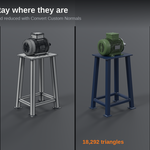
Imported files come with custom normals and with vertices split along every seam. Turn on "Convert Custom Normals" and Mesh Reducer reads the hard edges from the normals, welds the seams and reduces the mesh like any other.
Look at the result before you export. An independent check of 303 files exported from my kits found the texture in place on 99 % of the surface. The rest sits along seams. 32 of 544 meshes ended up with a few open edges where seams were welded.
Measured on my own kits
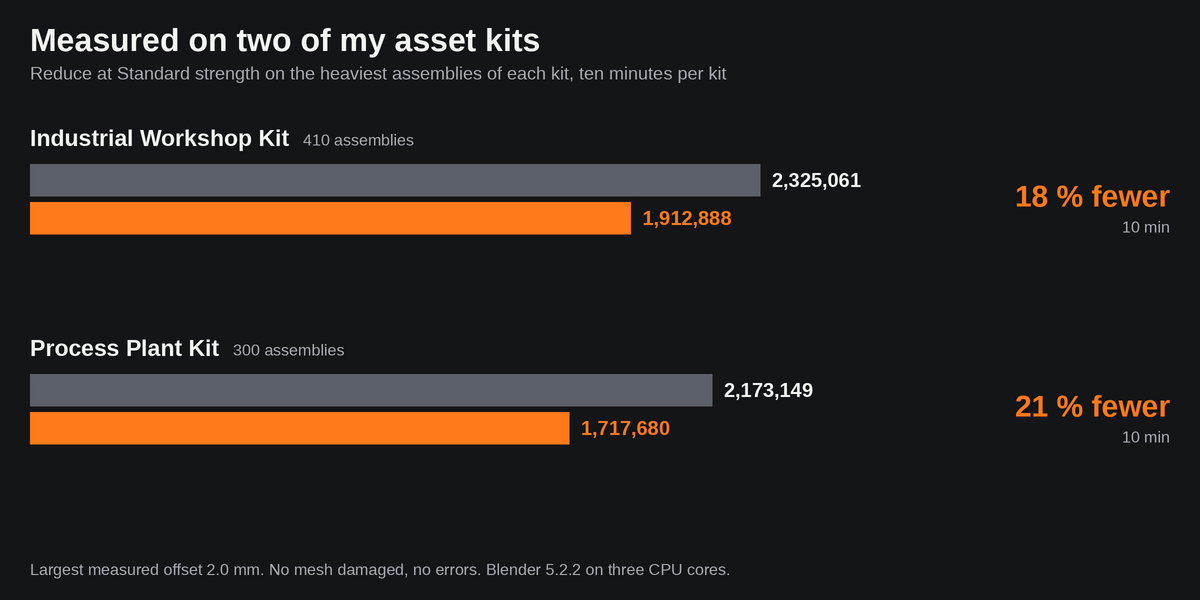
I built this add-on to bring my own asset kits down to game budgets, and I measure it on them.
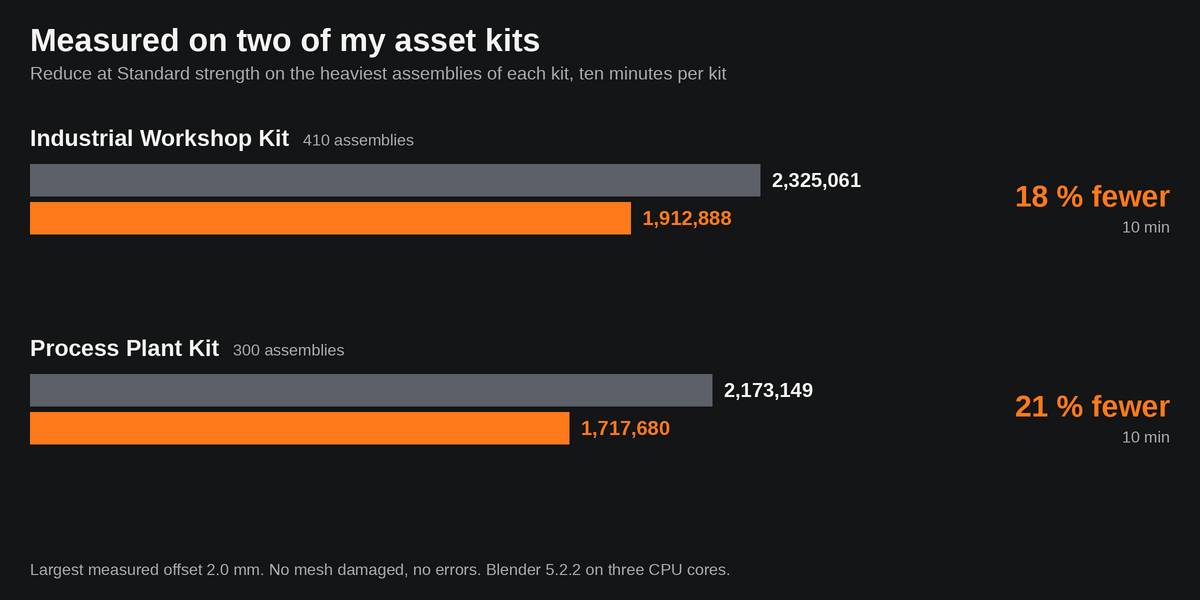
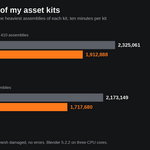
- Reduce, Standard strength: the 410 heaviest assemblies of the Industrial Workshop Kit went from 2,325,061 to 1,912,888 triangles (18 % fewer), the 300 heaviest of the Process Plant Kit from 2,173,149 to 1,717,680 (21 % fewer). Ten minutes per kit on three CPU cores.
- Offset: the largest measured distance between the old and the new surface was 2.0 mm. No errors, and no mesh was damaged by the run.
- Strong strength: on a sample of every tenth mesh it took out 32 % of the triangles in the Workshop Kit and 53 % in the Plant Kit.
- LODs at 50, 25 and 10 %: 866,397 triangles of the Plant Kit became 423,543, 215,984 and 92,836. In the Workshop Kit 707,109 became 356,188, 197,993 and 118,972.
- Link Same Parts: 2,322 meshes of the Plant Kit became 1,712, and the stored triangles went from 4,071,439 to 3,222,399. In the Workshop Kit 4,328 meshes became 3,445.
- Imported files: 153 FBX files went from 4,983,939 to 3,855,099 triangles (23 % fewer), 150 glTF files from 9,418,601 to 6,137,465 (35 % fewer).
One panel, one report
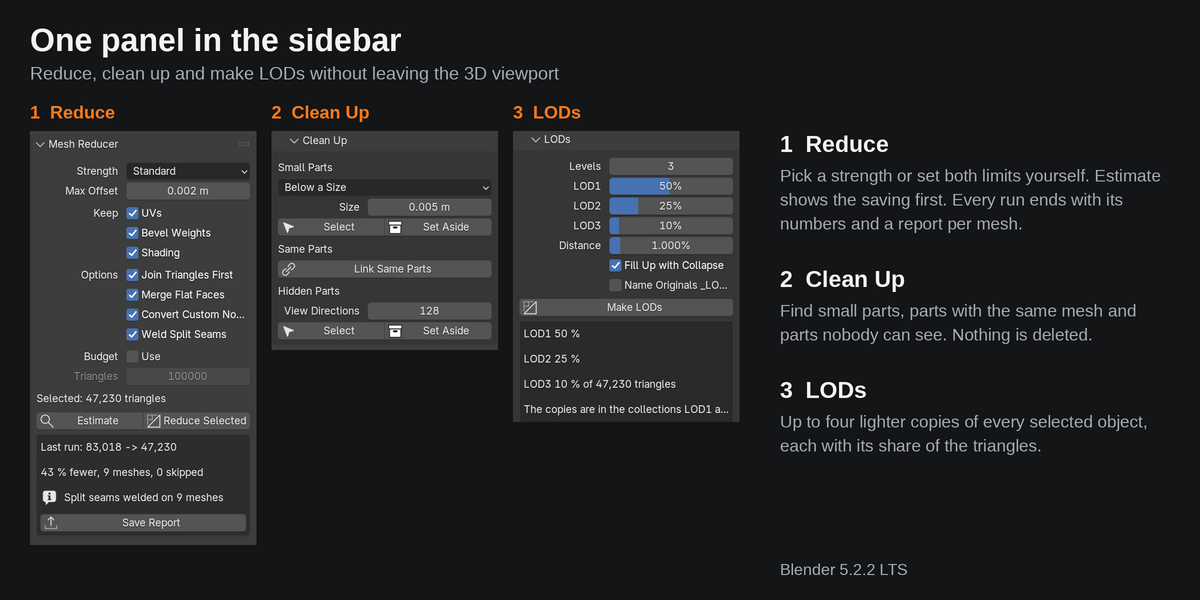
The panel sits in the sidebar of the 3D viewport. Every run ends with its numbers in the panel and a report per mesh as CSV or JSON: triangles before and after, loops removed, the limits used, the measured offset, and why a mesh was skipped. Ctrl Z takes a whole run back.
What it is not
- Not for organic meshes. On a sculpt or a scan there are few loops to find. Use Decimate or a remesher there.
- Not a retopology tool. It removes loops, it does not build new topology.
- It works on the mesh data, not on modifiers. Where a Bevel or Subdivision modifier makes the triangles, lower its segments instead. The report lists such modifiers per mesh.
Requirements
- Blender 4.5 LTS or newer. Tested on Blender 4.5.12 LTS and 5.2.2.
- Pure Python, so it runs wherever Blender runs. No other add-on and no internet access needed. I test on Linux.
- License: GPL-3.0-or-later.