Mai - Materials For Architectural Import
 ParametrStudio


Version 2.0 :
Install
Requires Blender 4.2 or newer.
- Download
MAI_v2.0.0_Blender5.1.zip. - In Blender:
Edit → Preferences → Get Extensions → Install from Disk. - Select the ZIP, confirm.
- The panel appears in
Properties → Object Properties → MAI — Material Import.
Use
- Select one or more imported mesh objects.
- Open the MAI panel in Object Properties.
- Click FBX Revit Materials or FBX Rhinoceros Materials.
- The status bar shows how many materials were reset.
Version 1.0 (Blender 3.2 - 4.0)
Install the addon in Blender via Edit / Preferences / Add-ons / Install. Then select the zip file.
Remove the older version before updating, then install the new one.
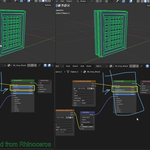
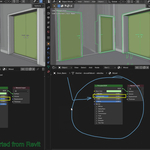
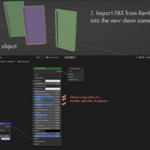
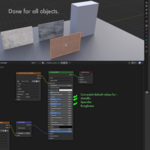
Import an FBX model from Rhino or Revit into a new blank scene. Check if the material values for Metallic, Specular, and Roughness are wrong. If they are, use the addon by clicking the button under Object Properties / Importer / FBX Rhino, Revit.
$3$2.10
Have questions about this product?
Login to message
| Sales | 10+ |
| Published | over 3 years ago |
| Blender Version | 3.2 - 5.2 |
| License | GPL |