Marble Studio
 SkdSam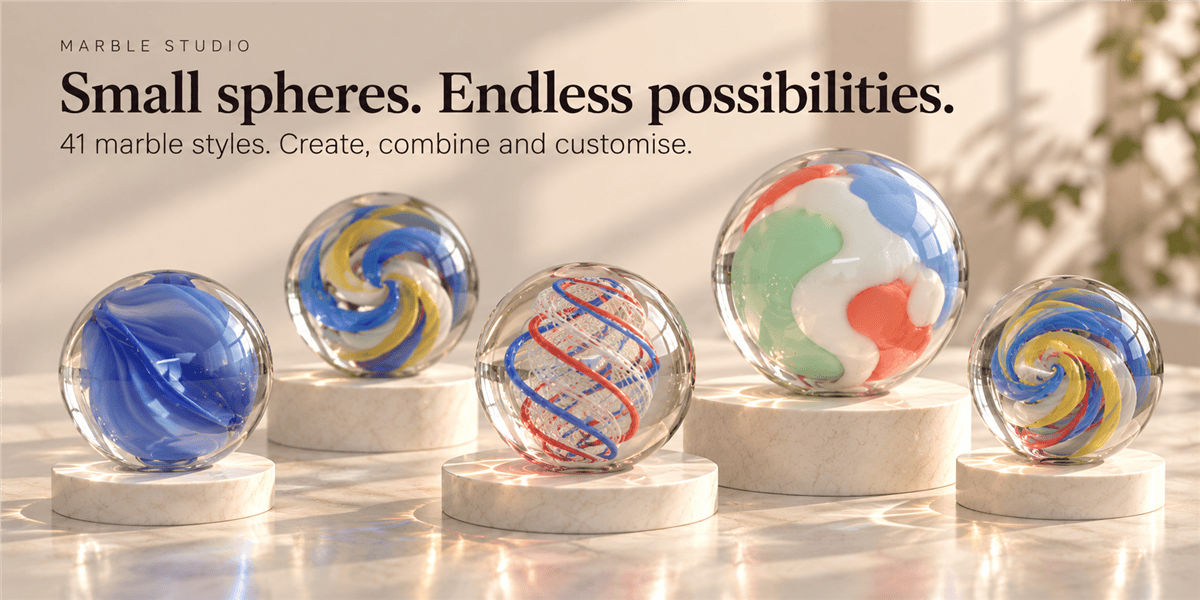






MARBLE STUDIO / USER GUIDE / 1.7.0
Small spheres. Endless possibilities.
Build your marble, make it your own, and save your favourite designs. Explore every N-panel feature, from glass and internal shapes to surface wear and reusable libraries.
3D Viewport → N → Marbles
Choose a style → Generate
Load Selected → Edit → Update
01 / FEATURE GUIDE
Getting started
Editing workflow: select a marble, click Load Selected, change its controls, then click Update Selected. Panel changes are committed by the appropriate Generate, Update or Apply action.
02 / FEATURE GUIDE
Quick controls and collapsible sections
03 / FEATURE GUIDE
Style
Choose from 41 design families, with thumbnail selectors and a larger preview of the primary style.
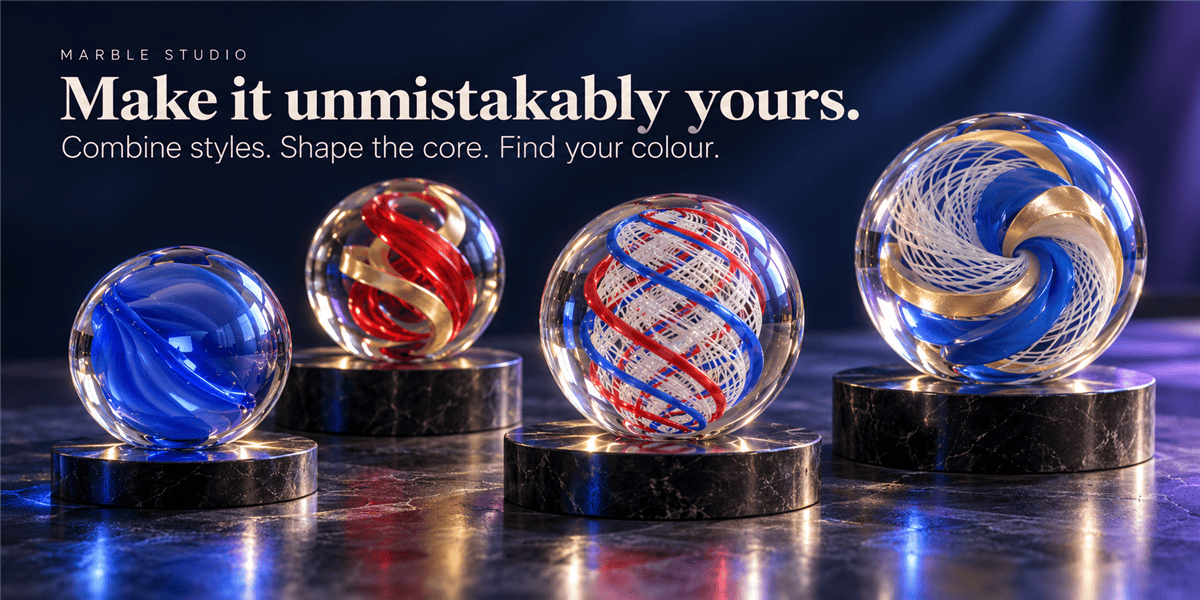
For visible inserts inside a transparent shell, start with a glass primary style and a low secondary finish blend. Increase Transmission if an opaque primary hides the interior. Hybrid families share the palette, seed and shape controls.
04 / FEATURE GUIDE
Recall & Update Selected
Selecting the visible marble or one of its generated parts identifies the design. Updates retain the visible marble's transform and animation, but regenerate its procedural geometry and materials; manual edits to generated parts can be replaced.
05 / FEATURE GUIDE
Design on Other Objects
Use marble finishes on Suzanne or your own mesh objects.
Internal inserts fit the target's bounding box and use a live Boolean intersection. Closed meshes provide reliable clipping; use material-only mode for open meshes. Target transforms and existing modifiers remain available.
Applying uses a private mesh copy, so linked duplicates are unaffected. Recipe copying recreates procedural settings; it does not copy manual shader-node edits.
06 / FEATURE GUIDE
Your Marble Library
Save favourite complete designs in a persistent library with thumbnails. Scene marbles are saved only when you explicitly add them.
Import choices: Keep and Add Missing preserves existing entries and skips duplicate IDs or equivalent recipes. Replace replaces the chosen library with exactly the imported contents, including an empty library.
Libraries persist in Blender's user configuration directory. Export a backup before replacing one. Library changes write immediately to disk and are separate from Blender's scene undo history. Recipes store procedural controls, not manual mesh edits, manual node edits, unrelated children or world positions.
07 / FEATURE GUIDE
Size & Quality
08 / FEATURE GUIDE
Palette
Primary colour, Secondary colour and Third colour provide the shared design palette. Their roles depend on the selected family; for example, Third colour supplies the crack-line colour in Crackle Glass. Seam colour colours the pale central seam where supported.
09 / FEATURE GUIDE
Glass & Finish
10 / FEATURE GUIDE
Style-specific shape and pattern sections
These sections appear when the primary or secondary family supports them. A shared control can affect each family differently.
11 / FEATURE GUIDE
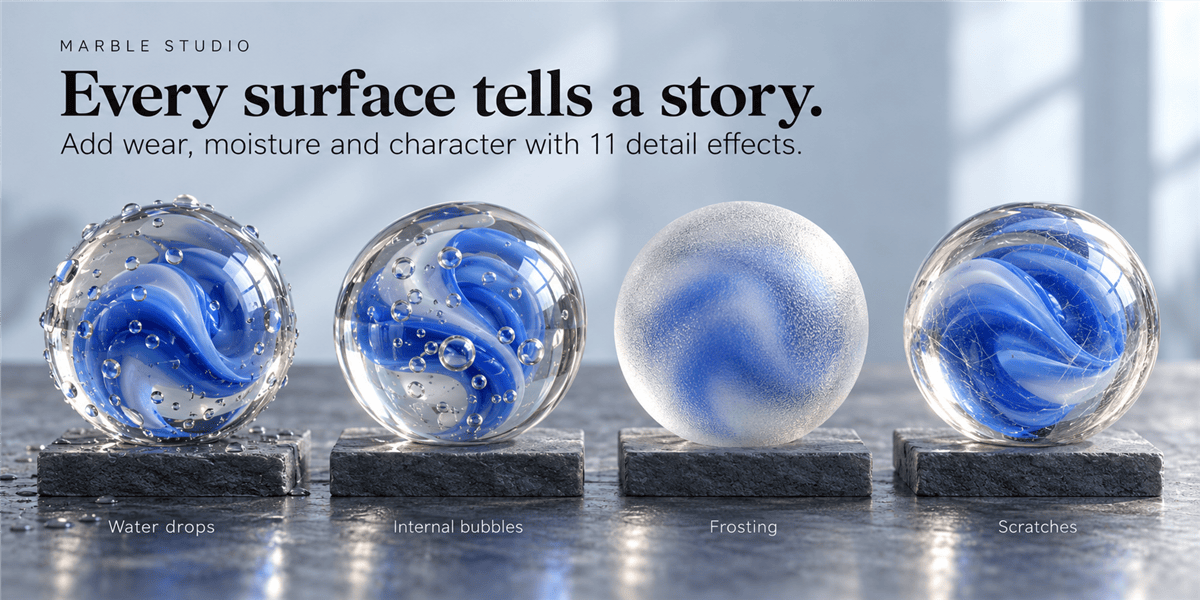
Surface Details
Add independent wear, residue, moisture and internal bubbles. All added effects start disabled. Open an effect, enable its checkbox, adjust its controls, then apply the result.
Generate and Update Selected also include the panel's current surface controls.
Shared Detail Controls
The 11 surface effects
Shader effects expose Amount and Pattern scale. Drops and bubbles use count and size; Amount scales their count. Geometry size is relative to the target's smallest half-extent. Open user meshes skip internal bubbles and report the reason. Drops sample the evaluated surface, including modifiers; reapply after changing geometry. Water drops are generated geometry rather than a fluid simulation.
12 / FEATURE GUIDE
Your Surface Library
Store reusable detail recipes separately from complete marble designs.
The same Keep and Add Missing / Replace import choices apply to this separate library. Surface library changes write immediately to disk.
13 / FEATURE GUIDE
Library previews
Saved marble and surface entries display row thumbnails and a larger selected preview. Saving or updating an entry automatically captures its recipe; Refresh Preview recaptures an existing entry. Browsing the library does not trigger rendering.
Preview capture briefly blocks Blender while it renders in a temporary Cycles scene. The working scene and selection are restored, but the global Render Result is replaced. Previews reconstruct saved procedural controls rather than manual mesh or shader edits. Surface previews use a consistent clear reference marble. ZIP exports carry available images; JSON exports carry recipes only.
14 / FEATURE GUIDE
Batch Generation
15 / FEATURE GUIDE
Ownership & Cleanup
16 / FEATURE GUIDE
Testing Studio
Create Test Studio builds a separate showcase scene with the style collection, labels, ground, reflection lights and a camera. Your original scene remains available in Blender's scene selector. Use Cycles and press F12 to render.
17 / FEATURE GUIDE
Moving and animating your marbles
Select the visible marble to move, rotate, scale or keyframe the complete design. Its shell, standard internal inserts, bubbles and drops share one mesh object. The parent root also moves the full assembly. Custom-mesh insert and droplet helpers remain parented for live clipping, with independent selection and transforms locked.
18 / FEATURE GUIDE
Common questions
Compatibility: the package targets Blender 3.6–5.2. Runtime verification in this project was performed with Blender 5.2.
Your next marble starts in the Marbles tab.
Choose a style. Generate. Refine. Save your favourite.
Have questions about this product?
Login to message
| Blender Extension Compatible | Yes |
| Dev Fund Contributor | |
| Published | about 8 hours ago |
| Blender Version | 3.6 - 5.2 |
| Extension Type | Add-on |
| Render Engine Used | Cycles |
| License | GPL |