Material Browsers Pro
 Unik Studio



🎨 Material Browser Pro v2
Stop Scrolling. Start Creating.
Tired of fighting with messy lists and hidden menus? Material Browser Pro v2 is built for artists who want a faster, more visual way to manage materials. No more jumping through tabs—get a high-performance material library directly inside your 3D Viewport.
Whether you are building complex environments, cleaning up client files, or browsing external .blend libraries, v2 keeps your focus where it belongs: on your art.
🚀 Key Features
Visual Workflow
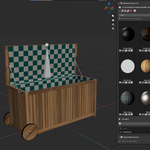
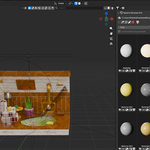
🖼️ Visual Browser: Access your materials via a dedicated 3D View sidebar or a large floating window.
🔍 Instant Search: Find exactly what you need in seconds with lightning-fast filtering.
🎭 Live Previews: Fully adjustable thumbnail sizes, grid layouts, and preview shapes (Sphere, Cube, Shader ball).
🔄 Auto-Sync: Stays perfectly in sync with your active object and material selection.
Power Tools for Assignment
⚡ One-Click Assign: Apply materials to the active object instantly.
📐 Edit Mode Precision: Assign materials to selected faces without leaving the viewport.
📦 Batch Operations: Apply materials to multiple selected mesh objects at once.
🎚️ Slot Manager: A streamlined overview to switch, duplicate, or manage material slots faster than ever.
Scene Management & Cleanup
🧹 One-Click Cleanup: Instantly remove unused (orphan) materials to keep your file light.
🏷️ Smart Rename: Automatically match material names to object names for professional file organization.
📂 External Libraries: Browse and link materials directly from external
.blendfiles without opening them.
🔥 Why Upgrade to v2?
Version 2 is a complete overhaul focused on speed and frictionless usability:
🚀 Optimized Performance: Smooth responsiveness even in massive scenes with hundreds of materials.
🛠️ Enhanced Slot Handling: A more intuitive way to manage complex material stacks.
🌐 External Library Support: Seamlessly integrate your existing assets into any new project.
🎯 Perfect For:
🏙️ Archviz Artists managing vast libraries of textures.
🌲 Environment Artists building massive, detailed scenes.
🚗 Product Viz Experts doing rapid lookdev iterations.
🧹 Technical Artists who need to keep project files clean and organized.
⚙️ Compatibility
✅ Blender 4.0 and newer
Suggested BlenderMarket Tagline
"The ultimate visual bridge between your library and your viewport. Browse, assign, and manage materials with zero friction."
Discover more products like this
quick-material c4d-brower assign-material material-broswer shader-broswer