Material Merger
 pillarsofdynamicgames


Installation:
Download the add-on's zip file.
In Blender, go to
Edit>Preferences>Add-ons.Click
Install...and select the downloaded zip file.Enable the add-on by checking its box in the add-ons list.
How to Use:
1. Merging Materials:
Select the 3D objects in your scene that you wish to merge.
In the Blender sidebar (press
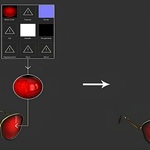
Nto open if not visible), locate the "Material Merger" panel.Click the "Add" button within the panel.
Provide a name for your new merged material and texture.
Set the desired texture size (e.g., 2048x2048 for sharper results).
2. UV Editing:
After adding the material, click "Edit UV" in the Material Merger panel. This will open the UV region.
-
Packing UVs:
You can use Blender's default UV packer: Go to the
UVmenu in the UV Editor and selectPack Islands.Alternatively, for more efficient packing, consider using a third-party add-on like "UV Packer."
3. Baking Settings:
Navigate to the "Layout" tab in Blender.
In the Material Merger panel, select the channels you want to bake (e.g., all channels for a complete bake).
Margin: Adjust the "Margin" setting. This adds a two-pixel border around UV islands, which helps prevent visible seam lines in your baked textures.
Max Sampling: Adjust "Max Sampling." A higher value will result in better bake quality but will also increase the baking time.
4. Baking and Results:
Once your settings are configured, click the "Bake" button in the Material Merger panel.
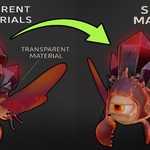
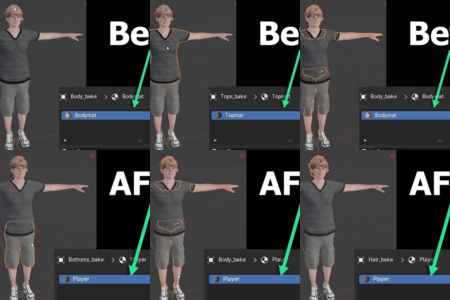
After the baking process is complete, all your selected objects will now share a single material and texture. The visual difference from the original should be minimal.
5. Non-Destructive Process:
The add-on's process is non-destructive. If you need to revert or re-bake, simply select the baked objects and click the "Remove" button in the Material Merger panel. This will delete the merged objects, and your original objects will remain untouched in the scene, allowing you to restart the process as needed.
-
$30
-
$125
-
$255
Have questions about this product?
Login to message
| Sales | 10+ |
| Published | about 1 year ago |
| Blender Version | 4.4 - 4.5 |
| Extension Type | N/A |
| Render Engine Used | Cycles, Eevee |
| License | Mit |

Discover more products like this
Draw Calls game-dev Material Merge texture bake asset export blender addon optimization 3D workflow performance Unreal Engine