 RenderLab







Do the Materials Work With EEVEE?
Yes! Our materials work with both Cycles and EEVEE. For best results in EEVEE, turn on "Ambient Occlusion", "Screen-Space Reflections", and "Bloom"
Why is my mesh black after applying a material?
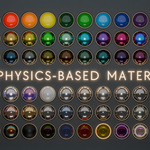
MaterialLab uses physics-based materials that rely on surface normals to simulate realistic light interaction. Incorrect normals can cause unexpected results, such as black surfaces or inverted effects. Check your normals!
Where are the materials stored?
The materials are dynamically loaded from the `MaterialLab_Assets.blend` file. Make sure this file is placed in the `assets` folder within the addon directory.
Why is the material not applying?
Ensure you have selected a mesh object. MaterialLab only works with objects that have material slots.
How do I edit a material?
Click the pencil icon to create a local instance of the material. You can then edit it directly in Blender without affecting other projects.
Can I add my own materials to the library?
Currently, MaterialLab supports the pre-included materials. Stay tuned for updates that may include custom material support.
What Blender versions are supported?
MaterialLab supports Blender 3.0 and above.
$22
Have questions about this product?
Login to message
| Blender Extension Compatible | Yes |
| Sales | 10+ |
| Published | almost 2 years ago |
| Blender Version | 4.3, 4.2, 4.1, 4.0, 3.6, 3.5, 3.4, 3.3, 3.2, 3.1, 3.0 |
| Extension Type | Add-on |
| License | GPL |
Discover more products like this
summer23 high quality materials loveblender procedural materials pack bfcm22 bcon25 Realistic materials material pack materials materials pack arch-viz animated car paint real metals spring24 materials-pbr material collection material lab Glass ArchViz summer21 spring22 iridescence summer24 shaders bfcm24 bfcm23 sci fi procedural textures summer22 bcon22 plastic metal procedural materials Shader winter24 Interior spring23 high gloss Material Pearlescence material library materiallab clay materials collection