Matplus
 BeFX Studios


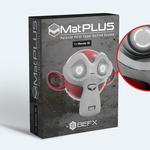


MatPlus 1.3.1:
Features:
The Export panel now lists the UDIM tiles of the Set Material: tick only the
ones you want written, and give any of them its own resolution, all in
a single export.
Stitches and Vector Mask now work with UDIMs. Each effect either lives in one
tile, picked in its "UDIM Tile" menu, or paints across all of them at once.
Auto Stitch can read the seams from a different UV map than the one you texture,
with the new "Seam UVs" field.
While you drag a point in the Stitches or Vector Mask editor, X, Y or Z locks the
movement to that axis and Shift makes it fine, the same as in the viewport.
New "Remove All Caches": releases every cached mask in one go, from a group's
three-dot menu (that group and everything inside it) or from the global menu
(the whole Set Material).
The R key now rotates the 2D UV gizmo, which already answered to G and S.
The Stitches and Vector Mask panels share the same layout now, and Live Preview
is always on, so its toggle is gone.
Fixes:
Fix The BeFX Library downloads again. Google changed how Drive hands over large
files, and everything came down empty: a Smart Material at 0 MB, or a
texture or a brush that was really a small web page with the wrong
extension. The thumbnails kept working, so the galleries looked fine.
Fix Exporting no longer leaves the Set Material with its cached masks switched
off. Anything a cache was hiding showed up at once -- in one report the model
came out white -- and the export itself used those broken masks.
Fix "Export and Create New Material" now connects the normal map to the shader.
Sixteen of the nineteen templates were leaving it unconnected.
Fix The exported Height no longer comes out in steps when you plug it into a Bump.
It is baked with Cycles now and defaults to 32 bit, so it carries the detail
the file can hold.
Fix The material made by "Export and Create New Material" uses the Interpolation
chosen in Settings instead of always Cubic.
Fix Changing the material resolution rescales the mask textures again on Windows.
Fix Blender no longer crashes on exit when the last window you closed was a
temporary one: Preferences, a render or the file browser.
Fix Exporting a single UDIM tile no longer aborts with "must contain a valid UDIM
marker". The same happened to any material whose UVs live outside tile 1001.
Fix The $udim variable now puts the tile number where the name pattern says
instead of always at the end. The factory templates write "(.$udim)", so
their files go from Material_Normal_1001.png to Material_Normal.1001.png.
Fix Flattening a group with Cycles no longer wipes the other objects of a
multi-object material when Dilatation Infinite is on.
Fix The Flatten height no longer shows flat steps across the surface.
Fix Stitches follow the UV layout when you edit it. Moving an island left the
mask where the island used to be.
Fix Unticking "Export" on a channel texture in an Output Template sticks now. It
switched itself back on.
MatPlus 1.3.0:
Features:
New "Vector Mask" effect: bezier shapes drawn on the model or on the UV layout,
combined with booleans (Union, Subtract, Intersect, Replace) and with per-point
feather that works as a second curve, Nuke style.
New "Stitches" effect: draw the seam path and the stitches lay out along it. The
curve stays editable and Mirror projects it onto the real geometry.
New Smart Masks (.mpsmask): a whole mask with its generators, filters, levels and
paint, reusable in any project. Created from layers and from groups.
New "Flatten Group": bakes every channel of a group into one editable layer. Its
channels keep their blend mode, factor and clamp, and "Use Flatten" exports
from the baked layer instead of the group.
New BeFX Library: Smart Materials, Smart Masks, PBR textures (AmbientCG), mask
textures and brushes downloadable from the BeFX Cloud without leaving Blender,
with search, categories, favourites and an "Only Available" filter.
Projects are now self-contained: created next to the .blend with their textures
packed inside, so sending the file sends the whole project. "Make Self-Contained"
copies a legacy project over; it never moves it. "Open Project" is now
"Relink Project Folder", a repair tool for a moved or imported project.
New Output Templates: export presets with nineteen factory formats, five packing
types, derived maps, name variables and subfolders. The template also decides
which channels a new project is created with.
New Display module: HDRI gallery, a managed camera with depth of field, ten
combinable compositor effects and the MatPlus Viewport switch. MatPlus now
ships with its own HDRIs, so the environments path is optional.
New "Skew Correction" in Bake Maps: bakes a perpendicular version of each projected
map and you paint to reveal it where needed. Apply writes it into the normal map
and keeps the original bake aside.
New "From Multires" bake mode, with the Multires Normal, Displacement and Vector
Displacement passes.
Bake the whole material set in one pass, with two exclusive toggles: "Group" merges
the low poly objects in place, "Explode" separates them to isolate the rays.
New "Combine Materials" export option: several materials in one texture set.
Fifteen user data channels (User1..User15): not wired to the shader, painted and
exported, for whatever the pipeline needs.
AO is now a paintable channel, with a "Replace" toggle choosing whether the
occlusion multiplying the Base Color comes from the baked map or the layers.
Displacement split off from the Height channel, activated on its own, and a new
"Use AO in Specular" toggle so occlusion also affects reflections.
New "Curvature From Normal" mode, derived from the baked normal map, with Sampling
Radius, tonemapping bounds and a "Hard Edges" control. The Edge map is now an
internal dependency of the Curvature.
Edge Wear redesigned: the hard edges come from the Curvature itself instead of the
baked Edge map, and the panel is half the size.
Distort rebuilt: two noise texture slots with thumbnails, noise rotation, and socket
names that say what they do (Strength, Fine Control, Noise Scale, Small Detail).
Mask auto-cache: a cached mask un-caches itself while you drag a slider and re-bakes
on release. Cascading auto-update re-bakes whatever depended on a change, in the
right order, including Link consumers and the affected cached masks.
New "Auto-cache New Layers": a new layer caches itself as soon as it gets a mask.
It hangs from Auto-update, so turning that off also switches it off and
un-caches the layers.
The projection box is now a virtual gizmo: no Empty in the scene, cubic, oriented to
the model and with a size lock. Driven with G, S and Alt+G/R/S; Alt+R realigns it.
New 2D UV mapping gizmo: offset, rotation and tiling by dragging on the 2D canvas.
Material Library "Replace Mode": clicking a thumbnail swaps the layer material in
place, keeping its mask, effects, blend mode and position in the stack.
Copy and paste layers and groups, also between materials, plus duplicate individual
effects (three-dot menu or Ctrl + D). The clipboard lasts the session and the
destination material's channels are synced automatically.
Layer search in the toolbar, filtering across the whole project including closed
folders, and multi-selection in the material list to bake or export several at once.
One single "MatPlus Textures" path replaces MatPlus Masks and Brushes And Icons:
every first-level subfolder is a library, and "Add Custom Texture" puts your
own images under the Custom category of every gallery, in every project.
New project dialog: Output Template, scene Color Management, Auto-Unwrap with its
Smart UV Project options, "Use MatPlus Environment Settings" and the geometry
recommendations.
New "Clean": deletes the project textures no layer uses any more, showing the list
and the space to recover first.
Progress bars for export, Smart Materials and Smart Masks, library loading, group
flattening and resolution changes, which no longer freeze the UI. Export also
leaves a summary: textures written, time taken, failures and skips.
Decals now run at their original resolution and no longer generate a proxy, so they
keep their aspect ratio. Existing projects are migrated on open.
Per-channel work format: each channel picks the pixel format it is baked with
internally, independently of the export format.
Independent brush settings per paint layer and per paint effect, and the brush now
keeps its size relative to the model as you zoom.
Every gallery and the layer stack now scroll in a fixed-height, resizable box.
New "Texture Defaults" (default interpolation for new textures, caches included),
"Hover Preview" (enlarged floating thumbnail over gallery cells) and
"Sync Set Material with Viewport Selection".
New "Grid" and "Clean Viewport" toggles, and a Wireframe section in viewport settings.
New per-material "Recalculate UDIMs" button in the Set Materials list.
Deleting a Smart Material, Smart Mask, PBR material or texture from its gallery now
asks for confirmation: it is permanent and skips the recycle bin.
Quality Settings and Resolution moved to the add-on preferences.
Fixes:
Fix The CryEngine preset now asks for a DirectX normal. CryEngine's own manual puts
the tangent basis at X+ Y- Z+ and tells you to bake with the green channel
inverted, so its _ddna was coming out with the green the wrong way round. The
other eighteen presets were checked against each engine's documentation and
were already right.
Fix With Combine Materials, a DirectX normal no longer depends on how many
materials the set has. The green channel was flipped once per material, so an
even number of them cancelled out and the file came out in OpenGL.
Fix Baking no longer returns a flat, single-colour map when the MatPlus collection
is hidden in the Outliner. Its bake objects were invisible to the viewport
render, so the map came out as the viewport background colour, and only Cycles
was unaffected. MatPlus now shows them for the bake and hides them again after.
Fix Adding an object that carries more than one material is now refused, the same
rule New Project already applied. It was creating one Set Material per material
slot, and those could never be exported.
Fix Adding several Set Materials at once, by selecting several objects, no longer
leaves most of them untextured and magenta. Past the fourth one they were never
given their default layer.
Fix Renaming a Set Material you have just created now actually renames it. Until
something had been written into its folder, the name box took the new name while
the material kept the old one.
Fix Exporting with "Create New Material" no longer leaves the new materials without
textures when two Set Material names start with the same 25 characters. The
exported files were always correct.
Fix Deleting a layer, a mask, an effect or a group no longer wipes their texture
files off disk straight away, so undoing the delete brings them back instead of
leaving the material magenta. The files are collected later by the "Clean" button.
Fix Removing a Set Material now keeps its textures in a trash folder inside the
project, so undoing the removal brings the material back with its textures.
Fix Un-caching a mask no longer deletes its baked file, so undoing a filter change
brings the cached mask back instead of leaving it magenta.
Fix An effect on a channel is no longer mistaken for the one sitting at the same
position in the mask, which also fixes filter updates made from the Mask tab.
Fix A new mask or channel effect now lands right above the selected effect instead
of jumping to the top of the stack. Only Filter and Decal behaved that way.
Fix Duplicating a Decal no longer breaks the mask chain, which left the copy
disconnected and raised an error when it was deleted.
Fix Text Effects can be duplicated now, and the copy gets its own text and its own
image, so editing one no longer changes the other.
Fix Editing a Text Effect a second time now shows the new text on the model instead
of keeping the old one. Deleting one also releases its text curve.
Fix Compatibility with N-Panel management addons: every sidebar hotkey (Ctrl+D,
Alt+Up/Down, E on curves, G/R/S on the projection box) stopped working once the
MatPlus tab was renamed to a custom category. They follow the real tab name now.
Fix Height and Displacement are now baked around mid grey (0.5), the Substance
convention: below it carves in, above it stands out. A layer pushing inwards was
clamped away before and the exported map came out black.
Fix The Height and Displacement sliders now go from -1 to 1 and mean it: -1 is the
deepest an 8 or 16 bit map can hold. They used to accept twice that and the extra
half was clipped on export, so parts of the texture came out flat while the
viewport still showed relief. An export that still does not fit now says so
instead of clipping in silence.
Fix "Normal from Height" came out completely flat with EEVEE as the bake system
whenever the layer's height was negative. Cycles exports are unaffected.
Fix Padding in EEVEE is now measured in pixels at any resolution, "No Padding" finally
means no padding, and "Dilatation Infinite" works there for the first time.
Fix Mirror and Array modifiers are now disabled during baking, which was producing
incorrect results.
Fix Bevel measured the edge in the wrong place on soft masks. New Bevels are born with
the correct computation and materials already made keep their look.
Fix The Curvature was not packed with the project, so it was lost when the file was
opened on another machine.
Fix The HDRI environment is relinked when the file is opened on another machine,
instead of the scene coming up unlit.
Fix Decal placement uses face projection, more accurate when sticking them to the
surface.
Fix "Add Filter" is now greyed out on a group in Material mode, like every other
effect in the menu: it could never do anything there. Left-over filters from
before can be hidden and deleted without throwing an error.
Fix Re-enabling auto-update lost the first change, and the end of a gesture was not
detected on the first drag after assigning an effect.
Fix Changing the material resolution froze the panel for several seconds with no
feedback.
Fix Split/Merge Viewport (2D|3D) with cached masks.
Fix The Bake System (Blender Cycles / MatPlus EEVEE) is now in the export Global
Settings, next to the rest of what a bake depends on, and not only in the
add-on preferences. It is the same setting, so both places stay in step.
Fix The Suzanne_BeFX and MatBall_BeFX sample scenes have been updated, with their
textures packed inside.
MatPlus 1.2.3:
Features:
Exposed the Tolerance value in mask color pickers.
Sharpen effect now defaults to "Kernel" mode.
Fixes:
Fix Full compatibility with Blender 5.1 and 5.2.
Fix Crash when using Split/Merge Viewport in Blender 5.2.
Fix Color picker (eyedropper) could fail near the edges of the viewport in Blender 5.1+.
Fix Background rendering could hang indefinitely because of thumbnail loading.
Fix Several issues when importing Smart Materials (thumbnails, focused layer effects, compatibility warnings).
Fix Normal map strength was not working after a previous change.
Fix AmbientCG materials without a Metallic map incorrectly used the Roughness Balance/Contrast values.
Fix Material Library thumbnails could fail to load until reopening the popup.
Fix UI error when data for an active channel was missing.
Fix Improved mask handling on the Normal channel.
MatPlus 1.3.1:
Features:
The Export panel lists the UDIM tiles: tick the ones you want and set each resolution.
Stitches and Vector Mask work with UDIMs, either in one tile or across all of them.
Auto Stitch can read the seams from another UV map, with the new "Seam UVs" field.
X, Y or Z lock a drag to an axis and Shift makes it fine, in the Stitches and Vector Mask editor.
New "Remove All Caches": frees every cached mask of a group or of the whole Set Material.
The R key now rotates the 2D UV gizmo, which already answered to G and S.
The Stitches and Vector Mask panels share one layout, and Live Preview is always on.
Fixes:
Fix The BeFX Library downloads again: Smart Materials, textures and brushes came down empty.
Fix Exporting no longer leaves the Set Material with its cached masks switched off.
Fix "Export and Create New Material" now connects the normal map to the shader.
Fix The exported Height no longer comes out in steps when you plug it into a Bump.
Fix "Export and Create New Material" uses the Interpolation chosen in Settings.
Fix Changing the material resolution rescales the mask textures again on Windows.
Fix Blender no longer crashes on exit when the last window you closed was a temporary one.
Fix Exporting a single UDIM tile, or a material with UVs outside tile 1001, no longer aborts.
Fix The $udim variable puts the tile number where the name pattern says, not always at the end.
Fix Flattening a group with Cycles no longer wipes the other objects of a multi-object material.
Fix The Flatten height no longer shows flat steps across the surface.
Fix Stitches follow the UV layout when you edit it: moving an island left the mask behind.
Fix Unticking "Export" on a channel texture in an Output Template sticks now.
MatPlus 1.3.0:
Features:
New "Vector Mask" effect: bezier shapes drawn on the model or on the UV layout,
combined with booleans (Union, Subtract, Intersect, Replace) and with per-point
feather that works as a second curve, Nuke style.
New "Stitches" effect: draw the seam path and the stitches lay out along it. The
curve stays editable and Mirror projects it onto the real geometry.
New Smart Masks (.mpsmask): a whole mask with its generators, filters, levels and
paint, reusable in any project. Created from layers and from groups.
New "Flatten Group": bakes every channel of a group into one editable layer. Its
channels keep their blend mode, factor and clamp, and "Use Flatten" exports
from the baked layer instead of the group.
New BeFX Library: Smart Materials, Smart Masks, PBR textures (AmbientCG), mask
textures and brushes downloadable from the BeFX Cloud without leaving Blender,
with search, categories, favourites and an "Only Available" filter.
Projects are now self-contained: created next to the .blend with their textures
packed inside, so sending the file sends the whole project. "Make Self-Contained"
copies a legacy project over; it never moves it. "Open Project" is now
"Relink Project Folder", a repair tool for a moved or imported project.
New Output Templates: export presets with nineteen factory formats, five packing
types, derived maps, name variables and subfolders. The template also decides
which channels a new project is created with.
New Display module: HDRI gallery, a managed camera with depth of field, ten
combinable compositor effects and the MatPlus Viewport switch. MatPlus now
ships with its own HDRIs, so the environments path is optional.
New "Skew Correction" in Bake Maps: bakes a perpendicular version of each projected
map and you paint to reveal it where needed. Apply writes it into the normal map
and keeps the original bake aside.
New "From Multires" bake mode, with the Multires Normal, Displacement and Vector
Displacement passes.
Bake the whole material set in one pass, with two exclusive toggles: "Group" merges
the low poly objects in place, "Explode" separates them to isolate the rays.
New "Combine Materials" export option: several materials in one texture set.
Fifteen user data channels (User1..User15): not wired to the shader, painted and
exported, for whatever the pipeline needs.
AO is now a paintable channel, with a "Replace" toggle choosing whether the
occlusion multiplying the Base Color comes from the baked map or the layers.
Displacement split off from the Height channel, activated on its own, and a new
"Use AO in Specular" toggle so occlusion also affects reflections.
New "Curvature From Normal" mode, derived from the baked normal map, with Sampling
Radius, tonemapping bounds and a "Hard Edges" control. The Edge map is now an
internal dependency of the Curvature.
Edge Wear redesigned: the hard edges come from the Curvature itself instead of the
baked Edge map, and the panel is half the size.
Distort rebuilt: two noise texture slots with thumbnails, noise rotation, and socket
names that say what they do (Strength, Fine Control, Noise Scale, Small Detail).
Mask auto-cache: a cached mask un-caches itself while you drag a slider and re-bakes
on release. Cascading auto-update re-bakes whatever depended on a change, in the
right order, including Link consumers and the affected cached masks.
New "Auto-cache New Layers": a new layer caches itself as soon as it gets a mask.
It hangs from Auto-update, so turning that off also switches it off and
un-caches the layers.
The projection box is now a virtual gizmo: no Empty in the scene, cubic, oriented to
the model and with a size lock. Driven with G, S and Alt+G/R/S; Alt+R realigns it.
New 2D UV mapping gizmo: offset, rotation and tiling by dragging on the 2D canvas.
Material Library "Replace Mode": clicking a thumbnail swaps the layer material in
place, keeping its mask, effects, blend mode and position in the stack.
Copy and paste layers and groups, also between materials, plus duplicate individual
effects (three-dot menu or Ctrl + D). The clipboard lasts the session and the
destination material's channels are synced automatically.
Layer search in the toolbar, filtering across the whole project including closed
folders, and multi-selection in the material list to bake or export several at once.
One single "MatPlus Textures" path replaces MatPlus Masks and Brushes And Icons:
every first-level subfolder is a library, and "Add Custom Texture" puts your
own images under the Custom category of every gallery, in every project.
New project dialog: Output Template, scene Color Management, Auto-Unwrap with its
Smart UV Project options, "Use MatPlus Environment Settings" and the geometry
recommendations.
New "Clean": deletes the project textures no layer uses any more, showing the list
and the space to recover first.
Progress bars for export, Smart Materials and Smart Masks, library loading, group
flattening and resolution changes, which no longer freeze the UI. Export also
leaves a summary: textures written, time taken, failures and skips.
Decals now run at their original resolution and no longer generate a proxy, so they
keep their aspect ratio. Existing projects are migrated on open.
Per-channel work format: each channel picks the pixel format it is baked with
internally, independently of the export format.
Independent brush settings per paint layer and per paint effect, and the brush now
keeps its size relative to the model as you zoom.
Every gallery and the layer stack now scroll in a fixed-height, resizable box.
New "Texture Defaults" (default interpolation for new textures, caches included),
"Hover Preview" (enlarged floating thumbnail over gallery cells) and
"Sync Set Material with Viewport Selection".
New "Grid" and "Clean Viewport" toggles, and a Wireframe section in viewport settings.
New per-material "Recalculate UDIMs" button in the Set Materials list.
Deleting a Smart Material, Smart Mask, PBR material or texture from its gallery now
asks for confirmation: it is permanent and skips the recycle bin.
Quality Settings and Resolution moved to the add-on preferences.
Fixes:
Fix The CryEngine preset now asks for a DirectX normal. CryEngine's own manual puts
the tangent basis at X+ Y- Z+ and tells you to bake with the green channel
inverted, so its _ddna was coming out with the green the wrong way round. The
other eighteen presets were checked against each engine's documentation and
were already right.
Fix With Combine Materials, a DirectX normal no longer depends on how many
materials the set has. The green channel was flipped once per material, so an
even number of them cancelled out and the file came out in OpenGL.
Fix Baking no longer returns a flat, single-colour map when the MatPlus collection
is hidden in the Outliner. Its bake objects were invisible to the viewport
render, so the map came out as the viewport background colour, and only Cycles
was unaffected. MatPlus now shows them for the bake and hides them again after.
Fix Adding an object that carries more than one material is now refused, the same
rule New Project already applied. It was creating one Set Material per material
slot, and those could never be exported.
Fix Adding several Set Materials at once, by selecting several objects, no longer
leaves most of them untextured and magenta. Past the fourth one they were never
given their default layer.
Fix Renaming a Set Material you have just created now actually renames it. Until
something had been written into its folder, the name box took the new name while
the material kept the old one.
Fix Exporting with "Create New Material" no longer leaves the new materials without
textures when two Set Material names start with the same 25 characters. The
exported files were always correct.
Fix Deleting a layer, a mask, an effect or a group no longer wipes their texture
files off disk straight away, so undoing the delete brings them back instead of
leaving the material magenta. The files are collected later by the "Clean" button.
Fix Removing a Set Material now keeps its textures in a trash folder inside the
project, so undoing the removal brings the material back with its textures.
Fix Un-caching a mask no longer deletes its baked file, so undoing a filter change
brings the cached mask back instead of leaving it magenta.
Fix An effect on a channel is no longer mistaken for the one sitting at the same
position in the mask, which also fixes filter updates made from the Mask tab.
Fix A new mask or channel effect now lands right above the selected effect instead
of jumping to the top of the stack. Only Filter and Decal behaved that way.
Fix Duplicating a Decal no longer breaks the mask chain, which left the copy
disconnected and raised an error when it was deleted.
Fix Text Effects can be duplicated now, and the copy gets its own text and its own
image, so editing one no longer changes the other.
Fix Editing a Text Effect a second time now shows the new text on the model instead
of keeping the old one. Deleting one also releases its text curve.
Fix Compatibility with N-Panel management addons: every sidebar hotkey (Ctrl+D,
Alt+Up/Down, E on curves, G/R/S on the projection box) stopped working once the
MatPlus tab was renamed to a custom category. They follow the real tab name now.
Fix Height and Displacement are now baked around mid grey (0.5), the Substance
convention: below it carves in, above it stands out. A layer pushing inwards was
clamped away before and the exported map came out black.
Fix The Height and Displacement sliders now go from -1 to 1 and mean it: -1 is the
deepest an 8 or 16 bit map can hold. They used to accept twice that and the extra
half was clipped on export, so parts of the texture came out flat while the
viewport still showed relief. An export that still does not fit now says so
instead of clipping in silence.
Fix "Normal from Height" came out completely flat with EEVEE as the bake system
whenever the layer's height was negative. Cycles exports are unaffected.
Fix Padding in EEVEE is now measured in pixels at any resolution, "No Padding" finally
means no padding, and "Dilatation Infinite" works there for the first time.
Fix Mirror and Array modifiers are now disabled during baking, which was producing
incorrect results.
Fix Bevel measured the edge in the wrong place on soft masks. New Bevels are born with
the correct computation and materials already made keep their look.
Fix The Curvature was not packed with the project, so it was lost when the file was
opened on another machine.
Fix The HDRI environment is relinked when the file is opened on another machine,
instead of the scene coming up unlit.
Fix Decal placement uses face projection, more accurate when sticking them to the
surface.
Fix "Add Filter" is now greyed out on a group in Material mode, like every other
effect in the menu: it could never do anything there. Left-over filters from
before can be hidden and deleted without throwing an error.
Fix Re-enabling auto-update lost the first change, and the end of a gesture was not
detected on the first drag after assigning an effect.
Fix Changing the material resolution froze the panel for several seconds with no
feedback.
Fix Split/Merge Viewport (2D|3D) with cached masks.
Fix The Bake System (Blender Cycles / MatPlus EEVEE) is now in the export Global
Settings, next to the rest of what a bake depends on, and not only in the
add-on preferences. It is the same setting, so both places stay in step.
Fix The Suzanne_BeFX and MatBall_BeFX sample scenes have been updated, with their
textures packed inside.
MatPlus 1.2.3:
Features:
Exposed the Tolerance value in mask color pickers.
Sharpen effect now defaults to "Kernel" mode.
Fixes:
Fix Full compatibility with Blender 5.1 and 5.2.
Fix Crash when using Split/Merge Viewport in Blender 5.2.
Fix Color picker (eyedropper) could fail near the edges of the viewport in Blender 5.1+.
Fix Background rendering could hang indefinitely because of thumbnail loading.
Fix Several issues when importing Smart Materials (thumbnails, focused layer effects, compatibility warnings).
Fix Normal map strength was not working after a previous change.
Fix AmbientCG materials without a Metallic map incorrectly used the Roughness Balance/Contrast values.
Fix Material Library thumbnails could fail to load until reopening the popup.
Fix UI error when data for an active channel was missing.
Fix Improved mask handling on the Normal channel.
MatPlus 1.3.1:
Features:
The Export panel lists the UDIM tiles: tick the ones you want and set each resolution.
Stitches and Vector Mask work with UDIMs, either in one tile or across all of them.
Auto Stitch can read the seams from another UV map, with the new "Seam UVs" field.
X, Y or Z lock a drag to an axis and Shift makes it fine, in the Stitches and Vector Mask editor.
New "Remove All Caches": frees every cached mask of a group or of the whole Set Material.
The R key now rotates the 2D UV gizmo, which already answered to G and S.
The Stitches and Vector Mask panels share one layout, and Live Preview is always on.
Fixes:
Fix The BeFX Library downloads again: Smart Materials, textures and brushes came down empty.
Fix Exporting no longer leaves the Set Material with its cached masks switched off.
Fix "Export and Create New Material" now connects the normal map to the shader.
Fix The exported Height no longer comes out in steps when you plug it into a Bump.
Fix "Export and Create New Material" uses the Interpolation chosen in Settings.
Fix Changing the material resolution rescales the mask textures again on Windows.
Fix Blender no longer crashes on exit when the last window you closed was a temporary one.
Fix Exporting a single UDIM tile, or a material with UVs outside tile 1001, no longer aborts.
Fix The $udim variable puts the tile number where the name pattern says, not always at the end.
Fix Flattening a group with Cycles no longer wipes the other objects of a multi-object material.
Fix The Flatten height no longer shows flat steps across the surface.
Fix Stitches follow the UV layout when you edit it: moving an island left the mask behind.
Fix Unticking "Export" on a channel texture in an Output Template sticks now.
MatPlus 1.3.0:
Features:
New "Vector Mask" effect: bezier shapes drawn on the model or on the UV layout,
combined with booleans (Union, Subtract, Intersect, Replace) and with per-point
feather that works as a second curve, Nuke style.
New "Stitches" effect: draw the seam path and the stitches lay out along it. The
curve stays editable and Mirror projects it onto the real geometry.
New Smart Masks (.mpsmask): a whole mask with its generators, filters, levels and
paint, reusable in any project. Created from layers and from groups.
New "Flatten Group": bakes every channel of a group into one editable layer. Its
channels keep their blend mode, factor and clamp, and "Use Flatten" exports
from the baked layer instead of the group.
New BeFX Library: Smart Materials, Smart Masks, PBR textures (AmbientCG), mask
textures and brushes downloadable from the BeFX Cloud without leaving Blender,
with search, categories, favourites and an "Only Available" filter.
Projects are now self-contained: created next to the .blend with their textures
packed inside, so sending the file sends the whole project. "Make Self-Contained"
copies a legacy project over; it never moves it. "Open Project" is now
"Relink Project Folder", a repair tool for a moved or imported project.
New Output Templates: export presets with nineteen factory formats, five packing
types, derived maps, name variables and subfolders. The template also decides
which channels a new project is created with.
New Display module: HDRI gallery, a managed camera with depth of field, ten
combinable compositor effects and the MatPlus Viewport switch. MatPlus now
ships with its own HDRIs, so the environments path is optional.
New "Skew Correction" in Bake Maps: bakes a perpendicular version of each projected
map and you paint to reveal it where needed. Apply writes it into the normal map
and keeps the original bake aside.
New "From Multires" bake mode, with the Multires Normal, Displacement and Vector
Displacement passes.
Bake the whole material set in one pass, with two exclusive toggles: "Group" merges
the low poly objects in place, "Explode" separates them to isolate the rays.
New "Combine Materials" export option: several materials in one texture set.
Fifteen user data channels (User1..User15): not wired to the shader, painted and
exported, for whatever the pipeline needs.
AO is now a paintable channel, with a "Replace" toggle choosing whether the
occlusion multiplying the Base Color comes from the baked map or the layers.
Displacement split off from the Height channel, activated on its own, and a new
"Use AO in Specular" toggle so occlusion also affects reflections.
New "Curvature From Normal" mode, derived from the baked normal map, with Sampling
Radius, tonemapping bounds and a "Hard Edges" control. The Edge map is now an
internal dependency of the Curvature.
Edge Wear redesigned: the hard edges come from the Curvature itself instead of the
baked Edge map, and the panel is half the size.
Distort rebuilt: two noise texture slots with thumbnails, noise rotation, and socket
names that say what they do (Strength, Fine Control, Noise Scale, Small Detail).
Mask auto-cache: a cached mask un-caches itself while you drag a slider and re-bakes
on release. Cascading auto-update re-bakes whatever depended on a change, in the
right order, including Link consumers and the affected cached masks.
New "Auto-cache New Layers": a new layer caches itself as soon as it gets a mask.
It hangs from Auto-update, so turning that off also switches it off and
un-caches the layers.
The projection box is now a virtual gizmo: no Empty in the scene, cubic, oriented to
the model and with a size lock. Driven with G, S and Alt+G/R/S; Alt+R realigns it.
New 2D UV mapping gizmo: offset, rotation and tiling by dragging on the 2D canvas.
Material Library "Replace Mode": clicking a thumbnail swaps the layer material in
place, keeping its mask, effects, blend mode and position in the stack.
Copy and paste layers and groups, also between materials, plus duplicate individual
effects (three-dot menu or Ctrl + D). The clipboard lasts the session and the
destination material's channels are synced automatically.
Layer search in the toolbar, filtering across the whole project including closed
folders, and multi-selection in the material list to bake or export several at once.
One single "MatPlus Textures" path replaces MatPlus Masks and Brushes And Icons:
every first-level subfolder is a library, and "Add Custom Texture" puts your
own images under the Custom category of every gallery, in every project.
New project dialog: Output Template, scene Color Management, Auto-Unwrap with its
Smart UV Project options, "Use MatPlus Environment Settings" and the geometry
recommendations.
New "Clean": deletes the project textures no layer uses any more, showing the list
and the space to recover first.
Progress bars for export, Smart Materials and Smart Masks, library loading, group
flattening and resolution changes, which no longer freeze the UI. Export also
leaves a summary: textures written, time taken, failures and skips.
Decals now run at their original resolution and no longer generate a proxy, so they
keep their aspect ratio. Existing projects are migrated on open.
Per-channel work format: each channel picks the pixel format it is baked with
internally, independently of the export format.
Independent brush settings per paint layer and per paint effect, and the brush now
keeps its size relative to the model as you zoom.
Every gallery and the layer stack now scroll in a fixed-height, resizable box.
New "Texture Defaults" (default interpolation for new textures, caches included),
"Hover Preview" (enlarged floating thumbnail over gallery cells) and
"Sync Set Material with Viewport Selection".
New "Grid" and "Clean Viewport" toggles, and a Wireframe section in viewport settings.
New per-material "Recalculate UDIMs" button in the Set Materials list.
Deleting a Smart Material, Smart Mask, PBR material or texture from its gallery now
asks for confirmation: it is permanent and skips the recycle bin.
Quality Settings and Resolution moved to the add-on preferences.
Fixes:
Fix The CryEngine preset now asks for a DirectX normal. CryEngine's own manual puts
the tangent basis at X+ Y- Z+ and tells you to bake with the green channel
inverted, so its _ddna was coming out with the green the wrong way round. The
other eighteen presets were checked against each engine's documentation and
were already right.
Fix With Combine Materials, a DirectX normal no longer depends on how many
materials the set has. The green channel was flipped once per material, so an
even number of them cancelled out and the file came out in OpenGL.
Fix Baking no longer returns a flat, single-colour map when the MatPlus collection
is hidden in the Outliner. Its bake objects were invisible to the viewport
render, so the map came out as the viewport background colour, and only Cycles
was unaffected. MatPlus now shows them for the bake and hides them again after.
Fix Adding an object that carries more than one material is now refused, the same
rule New Project already applied. It was creating one Set Material per material
slot, and those could never be exported.
Fix Adding several Set Materials at once, by selecting several objects, no longer
leaves most of them untextured and magenta. Past the fourth one they were never
given their default layer.
Fix Renaming a Set Material you have just created now actually renames it. Until
something had been written into its folder, the name box took the new name while
the material kept the old one.
Fix Exporting with "Create New Material" no longer leaves the new materials without
textures when two Set Material names start with the same 25 characters. The
exported files were always correct.
Fix Deleting a layer, a mask, an effect or a group no longer wipes their texture
files off disk straight away, so undoing the delete brings them back instead of
leaving the material magenta. The files are collected later by the "Clean" button.
Fix Removing a Set Material now keeps its textures in a trash folder inside the
project, so undoing the removal brings the material back with its textures.
Fix Un-caching a mask no longer deletes its baked file, so undoing a filter change
brings the cached mask back instead of leaving it magenta.
Fix An effect on a channel is no longer mistaken for the one sitting at the same
position in the mask, which also fixes filter updates made from the Mask tab.
Fix A new mask or channel effect now lands right above the selected effect instead
of jumping to the top of the stack. Only Filter and Decal behaved that way.
Fix Duplicating a Decal no longer breaks the mask chain, which left the copy
disconnected and raised an error when it was deleted.
Fix Text Effects can be duplicated now, and the copy gets its own text and its own
image, so editing one no longer changes the other.
Fix Editing a Text Effect a second time now shows the new text on the model instead
of keeping the old one. Deleting one also releases its text curve.
Fix Compatibility with N-Panel management addons: every sidebar hotkey (Ctrl+D,
Alt+Up/Down, E on curves, G/R/S on the projection box) stopped working once the
MatPlus tab was renamed to a custom category. They follow the real tab name now.
Fix Height and Displacement are now baked around mid grey (0.5), the Substance
convention: below it carves in, above it stands out. A layer pushing inwards was
clamped away before and the exported map came out black.
Fix The Height and Displacement sliders now go from -1 to 1 and mean it: -1 is the
deepest an 8 or 16 bit map can hold. They used to accept twice that and the extra
half was clipped on export, so parts of the texture came out flat while the
viewport still showed relief. An export that still does not fit now says so
instead of clipping in silence.
Fix "Normal from Height" came out completely flat with EEVEE as the bake system
whenever the layer's height was negative. Cycles exports are unaffected.
Fix Padding in EEVEE is now measured in pixels at any resolution, "No Padding" finally
means no padding, and "Dilatation Infinite" works there for the first time.
Fix Mirror and Array modifiers are now disabled during baking, which was producing
incorrect results.
Fix Bevel measured the edge in the wrong place on soft masks. New Bevels are born with
the correct computation and materials already made keep their look.
Fix The Curvature was not packed with the project, so it was lost when the file was
opened on another machine.
Fix The HDRI environment is relinked when the file is opened on another machine,
instead of the scene coming up unlit.
Fix Decal placement uses face projection, more accurate when sticking them to the
surface.
Fix "Add Filter" is now greyed out on a group in Material mode, like every other
effect in the menu: it could never do anything there. Left-over filters from
before can be hidden and deleted without throwing an error.
Fix Re-enabling auto-update lost the first change, and the end of a gesture was not
detected on the first drag after assigning an effect.
Fix Changing the material resolution froze the panel for several seconds with no
feedback.
Fix Split/Merge Viewport (2D|3D) with cached masks.
Fix The Bake System (Blender Cycles / MatPlus EEVEE) is now in the export Global
Settings, next to the rest of what a bake depends on, and not only in the
add-on preferences. It is the same setting, so both places stay in step.
Fix The Suzanne_BeFX and MatBall_BeFX sample scenes have been updated, with their
textures packed inside.
MatPlus 1.2.3:
Features:
Exposed the Tolerance value in mask color pickers.
Sharpen effect now defaults to "Kernel" mode.
Fixes:
Fix Full compatibility with Blender 5.1 and 5.2.
Fix Crash when using Split/Merge Viewport in Blender 5.2.
Fix Color picker (eyedropper) could fail near the edges of the viewport in Blender 5.1+.
Fix Background rendering could hang indefinitely because of thumbnail loading.
Fix Several issues when importing Smart Materials (thumbnails, focused layer effects, compatibility warnings).
Fix Normal map strength was not working after a previous change.
Fix AmbientCG materials without a Metallic map incorrectly used the Roughness Balance/Contrast values.
Fix Material Library thumbnails could fail to load until reopening the popup.
Fix UI error when data for an active channel was missing.
Fix Improved mask handling on the Normal channel.
MatPlus 1.3.1:
Features:
The Export panel lists the UDIM tiles: tick the ones you want and set each resolution.
Stitches and Vector Mask work with UDIMs, either in one tile or across all of them.
Auto Stitch can read the seams from another UV map, with the new "Seam UVs" field.
X, Y or Z lock a drag to an axis and Shift makes it fine, in the Stitches and Vector Mask editor.
New "Remove All Caches": frees every cached mask of a group or of the whole Set Material.
The R key now rotates the 2D UV gizmo, which already answered to G and S.
The Stitches and Vector Mask panels share one layout, and Live Preview is always on.
Fixes:
Fix The BeFX Library downloads again: Smart Materials, textures and brushes came down empty.
Fix Exporting no longer leaves the Set Material with its cached masks switched off.
Fix "Export and Create New Material" now connects the normal map to the shader.
Fix The exported Height no longer comes out in steps when you plug it into a Bump.
Fix "Export and Create New Material" uses the Interpolation chosen in Settings.
Fix Changing the material resolution rescales the mask textures again on Windows.
Fix Blender no longer crashes on exit when the last window you closed was a temporary one.
Fix Exporting a single UDIM tile, or a material with UVs outside tile 1001, no longer aborts.
Fix The $udim variable puts the tile number where the name pattern says, not always at the end.
Fix Flattening a group with Cycles no longer wipes the other objects of a multi-object material.
Fix The Flatten height no longer shows flat steps across the surface.
Fix Stitches follow the UV layout when you edit it: moving an island left the mask behind.
Fix Unticking "Export" on a channel texture in an Output Template sticks now.
MatPlus 1.3.0:
Features:
New "Vector Mask" effect: bezier shapes drawn on the model or on the UV layout,
combined with booleans (Union, Subtract, Intersect, Replace) and with per-point
feather that works as a second curve, Nuke style.
New "Stitches" effect: draw the seam path and the stitches lay out along it. The
curve stays editable and Mirror projects it onto the real geometry.
New Smart Masks (.mpsmask): a whole mask with its generators, filters, levels and
paint, reusable in any project. Created from layers and from groups.
New "Flatten Group": bakes every channel of a group into one editable layer. Its
channels keep their blend mode, factor and clamp, and "Use Flatten" exports
from the baked layer instead of the group.
New BeFX Library: Smart Materials, Smart Masks, PBR textures (AmbientCG), mask
textures and brushes downloadable from the BeFX Cloud without leaving Blender,
with search, categories, favourites and an "Only Available" filter.
Projects are now self-contained: created next to the .blend with their textures
packed inside, so sending the file sends the whole project. "Make Self-Contained"
copies a legacy project over; it never moves it. "Open Project" is now
"Relink Project Folder", a repair tool for a moved or imported project.
New Output Templates: export presets with nineteen factory formats, five packing
types, derived maps, name variables and subfolders. The template also decides
which channels a new project is created with.
New Display module: HDRI gallery, a managed camera with depth of field, ten
combinable compositor effects and the MatPlus Viewport switch. MatPlus now
ships with its own HDRIs, so the environments path is optional.
New "Skew Correction" in Bake Maps: bakes a perpendicular version of each projected
map and you paint to reveal it where needed. Apply writes it into the normal map
and keeps the original bake aside.
New "From Multires" bake mode, with the Multires Normal, Displacement and Vector
Displacement passes.
Bake the whole material set in one pass, with two exclusive toggles: "Group" merges
the low poly objects in place, "Explode" separates them to isolate the rays.
New "Combine Materials" export option: several materials in one texture set.
Fifteen user data channels (User1..User15): not wired to the shader, painted and
exported, for whatever the pipeline needs.
AO is now a paintable channel, with a "Replace" toggle choosing whether the
occlusion multiplying the Base Color comes from the baked map or the layers.
Displacement split off from the Height channel, activated on its own, and a new
"Use AO in Specular" toggle so occlusion also affects reflections.
New "Curvature From Normal" mode, derived from the baked normal map, with Sampling
Radius, tonemapping bounds and a "Hard Edges" control. The Edge map is now an
internal dependency of the Curvature.
Edge Wear redesigned: the hard edges come from the Curvature itself instead of the
baked Edge map, and the panel is half the size.
Distort rebuilt: two noise texture slots with thumbnails, noise rotation, and socket
names that say what they do (Strength, Fine Control, Noise Scale, Small Detail).
Mask auto-cache: a cached mask un-caches itself while you drag a slider and re-bakes
on release. Cascading auto-update re-bakes whatever depended on a change, in the
right order, including Link consumers and the affected cached masks.
New "Auto-cache New Layers": a new layer caches itself as soon as it gets a mask.
It hangs from Auto-update, so turning that off also switches it off and
un-caches the layers.
The projection box is now a virtual gizmo: no Empty in the scene, cubic, oriented to
the model and with a size lock. Driven with G, S and Alt+G/R/S; Alt+R realigns it.
New 2D UV mapping gizmo: offset, rotation and tiling by dragging on the 2D canvas.
Material Library "Replace Mode": clicking a thumbnail swaps the layer material in
place, keeping its mask, effects, blend mode and position in the stack.
Copy and paste layers and groups, also between materials, plus duplicate individual
effects (three-dot menu or Ctrl + D). The clipboard lasts the session and the
destination material's channels are synced automatically.
Layer search in the toolbar, filtering across the whole project including closed
folders, and multi-selection in the material list to bake or export several at once.
One single "MatPlus Textures" path replaces MatPlus Masks and Brushes And Icons:
every first-level subfolder is a library, and "Add Custom Texture" puts your
own images under the Custom category of every gallery, in every project.
New project dialog: Output Template, scene Color Management, Auto-Unwrap with its
Smart UV Project options, "Use MatPlus Environment Settings" and the geometry
recommendations.
New "Clean": deletes the project textures no layer uses any more, showing the list
and the space to recover first.
Progress bars for export, Smart Materials and Smart Masks, library loading, group
flattening and resolution changes, which no longer freeze the UI. Export also
leaves a summary: textures written, time taken, failures and skips.
Decals now run at their original resolution and no longer generate a proxy, so they
keep their aspect ratio. Existing projects are migrated on open.
Per-channel work format: each channel picks the pixel format it is baked with
internally, independently of the export format.
Independent brush settings per paint layer and per paint effect, and the brush now
keeps its size relative to the model as you zoom.
Every gallery and the layer stack now scroll in a fixed-height, resizable box.
New "Texture Defaults" (default interpolation for new textures, caches included),
"Hover Preview" (enlarged floating thumbnail over gallery cells) and
"Sync Set Material with Viewport Selection".
New "Grid" and "Clean Viewport" toggles, and a Wireframe section in viewport settings.
New per-material "Recalculate UDIMs" button in the Set Materials list.
Deleting a Smart Material, Smart Mask, PBR material or texture from its gallery now
asks for confirmation: it is permanent and skips the recycle bin.
Quality Settings and Resolution moved to the add-on preferences.
Fixes:
Fix The CryEngine preset now asks for a DirectX normal. CryEngine's own manual puts
the tangent basis at X+ Y- Z+ and tells you to bake with the green channel
inverted, so its _ddna was coming out with the green the wrong way round. The
other eighteen presets were checked against each engine's documentation and
were already right.
Fix With Combine Materials, a DirectX normal no longer depends on how many
materials the set has. The green channel was flipped once per material, so an
even number of them cancelled out and the file came out in OpenGL.
Fix Baking no longer returns a flat, single-colour map when the MatPlus collection
is hidden in the Outliner. Its bake objects were invisible to the viewport
render, so the map came out as the viewport background colour, and only Cycles
was unaffected. MatPlus now shows them for the bake and hides them again after.
Fix Adding an object that carries more than one material is now refused, the same
rule New Project already applied. It was creating one Set Material per material
slot, and those could never be exported.
Fix Adding several Set Materials at once, by selecting several objects, no longer
leaves most of them untextured and magenta. Past the fourth one they were never
given their default layer.
Fix Renaming a Set Material you have just created now actually renames it. Until
something had been written into its folder, the name box took the new name while
the material kept the old one.
Fix Exporting with "Create New Material" no longer leaves the new materials without
textures when two Set Material names start with the same 25 characters. The
exported files were always correct.
Fix Deleting a layer, a mask, an effect or a group no longer wipes their texture
files off disk straight away, so undoing the delete brings them back instead of
leaving the material magenta. The files are collected later by the "Clean" button.
Fix Removing a Set Material now keeps its textures in a trash folder inside the
project, so undoing the removal brings the material back with its textures.
Fix Un-caching a mask no longer deletes its baked file, so undoing a filter change
brings the cached mask back instead of leaving it magenta.
Fix An effect on a channel is no longer mistaken for the one sitting at the same
position in the mask, which also fixes filter updates made from the Mask tab.
Fix A new mask or channel effect now lands right above the selected effect instead
of jumping to the top of the stack. Only Filter and Decal behaved that way.
Fix Duplicating a Decal no longer breaks the mask chain, which left the copy
disconnected and raised an error when it was deleted.
Fix Text Effects can be duplicated now, and the copy gets its own text and its own
image, so editing one no longer changes the other.
Fix Editing a Text Effect a second time now shows the new text on the model instead
of keeping the old one. Deleting one also releases its text curve.
Fix Compatibility with N-Panel management addons: every sidebar hotkey (Ctrl+D,
Alt+Up/Down, E on curves, G/R/S on the projection box) stopped working once the
MatPlus tab was renamed to a custom category. They follow the real tab name now.
Fix Height and Displacement are now baked around mid grey (0.5), the Substance
convention: below it carves in, above it stands out. A layer pushing inwards was
clamped away before and the exported map came out black.
Fix The Height and Displacement sliders now go from -1 to 1 and mean it: -1 is the
deepest an 8 or 16 bit map can hold. They used to accept twice that and the extra
half was clipped on export, so parts of the texture came out flat while the
viewport still showed relief. An export that still does not fit now says so
instead of clipping in silence.
Fix "Normal from Height" came out completely flat with EEVEE as the bake system
whenever the layer's height was negative. Cycles exports are unaffected.
Fix Padding in EEVEE is now measured in pixels at any resolution, "No Padding" finally
means no padding, and "Dilatation Infinite" works there for the first time.
Fix Mirror and Array modifiers are now disabled during baking, which was producing
incorrect results.
Fix Bevel measured the edge in the wrong place on soft masks. New Bevels are born with
the correct computation and materials already made keep their look.
Fix The Curvature was not packed with the project, so it was lost when the file was
opened on another machine.
Fix The HDRI environment is relinked when the file is opened on another machine,
instead of the scene coming up unlit.
Fix Decal placement uses face projection, more accurate when sticking them to the
surface.
Fix "Add Filter" is now greyed out on a group in Material mode, like every other
effect in the menu: it could never do anything there. Left-over filters from
before can be hidden and deleted without throwing an error.
Fix Re-enabling auto-update lost the first change, and the end of a gesture was not
detected on the first drag after assigning an effect.
Fix Changing the material resolution froze the panel for several seconds with no
feedback.
Fix Split/Merge Viewport (2D|3D) with cached masks.
Fix The Bake System (Blender Cycles / MatPlus EEVEE) is now in the export Global
Settings, next to the rest of what a bake depends on, and not only in the
add-on preferences. It is the same setting, so both places stay in step.
Fix The Suzanne_BeFX and MatBall_BeFX sample scenes have been updated, with their
textures packed inside.
MatPlus 1.2.3:
Features:
Exposed the Tolerance value in mask color pickers.
Sharpen effect now defaults to "Kernel" mode.
Fixes:
Fix Full compatibility with Blender 5.1 and 5.2.
Fix Crash when using Split/Merge Viewport in Blender 5.2.
Fix Color picker (eyedropper) could fail near the edges of the viewport in Blender 5.1+.
Fix Background rendering could hang indefinitely because of thumbnail loading.
Fix Several issues when importing Smart Materials (thumbnails, focused layer effects, compatibility warnings).
Fix Normal map strength was not working after a previous change.
Fix AmbientCG materials without a Metallic map incorrectly used the Roughness Balance/Contrast values.
Fix Material Library thumbnails could fail to load until reopening the popup.
Fix UI error when data for an active channel was missing.
Fix Improved mask handling on the Normal channel.
-
$75
-
$300
Indie license for up to 5 seats
-
$600
Studio license for up to 10 seats
-
$1,500
License for schools or academies with 25 or more seats
 Included
Includes 12 months of
- Support from BeFX Studios
- Product updates
Extend this product’s Support Period +12 months: 50% of product price
Have questions before purchasing?
Login to message
| Blender Extension Compatible | Yes |
| Sales | 2100+ |
| Rating | 30 ratings |
| Published | 9 months ago |
| Blender Version | 4.5 - 5.2 |
| Extension Type | Add-on |
| Render Engine Used | Cycles, Eevee |
| License | GPL |
Discover more products like this
PBR bake 3d painting adobe painter texture export layer painter blender pbr materials painter UCP substance Texture Painting Blender Substance Painter