Mediterranean Perfume Boutique Scene
 Media Brennt GmbH



Retail Store 3 – Blender/Cycles Documentation
This documentation explains the scene structure, material workflow, customization options, visual replacement workflow, cameras, rendering notes and important usage information.
---
## 1. Product Overview
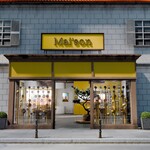
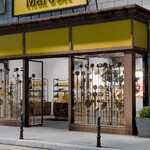
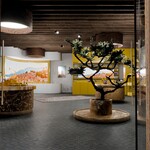
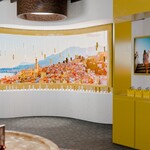
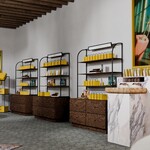
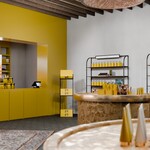
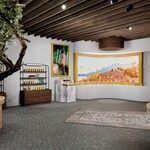
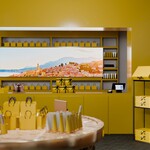
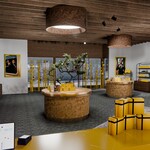
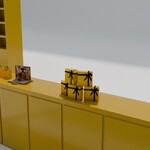
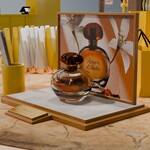
Mediterranean Perfume Boutique Scene is a complete Blender/Cycles retail environment designed as a premium skincare, fragrance, cosmetics and beauty boutique.
The scene is inspired by Mediterranean and South of France retail design, combining:
- Warm yellow accent colors
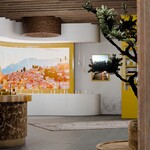
- Natural wood details
- Marble-style counters
- Glass storefront elements
- Decorative window displays
- Stone flooring
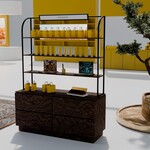
- Premium beauty retail props
- Bright interior lighting
- Boutique-style product presentation
The asset is designed for:
- Blender portfolio renders
- Architectural visualization
- Retail design concepts
- Beauty store visualization
- Skincare and perfume product presentation
- Commercial interior design
- Cinematic rendering
- Scene studies
- Custom storefront concepts
---
## 2. System Requirements
Recommended software:
- Blender
- Cycles renderer
No external plugins are required.
This product is built natively for Blender and Cycles. Other render engines or exported formats may require manual material and lighting adjustments.
---
## 3. Opening the File
1. Open Blender.
2. Open the included `MB-Retail_Store-03-BLENDPACK.blend` file.
3. Wait for textures and shaders to load.
4. Select a prepared camera
5. Render with Cycles.
The scene is prepared as a ready-to-render demo environment.
---
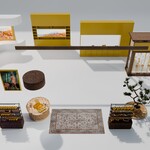
## 4. Scene Organization
The scene is organized into collections so you can quickly customize the store.
Typical collection structure:
- 00-CINEMATICS
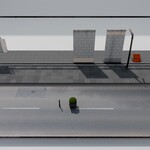
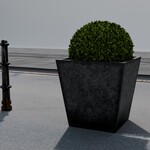
- 1-MB_Building-Street
- 2-MB_AcrossStreet
- 3-STOREFRONT
- 4-STORE-CONSTRUCTION
- 5-FURNITURE
- 6-RETAIL PRODUCTS
- x_LIGHTING
 Included
Includes 12 months of
- Support from Media Brennt GmbH
- Product updates
Extend this product’s Support Period +12 months: 50% of product price
Have questions before purchasing?
Login to message
| Published | 4 months ago |
| Blender Version | 5.1 |
| Render Engine Used | Cycles |
| Misc Data | Uvs-Unwrapped, Low-High-Resolution, Normal-Mapped, Textured |
| License | Royalty Free |
Discover more products like this
perfume Luxury Retail Interior Design retail ArchViz cosmetics product display storefront commercial interior