Mesh Cleanup Tools - Blender Addon Pack
 ramazan sarı



📥 INSTALLATION
1. Download the ZIP file
2. Inside you will find 3 separate addon ZIPs + a README file
3. Open Blender → Edit → Preferences → Add-ons → Install
4. Select each addon ZIP file one by one and install
5. Enable each addon by checking the checkbox
6. Find the panels in the N-panel (Sidebar) → "SaaS Tools" tab
⚙️ REQUIREMENTS
- Blender 3.0 or newer (tested up to 5.0)
- No external dependencies required
📦 INCLUDED ADDONS
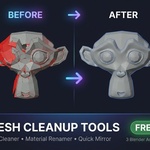
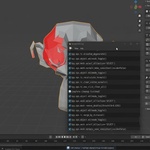
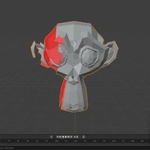
1. The Cleaner — One-click mesh cleanup with CAD/3D Print/Game profiles
2. Batch Material Renamer — Remove .001 numbering, find & replace
3. Quick Mirror Tool — Pie menu (Alt+M), one-click mirror on any axis
❓ FAQ
Q: Does it work with Blender 5.0?
A: Yes, all addons include blender_manifest.toml for full compatibility.
Q: Where do I find the addon panels after installing?
A: Press N in the 3D Viewport to open the sidebar, look for "SaaS Tools" tab.
Q: Can I use these for commercial projects?
A: Yes, commercial use is allowed.
Q: I get an error when installing the main ZIP directly?
A: Don't install the main ZIP. Open it first, then install each addon ZIP inside separately.
Have questions about this product?
Login to message
| Blender Extension Compatible | Yes |
| Sales | 10+ |
| Published | 8 months ago |
| Blender Version | 3.0 - 5.0 |
| Extension Type | Add-on |
| License | GPL |

Discover more products like this
normals fix blender addon Mirror Tool blender 5 3d modeling material renamer CAD import mesh cleanup