 Theo Boechat


Overview
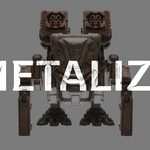
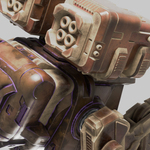
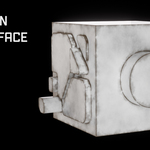
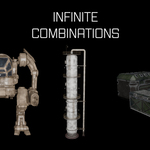
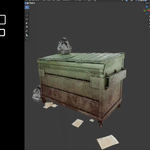
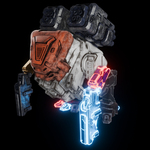
METALIZE is a collection of 5 fully procedural metal materials for Blender Cycles, designed to give you high-quality results fast – without any UV unwrapping.
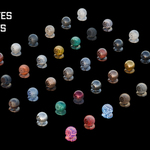
Each material comes with 8 carefully tuned presets, for a total of 40 variations you can apply in just a few clicks. Because they’re procedural, the materials automatically adapt to any mesh, from simple props to complex hard-surface models.
I originally created METALIZE for my own workflow to avoid wasting time with UVs on hard-surface models. After using it in my personal projects, I decided to polish it and release it to the community.
What’s included
-
5 procedural metal materials for Blender Cycles
-
8 presets per material → 40 presets total
-
Materials that automatically adapt to any mesh
-
No image textures required
-
No UV unwrapping required
Typical use cases:
-
Hard-surface models
-
Props and assets for games and animation
-
Concept art and look-dev
-
Quick metallic passes for blocking and shading
Requirements
-
Blender with Cycles render engine enabled
-
Basic knowledge of assigning materials in Blender
METALIZE is designed and optimized for Cycles. Results in other render engines may vary.
Installation
-
Download the METALIZE file(s) from Superhive.
-
Open your Blender project.
-
Use one of the following methods:
-
Append method
-
Go to:
File > Append -
Select the METALIZE
.blendfile -
Open the Material folder
-
Choose the materials you want to append into your scene
-
-
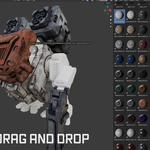
Asset Browser method (if you use Blender’s Asset Browser)
-
Add the METALIZE file to one of your Asset Library paths
-
Mark the materials as Assets (if they aren’t already)
-
Drag and drop them onto your objects from the Asset Browser
-
-
How to use
-
Select your object in the 3D Viewport.
-
In the Material Properties, assign one of the METALIZE materials.
-
The shader will automatically adapt to your mesh, no UVs required.
-
To use a preset:
-
Either pick one of the included preset materials, or
-
Duplicate a material slot and tweak it to create your own variation.
-
Because the shaders are procedural, you are free to:
-
Change values to create new looks
-
Combine different presets in the same scene
-
Save your favorite variations as your own custom library
Customization
Each material is built to be flexible and editable. You can:
-
Tweak parameters directly in the Shader Editor
-
Adjust overall look (edge intensity, colors, detail...)
-
Mix METALIZE materials with your own shading networks
Feel free to explore, modify and customize everything according to your project needs.
Licensing & usage
-
You can use METALIZE in personal and commercial projects.
-
You cannot resell or redistribute the materials themselves or claim them as your own product.
Support
If you run into issues, have questions, or want to share feedback and renders, feel free to reach out via Superhive. I’m always happy to see how people use METALIZE and to improve future updates.
Blender Development Fund
A percentage of every METALIZE sale is donated to the Blender Development Fund, helping support the continued development of Blender. 💙
