 Lazy3D


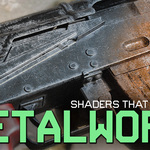

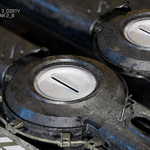

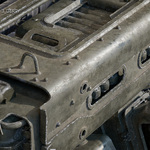



Metalworks Addon
Full tutorial and three focused workflow chapters for learning presets, material customization, and custom preset creation.
Install Metalworks as a Blender Extension
Metalworks is distributed as a Blender extension. Keep the downloaded ZIP file unchanged and install it directly inside Blender.
Download the Extension
Download the Metalworks ZIP file. Do not extract or modify the archive.
Open Blender
Start Blender and wait until the main interface is fully loaded.
Drag and Drop the ZIP File
Drag the downloaded Metalworks ZIP file directly into the Blender window.
Confirm the Installation
Blender will show an installation confirmation window. Confirm the operation and allow Blender to install the extension.
Open Metalworks
Open the Blender sidebar and locate the Metalworks panel. You can now apply presets, customize materials, bake texture maps, and save custom presets.
Important: install the original ZIP file directly. Do not extract the extension before installation.
Metalworks — Complete Tutorial
Complete walkthrough of the Metalworks interface, presets, shader controls, baking workflow, and custom preset tools.
Quick and Basic Presets Workflow
Learn how to browse, apply, and start working with ready-made Metalworks presets.
Customize Pistol Metal Preset
Adjust a prepared material and customize it for a specific asset.
Creating a Custom Preset
Save a finished material and add it to your reusable Metalworks user library.
-
$30
Have questions about this product?
Login to message
Discover more products like this
wear metallic grunge realism metal imperfections Damage sanctus procedural metalworks smartify smartify nodes photorealistic shade-it 3D material library