Migration Manager
 Heyarnoldl


### Installation Guide
1. Download the provided .zip file containing the add-on.
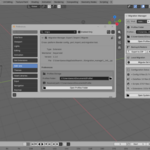
2. Open Blender and go to Edit > Preferences > Extensions.
3. Click on the arrow menu (top right) and select "Install from Disk...".
4. Choose the downloaded .zip file and enable the add-on.
### How to Use
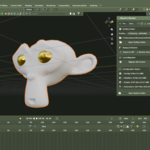
Once installed, open the 3D Viewport and press the "N" key to reveal the Sidebar panel. Look for the tab named "Config".
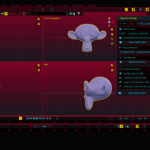
* To Backup: Click "Export to ZIP" under the Backup & Restore section to save your complete user preferences, custom hotkeys, themes, add-ons, and datafiles.
* To Restore: Click "Restore from ZIP" on your new Blender installation or computer to instantly extract and automatically load your previous environment.
* Local Migration: Use the "Migrate Old Version" option to pull configurations directly from older Blender versions installed on the same computer without using manual files.
 Included
Includes 12 months of
- Support from Heyarnoldl
- Product updates
Extend this product’s Support Period +12 months: 25% of product price
Have questions before purchasing?
Login to message
| Blender Extension Compatible | Yes |
| Dev Fund Contributor | |
| Published | 3 months ago |
| Blender Version | 4.2 - 5.2 |
| Extension Type | Add-on |
| License | GPL |