 Skava
Skava


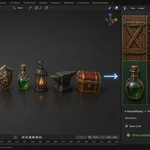

How do I install Mobile Ready?
1. Download the archive from your purchase page (do not unpack).
2. In Blender open Edit → Preferences → Add-ons.
3. Click Install..., pick the ZIP, then enable MobileReady.
4. Press N in the 3D Viewport — the sidebar will show a new MobileReady tab.
$9.99
Have questions about this product?
Login to message
| Published | 5 months ago |
| Blender Version | 3.1 - 5.1 |
| Extension Type | N/A |
| Render Engine Used | Arnold, Blender-Internal, Blender-Game-Engine, Cycles, Eevee, Freestyle, Luxrender, Mental-Ray, Octane, Vray, Yafaray |
| License | GPL |
Discover more products like this
mobile optimization performance texture memory heatmap LOD generation Channel Packing polygon budget game optimization Draw Calls mobile-games vram bone-weights