Modern American Muscle Car
 FladmarkDesign


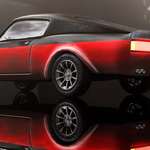
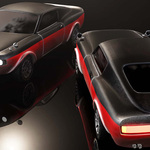

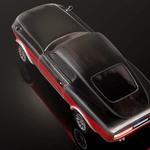
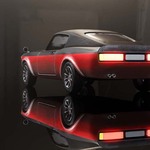
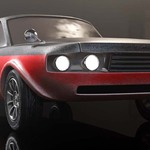
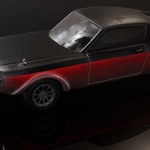
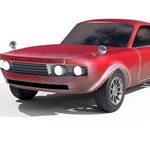
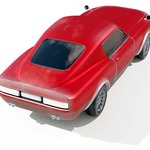
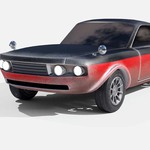
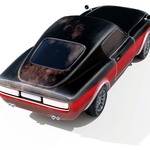
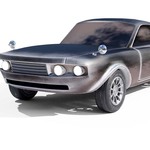
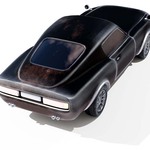
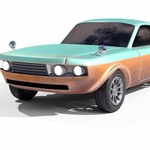
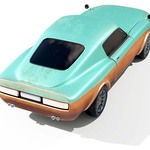
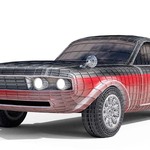
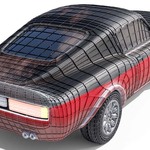
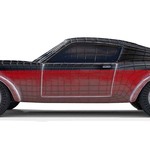
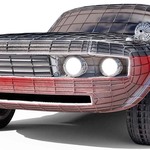
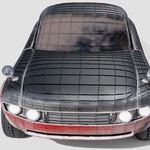
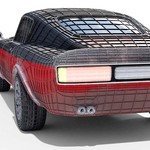
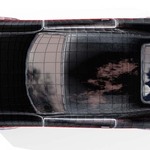
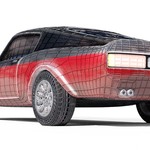
This model is sold under a CC0-license. You may use it for projects personal and/or commercial and are not required to credit me.
You may not republish or repackage this model nor any of its contents.
________________________________
When extracting textures, make sure that the "Textures" folder is placed into the same folder as the 3D-files ("./Textures/MuscleCar_DIFFUSE_1K" NOT "./Textures/Textures/MuscleCar_DIFFUSE_1K).
If not, the textures will not load onto the model.
The materials are currently set to 2K textures for Diffuse, Roughness, Metallic, and Emission maps, and to 4K for the Normal map. To assign other textures, enter the shader window with the MuscleCar object selected and replace image textures on the MuscleCarMaterial. Make sure to select the correct texture for each image texture node, or visual glitches may occur. All textures are presented in a [model_type_resolution] layout.
There are four color variations of the model. To apply these, change the texture in the image node connected to "base color" on the MuscleCarMaterial to any of the textures marked "MuscleCar_DIFFUSE_XK_varY" where "X" is the required resoltion and "Y" is the variation. The variations are as follows: _var0/none for Classic Red, _var1 for Modern Two-Tone, _var2 for Black-Out, and _var3 for Retro Sea-Foam
________________________________
The wheels are separate objects parented to the MuscleCar body, with their own set of textures. This allows the MuscleCarBody to function optimally should you wish to replace the wheels with a set of your own, for example if you already have animated wheels in a project with pre-existing vehicles - conversely this also makes it easy for you to reuse these wheels for other projects.
To allow simpler use in game engines outside of blender, the wheels are not animated. Should you wish to animate them, do so by selecting each wheel directly - in the blend file these are already set up with origins placed to allow correct rolling and turning.
The origin point of the body of the vehicle is placed below it to simulate center of gravity for vehicle physics simulation. I recommend keeping it there, though you can change its position with "origin to geometry" should you wish to animate body roll and movement directly.
________________________________
An .stl file has been included as a thanks for purchasing. This file has been tested with Ultimaker Cura.
Have questions about this product?
Login to message
| Published | over 1 year ago |
| Blender Version | 3.0 - 5.2 |
| Render Engine Used | Cycles |
| Misc Data | Uvs-Unwrapped, Manifold-Mesh, Low-High-Resolution, Normal-Mapped, Textured |
| License | Creative Commons |
Discover more products like this
car modern classic Muscle Car fastback retro american racing American Car