 Node Lab


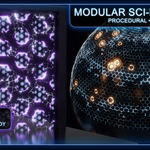
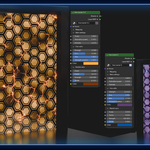
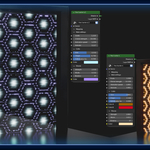
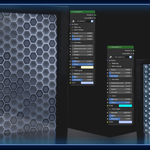
A Blender Material Pack with reactive forcefields for Blender
Create dynamic, animated sci-fi shields that react to proximity, impacts, and openings. Entirely procedural.
✔ 12 procedural barrier materials + 5 modular layers
✔ animation controlled with simple Shape Keys
✔ proximity-based interaction
✔ animated openings & impacts
✔ Geometry Nodes proximity system included
Works on simple planes / domes, no simulations or textures required.
What you can create
Create dynamic shields such as:
spaceship forcefields
sci-fi base barriers
cinematic shield impacts
reactive energy walls
holographic forcefields
Perfect for VFX shots, sci-fi scenes, environments, and animations.
Modular System : Asset Browser Workflow
The pack is built around a modular system that lets you extend the barriers using Blender’s Asset Browser.
Interaction layers such as impacts or proximity effects can be added directly by drag & drop.
This makes it easy to build complex reactive shields without modifying the base material.
How it works
Apply a barrier material to your surface.
Add the Geometry Nodes proximity controller to the barrier object (adjust the resolution/subdivisions).
Drag additional interaction layers from the Asset Browser.
Available layers include:
2 proximity interaction layers
Multiple impacts layer
2 opening layers
Each layer automatically integrates into the barrier system.
Non-destructive workflow
The system is designed to stay modular and non-destructive.
You can:
add multiple interaction layers
combine effects together
enable or disable layers at any time
This allows you to quickly experiment and build complex barrier behaviours.
Designed for flexibility
Because the layers are assets, you can easily:
reuse them across scenes
stack multiple effects
customize them independently
The system keeps the barrier setup clean, flexible, and scalable.
Key Features
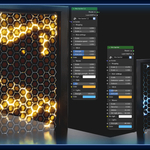
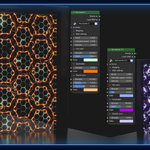
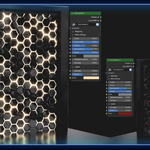
6 base barrier materials + 6 additional variations, all animated using Shape Keys
Six ready-to-use barrier styles, fully procedural and easily customizable.
Adjust:
Light emission
Cell width
animation speed
colors
No textures needed / UV unwrap required.
Radial Proximity System
Two proximity layers allow the shield to react to nearby objects. ("Proximity GN" geometry Nodes modifier required)
When geometry approaches the barrier, the material can locally:
increase emission
generate interaction glow
Animated using Shape Keys
Powered by Geometry Nodes proximity detection.
Opening System
Create dynamic openings in the shield and control them using a simple empty.
Two styles included:
Electrical opening
Unstable arcs and energetic distortions.
Incandescent opening
Smooth glowing aperture for controlled passages.
Perfect for ships passing through shields or shield gates.
Multi-Impact System
Simulate multiple simultaneous impacts.
Each impact creates:
local energy bursts
animated glow pulses
The shield reacts to impacts
Ideal for scenes with multiple projectiles shots.
Geometry Nodes Controller
The pack includes a Geometry Nodes proximity controller in order to use the radial proximity layers.
It detects nearby geometry and feeds interaction data to the materials.
This allows the barriers to react dynamically without simulations or dynamic paint.
The system remains lightweight and fully procedural.
In brief, what’s Included
12 procedural barrier materials
2 radial proximity layers
2 opening layers (electrical & incandescent)
multi-impact system
Geometry Nodes proximity controller
customizable parameters
Easy to Use
Add the barrier material to a plane or surface (UV unwrap needed)
Optionnaly place the Geometry Nodes controller if you want to use a proximity layer ➜ Assign the collection with proximity objects ➜ Adjust the resolution (subdivision)
Add a layer in the shader editor
Adjust your parameters
Animate with shape keys if you want
The system is designed to stay simple and flexible