Motion Flow - Procedural Animation Toolkit For Blender
 cgpiece
Install it just like any other Blender add-on, simply drag the ZIP file into the Blender window. or open Edit > Preferences(or press Ctrl + ,), go to the Add-ons tab, click the down arrow in the top-right corner, and choose Install from Disk. Select the ZIP file to install it.
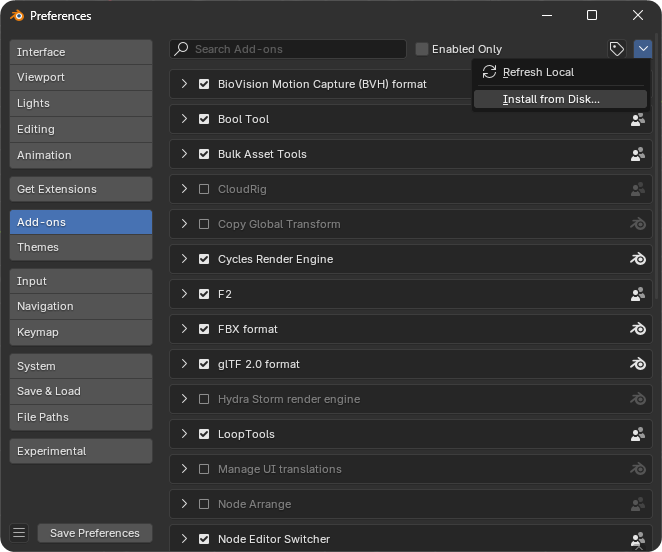
The add-on will automatically add Motion Flow to the Asset Library path.
If Auto Save Preferences is disabled, you’ll need to manually save your user preferences to keep the asset library settings.
Alternatively, you can install it manually:
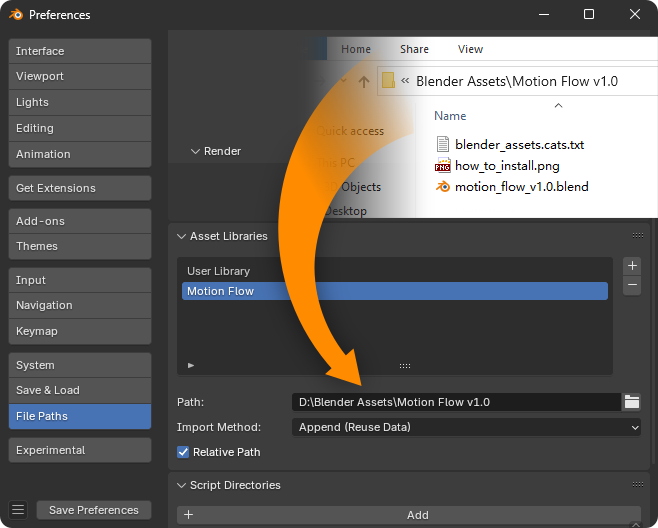
Extract the ZIP file. It's recommended to save it in the directory where you store your assets.Then go to Edit > Preferences , open the File Paths tab, and add the extracted path to the Asset Libraries section. Name it Motion Flow, and save the preferences, as shown in the image below.
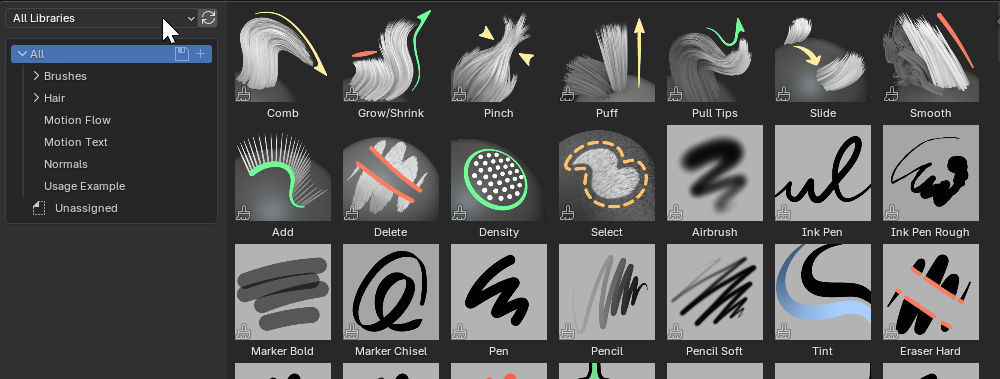
Split the 3D Viewport editor and switch one of the sections to Asset Browser. Then, select Motion Flow from the asset library list. You should now see it appear.
How to Use?
You can add nodes directly in the Node Editor using the Add menu (shortcut: Shift + A), or drag them from the Asset Browser into the Node Editor.
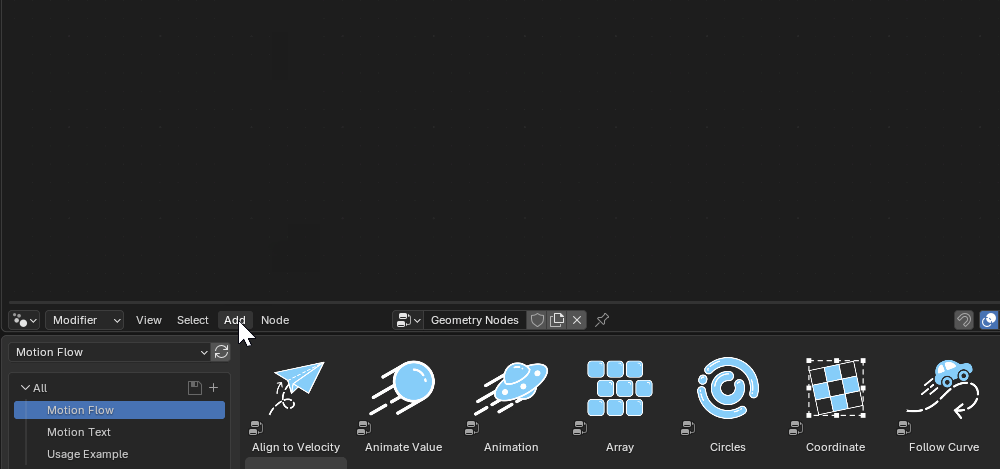
Nodes with blue icons represent geometry nodes, while nodes with other colors represent shader nodes.
For motion text presets, simply drag them into the 3D Viewport and adjust their parameters in the Modifiers panel.
If you can't see the text in the viewport, try moving the timeline to view it.
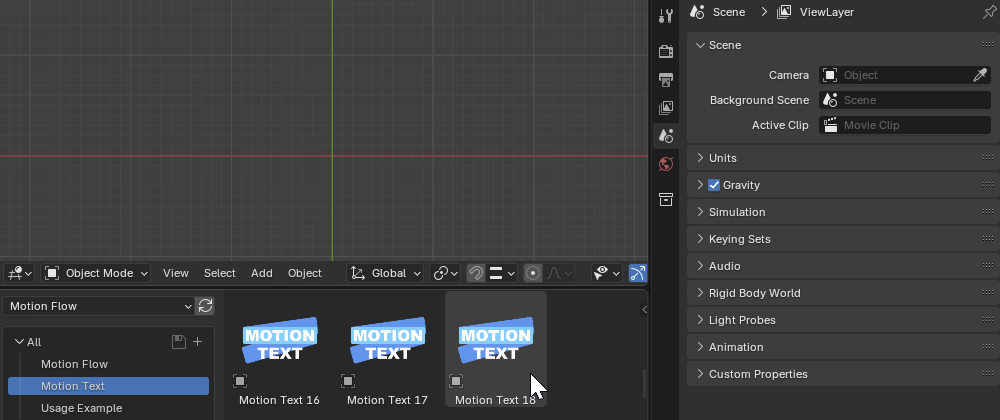
In addition, there are many use examples available. You can explore their node setups for learning and reference.
In Blender 5.0, assets are imported using Pack mode by default, which prevents user editing. To edit them, go to Object → Relations → Make Local… → All to localize the asset, or change the import mode to Append
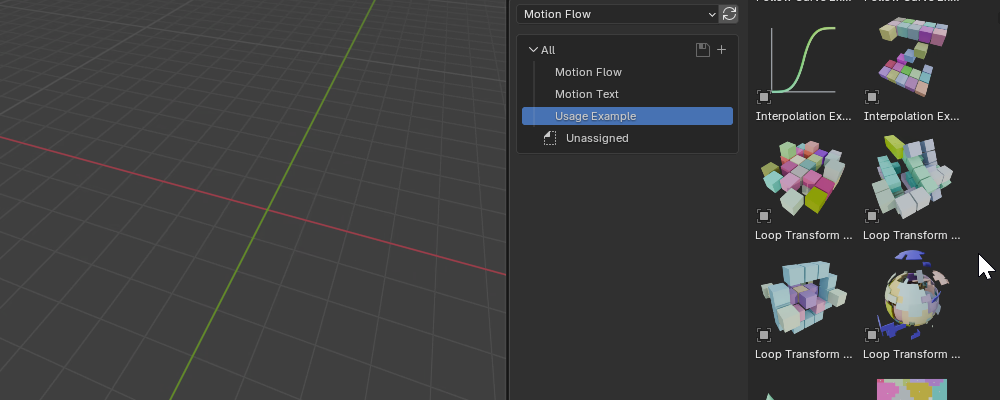
For more information, please refer to the help documentation included in the addon package.
Have questions about this product?
Login to message

Discover more products like this
motion graphics Text animation geometry nodes Procedural Animation animation template animation toolkit" Node presets easing curves VFX animation nodes asset pack text effects