 Mush3D


Multi Delta Mush Documentation
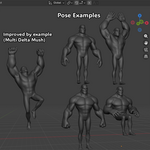
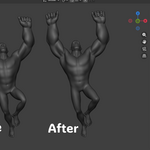
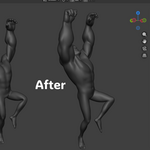
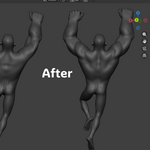
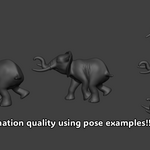
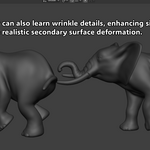
Multi Delta Mush is a Blender add-on for improving character deformation from pose examples. It is designed to help reduce complex corrective shape key, driver, and rig logic setups by training a separate deformation output mesh.
The add-on does not modify your original source mesh during live updates. It creates and updates a generated output object, so your rig remains clean and reversible.
Compatibility
- Supported OS: Windows x64
- Supported Blender version: Blender 5.1.x
- No external Python, pip, Visual Studio, CMake, or OpenCL SDK installation required
- CPU backend included
- Optional OpenCL backend available when your system has a compatible OpenCL runtime
This release is built specifically for Blender 5.1’s Python version. Other Blender versions may not load the compiled core.
Mesh Requirements
Your source, bind, and corrective sample meshes must share:
- The same vertex count
- The same vertex order
- The same topology
Multi Delta Mush is not a retopology tool and cannot match different meshes automatically. For best results, create corrective samples as duplicates or exports from the same original mesh.
Basic Workflow
- Install and enable the add-on in Blender.
- Open the 3D View sidebar and find the Multi Delta Mush tab.
- Choose your animated character mesh as the Source.
- Add a bind pose mesh to the sample list and mark it as the bind sample.
- Add one or more corrective pose sample meshes with matching topology.
- Create or assign deformation areas using vertex groups.
- Click Create Output to generate the output mesh.
- Click Train.
- Pose, animate, or scrub the timeline to see the output mesh update.
Deformation Areas
Deformation areas tell the add-on which parts of the mesh should be trained and blended together. You can use existing vertex groups, or extract areas from the active UV shells on the source mesh.
UV shell extraction creates normalized vertex groups from UV islands, which can be useful for separating limbs, torso, face regions, clothing panels, or other deformation zones.
Important Settings
Envelope controls the strength of the final result.
At 0.0, the output matches the source. At 1.0, the full trained deformation is applied.
Mask lets you limit the deformer with a vertex group.
Relax Iterations controls the smoothing stage used by the deformation model.
Area Relax softens deformation-area weights across the mesh.
Stack Iterations repeats the solve for sharper convergence. This can improve results but may cost more performance.
RBF Radius and Regularization affect how pose examples blend during training.
Changing training samples, topology, deformation areas, relax settings, RBF radius, or regularization requires retraining. Envelope, mask, and stack iteration changes can be adjusted after training.
Backend
The add-on includes a compiled C++ deformation core.
Available backend modes:
- Auto: tries OpenCL first, then falls back to CPU
- CPU: uses the compiled CPU path
- OpenCL: requires a working OpenCL runtime
If OpenCL is unavailable or unstable on your system, use the CPU backend.
Troubleshooting
If training fails, check that all meshes have matching topology and vertex order.
If the add-on reports that the compiled core is missing or incompatible, make sure you are using the supported Blender version and platform.
If the output does not update while animating, retrain the setup, confirm the output object exists, and check that live update is enabled.
For support, please include your Blender version, operating system, backend mode, a short description of the issue, and if possible a simplified .blend file that reproduces the problem.
Current Limitations
This release is Windows x64 and Blender 5.1.x only.
Multi Delta Mush works best when samples are carefully prepared from the same base mesh. It does not replace good rigging practice, but it can reduce the amount of corrective rig complexity needed for difficult deformation areas.
-
$60
For individual artists, students, hobbyists, and freelancers earning less than $100,000 USD per year. Not intended for companies, studios, agencies, teams, or individuals earning more than $100,000 USD per year.
-
$399
Required for companies, studios, agencies, teams, and individuals or freelancers earning more than $100,000 USD per year.
Have questions about this product?
Login to message
| Blender Extension Compatible | Yes |
| Published | 4 months ago |
| Blender Version | 5.1 |
| Extension Type | Add-on |
| License | Mit |